8-4
DVW-250
8-2-4. DPR-62 Board Removal
1. Open the video boards assembly. (Refer to Section 8-
2-1.)
2. Remove the DIF-31 board and VPR-12 board. (Refer
to Sections 8-2-2 and 8-2-3.)
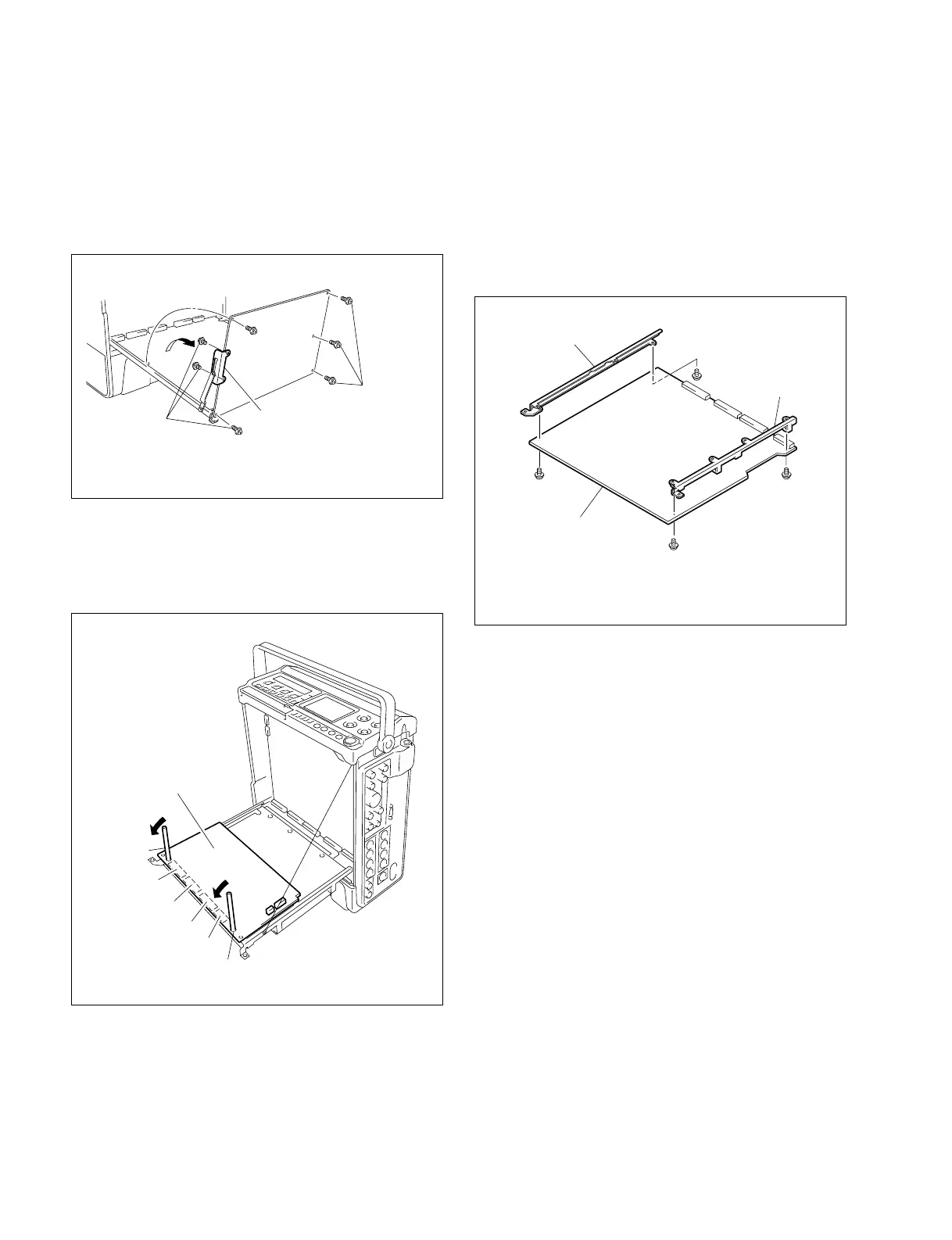
3. Remove the four screws fixing the holder (L) and
holder (R).
4. Attach the holder (L) and holder (R) to a new DPR-62
board.
8-2-3. VPR-12 Board Removal
1. Open the video boards assembly. (Refer to Section 8-
2-1.)
2. Remove the five screws fixing the VPR-12 board.
3. Remove the two screws fixing the stay retainer.
4. Insert the hexagon wrenches (across 1.5 mm) into the
holes of the VPR-12 board, and move them in the
direction indicated by the arrow to disconnect the
board-to-board connectors CN201 through CN204.
VPR-12 board
CN201
CN202
CN203
CN204
Hexagon wrench
Hexagon
wrench
8-2. Video Boards Assembly Replacement
Holder(L)
Screw
(PWH2.6 × 5)
DPR-62 board
Screw
(PWH2.6 × 5)
Screw
(PWH2.6 × 5)
Holder(R)
Screw
(PWH2.6 × 5)
Screw
(PWH2.6 × 5)
Stay retainer
Screws
(PWH2.6 × 5)
Screws
(PWH2.6 × 5)


 To Next Page