1-22
DVW-250/250P
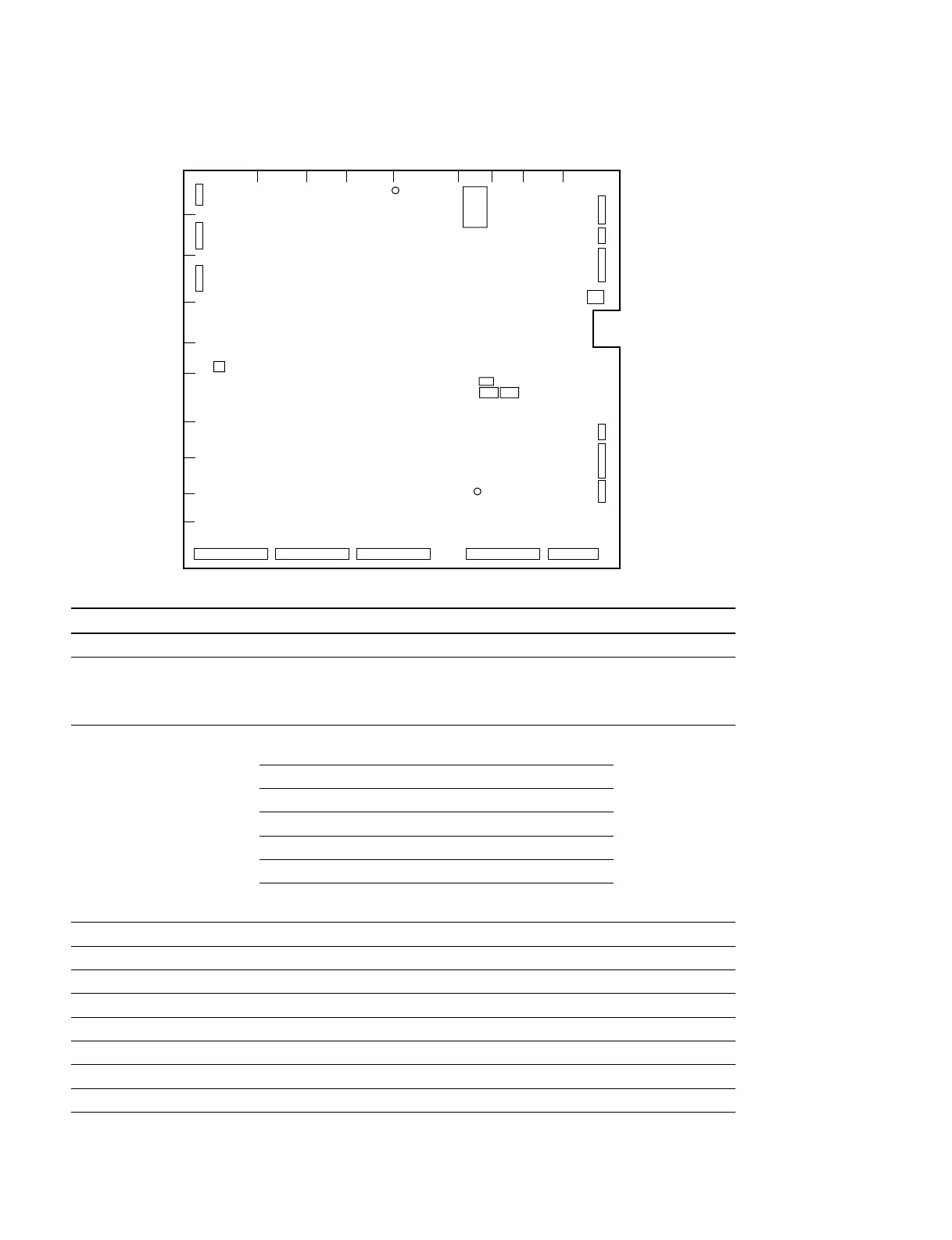
1-10-6. SST-3 board
Ref No. Name Description Factory setting
S1 RESET switch Reset the CPU for system control. –
S151-1 RF TEST switch RF system adjustment (Refer to “9-5.RF System Adjustment”.) OFF
ON: Change the parameter to RF TEST menu (DIAG menu)
OFF: Normal use
S151-2 Audio meter Select the audio meter level for match to the setting of ON (S151-2)
S151-3 Level select switch the headroom level and audio input/output level. OFF (S151-3)
S151-2 S151-3 Headroom level Audio input/output
OFF OFF 20 dB 0 dB
ON OFF 20 dB +4 dB
OFF ON 18 dB –3,0 dB
ON ON 16 dB 0 dB
n
After setting, push the switch S1 on the SST-3 board.
S151-4 – Factory use OFF
S151-5 – Factory use OFF
S151-6 – Factory use OFF
S151-7 – Factory use OFF
S151-8 – Factory use ON
S501 – Factory use –
S502 – Factory use –
S503 – Factory use OFF
1-10. Switch/Slit Land Settings on the Boards
SL111
S151
S1
S501
S502
S503
SL401
ABCDEFGHJ
1
2
3
4
5
6
7
8
9
10
SST-3 A SIDE
CN111
CN104
CN103
CN108
CN112
CN101
CN113
CN109
CN110
CN105
CN901CN902CN903CN904CN905


 To Next Page