5-6
DVW-250/250P
5-2. Periodic Check
5-2. Periodic Check
To make the most of the functions, fully realize performances of DVW-250/250P, and to lengthen the life
of DVW-250/250P and tape, a periodic check is recommended.
5-2-1. Hours Meter
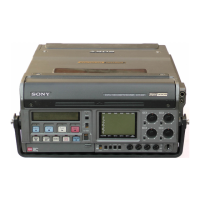
DVW-250/250P can display an hours meter on the LCD on the front panel.
It is recommendable to carry out the periodic check using this hours meter as a reference.
1. Display procedures
(1) Press the DIAG button on the front panel with a clip lead or similar object so that activate the DIAG
menu.
(2) Align the asterisk cursor with the “HOURS METER” in the DIAG menu using the UP or DOWN
button.
(3) Press the SET button so that diplay the “HOURS METER 1” menu.
(4) Press the SET button again so that diplay the “HOURS METER 2” menu.
(5) Press the DIAG button using the clip lead or similar object so that exit the DIAG menu.
2. Contents of display
HOURS METER 1
POWER ON
000000H
DRUM ROTATE
000000H
SET KEY --- NEXT
HOURS METER 2
TAPE TRAVEL
000000H
TAPE THREAD
000000TIMES
SET KEY --- EXIT
5-2-2. Periodic Check List
The replacement time which show in the following list are not the guarantee term parts. Use this list as
guidelines for the maintenance and inspection. The replacement time of the parts vary depending on the
operation environment and conditions of the unit.
n
The parts marked with “↓” replace, and at the same time the part indicated by this arrow replaces.
POWER ON : Accumulated power ON time.
DRUM ROTATE : Accumulated drum running hours.
TAPE TRAVEL : Accumulated tape running length indicated in hours.
(ex ; If 124 mins tape is fast forwarded and rewound, it is counted 248
minutes.)
TAPE THREAD : Accumulated number of threading/unthreading cycle.


 To Next Page