107
File Operations
Chapter 5 Storage and Retrieval of User Setting Data
5-3 File Operations
5-3-1 Using a “Memory Stick”
You can use “Memory Stick PRO” media with this camera.
“Memory Stick PRO Duo” can also be used without using
a Memory Stick Duo adaptor.
The camera operations have been checked using “Memory
Stick PRO” media up to 8GB.
Operations checked with:
MSH-128
MSX-512S
MSX-M2GS
MSX-M4GS
MSX-M8GS
For details on “Memory Stick” media, see“About a
“Memory Stick”” (page 135).
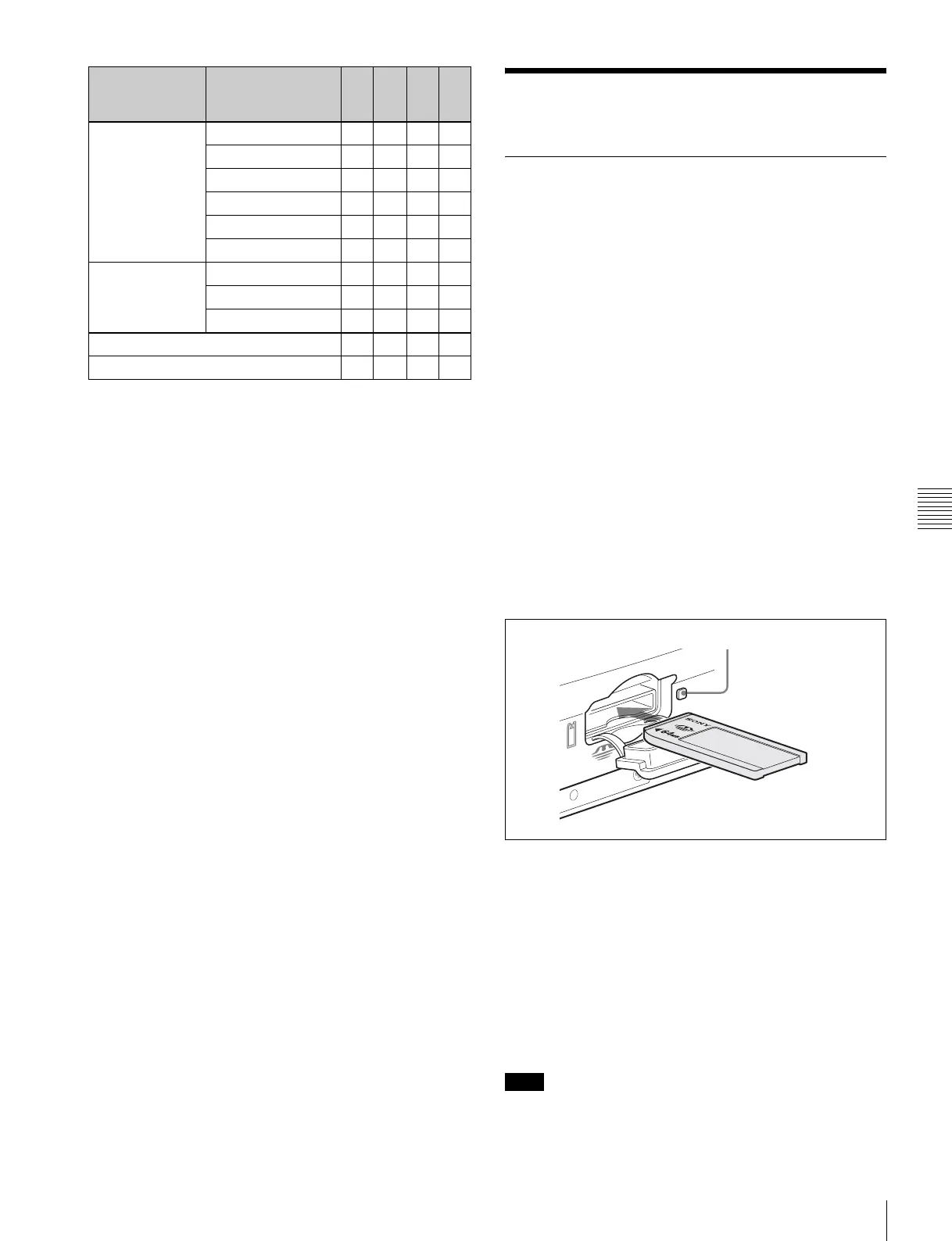
Inserting a “Memory Stick”
Insert a “Memory Stick” with the label side up into the
“Memory Stick” slot until it clicks and the access lamp
lights in red. When the “Memory Stick” is properly set, the
lamp illumination changes to green.
If it does not fit into the slot properly or if there is some
resistance when you insert it, the “Memory Stick” may be
turned around or upside-down. Do not force the “Memory
Stick” into the slot. Confirm the direction of the notch and
arrow on the “Memory Stick” before inserting the
“Memory Stick,” and then try inserting it again.
Removing the “Memory Stick”
Confirm that the access lamp is not lit in red, then lightly
push in the “Memory Stick” to release the lock.
If the access lamp is lit in red, data are being read from or
written to the “Memory Stick” At this time, do not shake
<BLACK
SHADING>
(M04)
V SAW [R] [G] [B] a
V PARA [R] [G] [B] a
H SAW [R] [G] [B] a
H PARA [R] [G] [B] a
BLK SET [R] [G] [B] a
MASTER GAIN aa
<OHB MATRIX>
(M05)
HUE a
SAT a
OHB MATRIX a
ND filter selection a
ND offset a
Menu page
(No. in Custom
mode)
Item S R L O
Note
PRO
Access lamp
Label side
Memory Stick



 To Next Page