136
About a “Memory Stick”
Appendixes
“Memory Stick” (with Memory Select Function)
Composed of multiple 128 MB memory units.
The mechanical switch at the back of the “Memory Stick”
allows you to select the memory unit to be used depending
on usage.
The memory units cannot be used simultaneously and
continuously.
“Memory Stick PRO”
“Memory Stick” with “MagicGate” copyright protection
technology, exclusive for “Memory Stick PRO”-compliant
products.
Usable type of “Memory Stick”
You can use a “Memory Stick PRO” with this camera. The
“Memory Stick PRO Duo” can also be used without using
the Memory Stick Duo adaptor.
This camera is not compliant with Parallel mode of
“Memory Stick.”
The camera operations have been checked using “Memory
Stick PRO” media up to 8GB.
Operations checked with:
MSH-128
MSX-512S
MSX-M2GS
MSX-M4GS
MSX-M8GS
Note on data read/write speed
Data read/write speed may vary depending on the
combination of the “Memory Stick” and “Memory Stick”
compliant product you use.
What is “MagicGate”?
“MagicGate” is copyright protection technology that uses
encryption technology.
Before using a “Memory Stick”
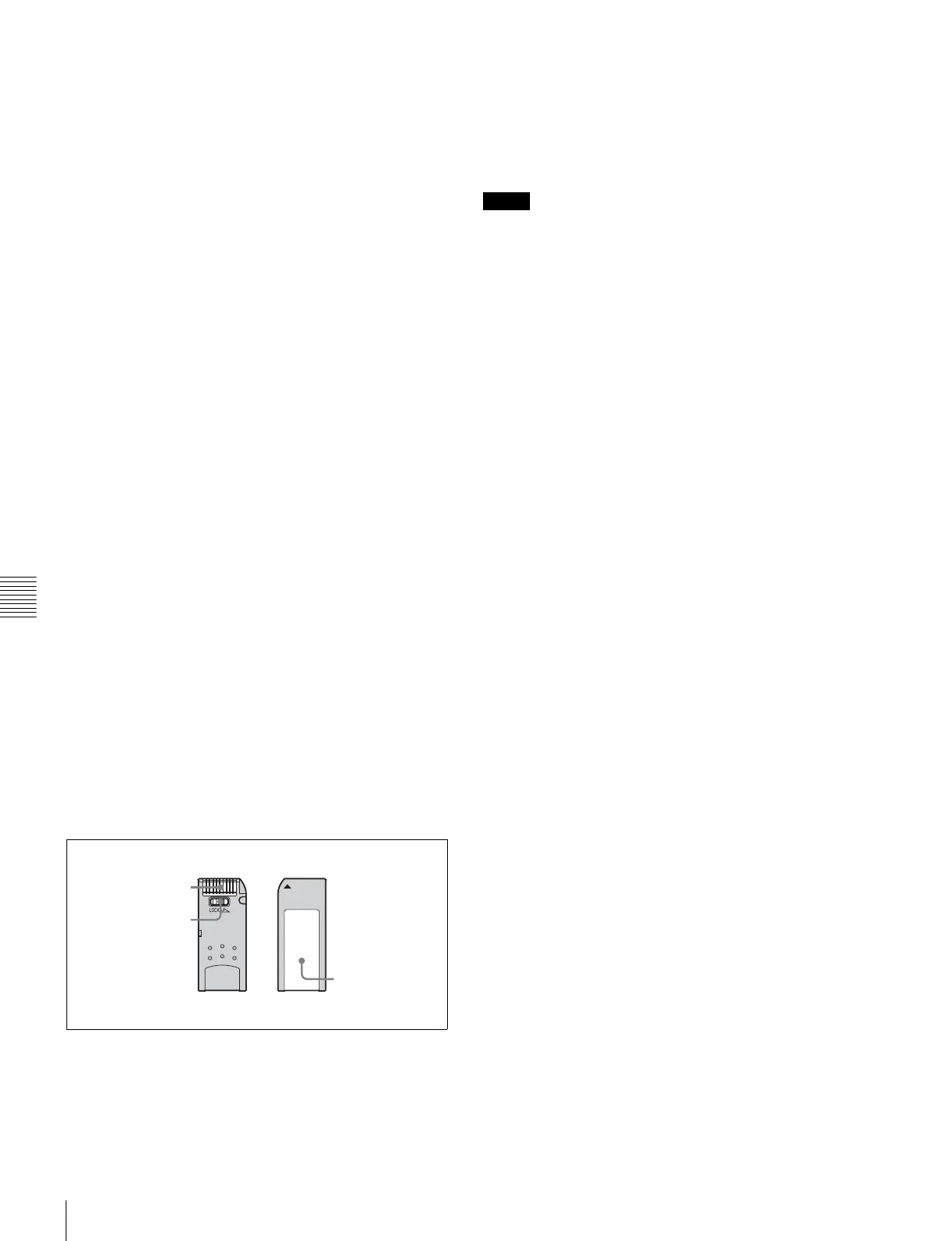
• When you set the “Memory Stick” erasure prevention
switch to “LOCK,” data cannot be recorded, edited, or
erased.
• Data may be damaged if:
—You remove the “Memory Stick” or turn off the unit
while it is reading or writing data.
—You use the “Memory Stick” in a location subject to
the effects of static electricity or electric noise.
• We recommend that you make a backup copy of
important data that you record on the “Memory Stick”.
• Do not attach anything other than the supplied label to
the “Memory Stick” labeling position.
• Attach the label so that it does not stick out beyond the
labeling position.
• Carry and store the “Memory Stick” in its case.
• Do not touch the connector of the “Memory Stick” with
anything, including your finger or metallic objects.
• Do not strike, bend, or drop the “Memory Stick”.
• Do not disassemble or modify the “Memory Stick”.
• Do not allow the “Memory Stick” to get wet.
• Do not use or store the “Memory Stick” in a location that
is:
—Extremely hot, such as in a car parked in the sun
—Under direct sunlight
—Very humid or subject to corrosive substances
If the access indicator is lit in red
Data is being read from or written to the “Memory Stick”.
At this time, do not shake the product or subject it to shock.
Do not turn off the power of the product or remove the
“Memory Stick.” This may damage the data.
Precautions
• To prevent data loss, make backups of data frequently. In
no event will Sony be liable for any loss of data.
• Unauthorized recording may be contrary to the
provisions of copyright law. When you use a “Memory
Stick” that has been pre-recorded, be sure that the
material has been recorded in accordance with copyright
and other applicable laws.
• The “Memory Stick” application software may be
modified or changed by Sony without prior notice.
• Note that there are certain restrictions on recording stage
performances and other entertainment events, even if
they are recorded for personal use only.
Te r m in a l
Write-protect tab
Labelling position
Notes



 To Next Page