24
Mounting the CA-F101 and Optical Connection
Chapter 2 Installation and Preparations
2-3 Mounting the CA-
F101 and Optical
Connection
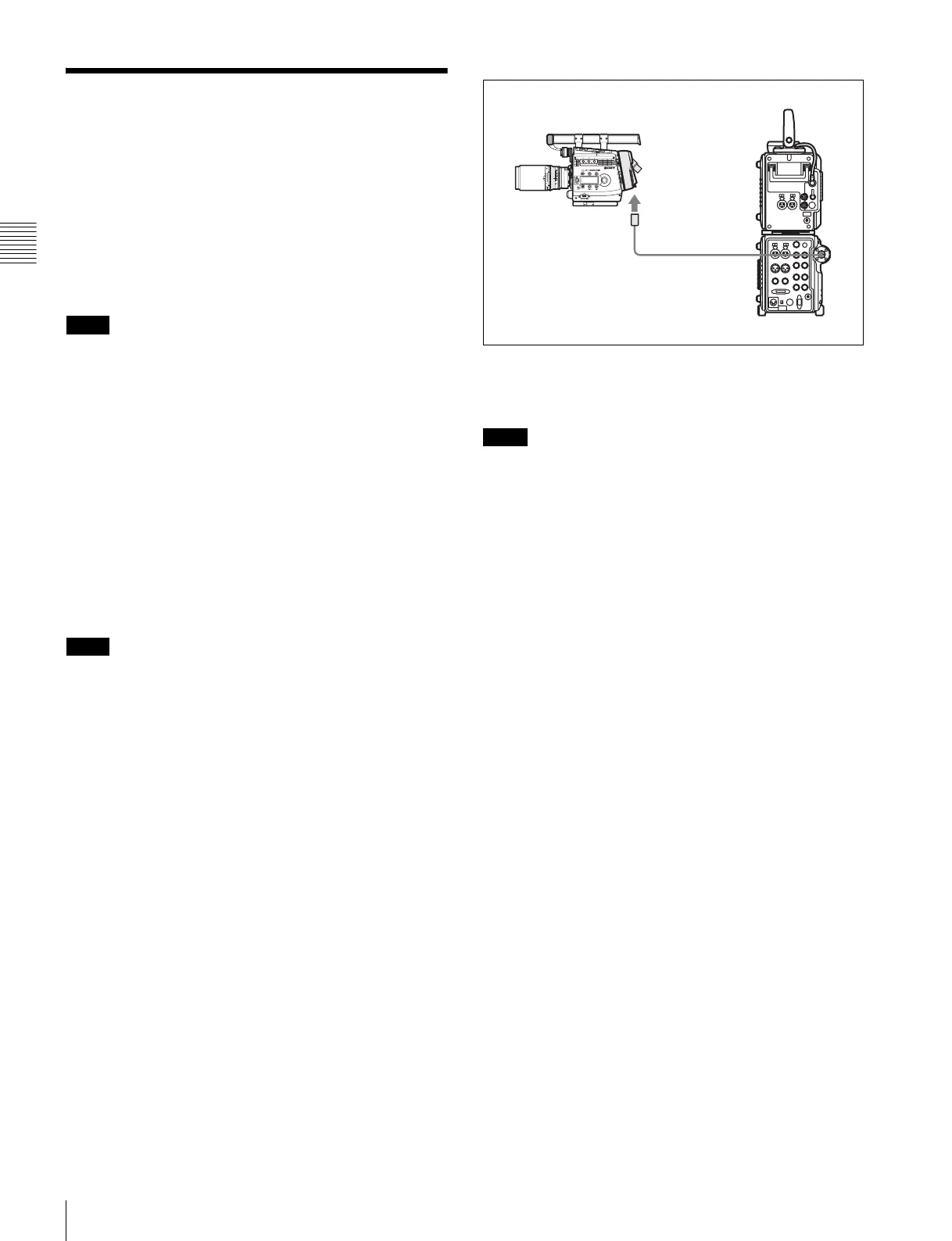
For optical connection between this camera and an SRW-
1, mount an HKSR-101 Optical Interface Unit on the
SRPC-1 HD Video Processor and an optional CA-F101
Optical Fiber Camera Adapter to the camera.
When using the CA-F101, confirm that the devices to be
used in combination match the following requirements:
• The HKSR-101 Optical Interface Unit has been mounted
on the SRPC-1 HD Video Processor.
• This camera is Ver. 1.3 or later.
• The SRW-1 and SRPC-1 are Ver. 2.6 or later.
For details, consult your Sony representative.
Mounting the CA-F101
The CA-F101 can be attached to the top or rear of the
camera head in the same manner as the interface box.
For handling of the CA-F101, refer to the Operation
Manual of the CA-F101.
If the CA-F101 is attached to the top of the camera, the
viewfinder can be placed to a higher position by attaching
the viewfinder shoe supplied with the CA-F101 to the
adapter.
In this case, remove the camera’s viewfinder shoe to
eliminate possible interference.
For details on viewfinder attachment, see “2-5 Attaching a
Viewfinder” (page 26) and “Mounting–Attaching a
Viewfinder to the Adapter” in the Operation Manual of the
CA-F101.
For connection
Use an optional hybrid optical camera cable that conforms
to ARIB (BTA S-1005B), ANSI/SMPTE (304M-1998/
311M-1998), or EBU (R100-1999).
For details on the connection, refer to the Operation
Manual of the CA-F101.
When power is applied, the video format of the camera is
automatically set to match that of the SRW-1. After that,
the format setting made either from the camera or the
SRW-1 becomes valid on both units.
Note
Note
Note
VTR
CAMERA
SRPC-1
+HKSR-101
SRW-1
Hybrid optical cable
CA-F101



 To Next Page