81
Menu List
Chapter 4 Menu Configuration and Detailed Settings
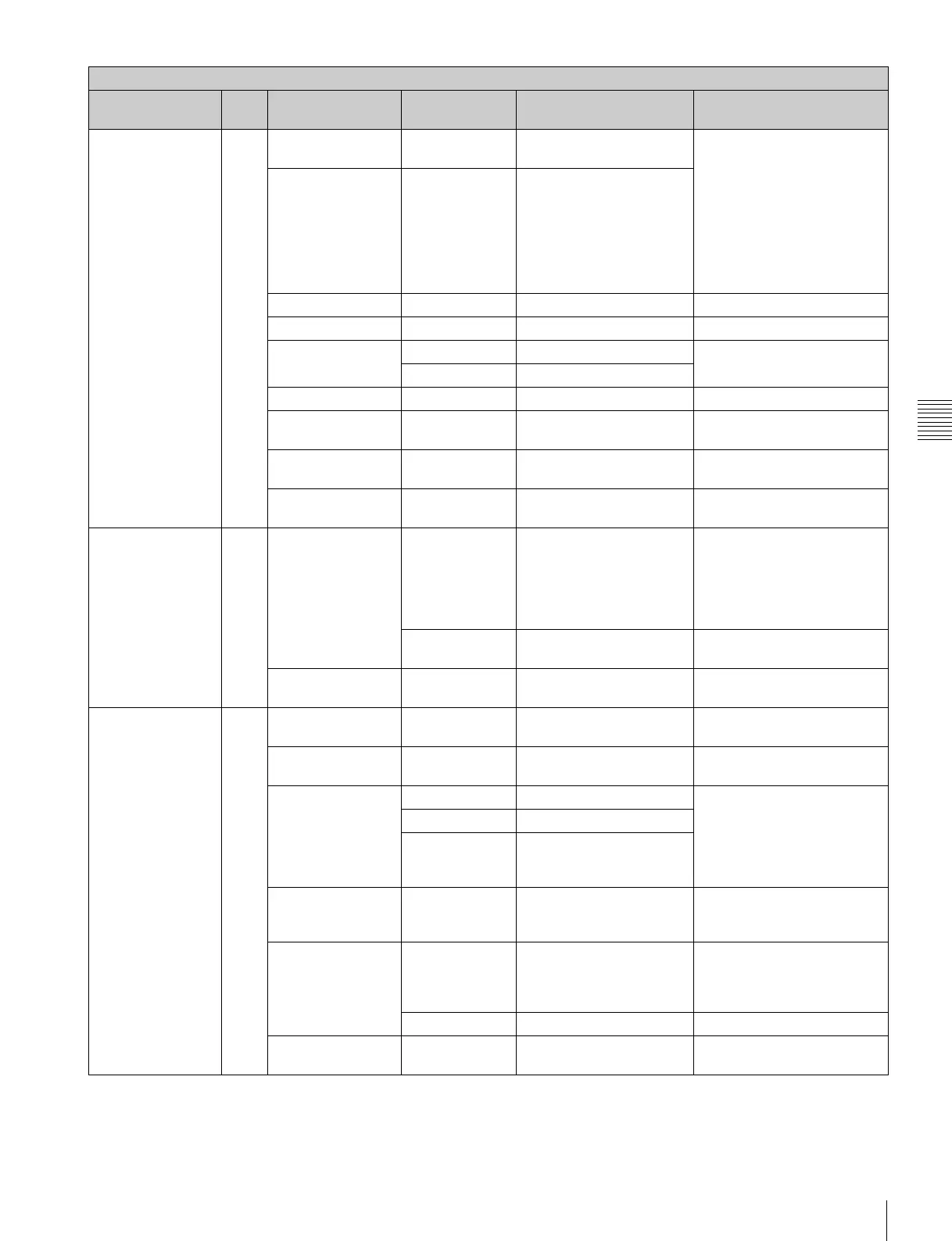
<KNEE>
Adjusting the
compression for
high-luminance
areas
P06
[ - - ] K POINT
[R] [G] [B] [M]
0000–99 to +99
R, G, B, and M (master)
values can be independently
set.
K POINT: To adjust the point
to apply the change
K SLOPE: To adjust the slope
of compression
Absolute values are displayed
in ABS mode except for M
(master).
K SLOPE 0 0 0 0 –99 to +99
KNEE OFF ON, OFF
KNEE MAX OFF ON, OFF
KNEE SAT 0 –99 to +99 To adjust the color saturation
at high-luminance areas
OFF ON, OFF
AUTO KNEE OFF OFF, AUTO
POINT LIMIT 0 –99 to +99 Absolute value is displayed in
ABS mode.
SLOPE 0 –99 to +99 Absolute value is displayed in
ABS mode.
ABS Highlighted: ABS (Absolute)
mode
<WHITE CLIP>
Adjusting the level
to white-clip the
high-luminance
areas
P07
[ - - ] W CLIP
[R] [G] [B] [M]
0000–99 to +99
R, G, B, and M (master)
values can be independently
set.
Absolute values are displayed
in ABS mode except for M
(master).
OFF ON, OFF Fixed to OFF in Cine-EI mode
and Cine mode
ABS Highlighted: ABS (Absolute)
mode
<DETAIL 1>
Adjusting the
emphasis of the
contours in video
P08
[ - - ]
DETAIL OFF ON, OFF Fixed to OFF in Cine-EI mode
and Cine mode
LEVEL 0 –99 to +99 Absolute value is displayed in
ABS mode.
LIMITER [M] 0 –99 to +99 To adjust the level to clip the
maximum value of the
emphasis signal
Absolute values are displayed
in ABS mode except for M
(master).
[WHT] 0 –99 to +99
[BLK] 0 –99 to +99
CRISP 0 –99 to +99 To adjust the level for noise
suppression (Absolute values
are displayed in ABS mode)
LVL D E P 0 –99 to +99 To adjust the emphasis
elements suppressed by
gamma (Absolute values are
displayed in ABS mode.)
OFF ON, OFF
ABS Highlighted: ABS (Absolute)
mode
PAINT menu
Page title &
purpose
No. Item Default Settings Remarks



 To Next Page