135
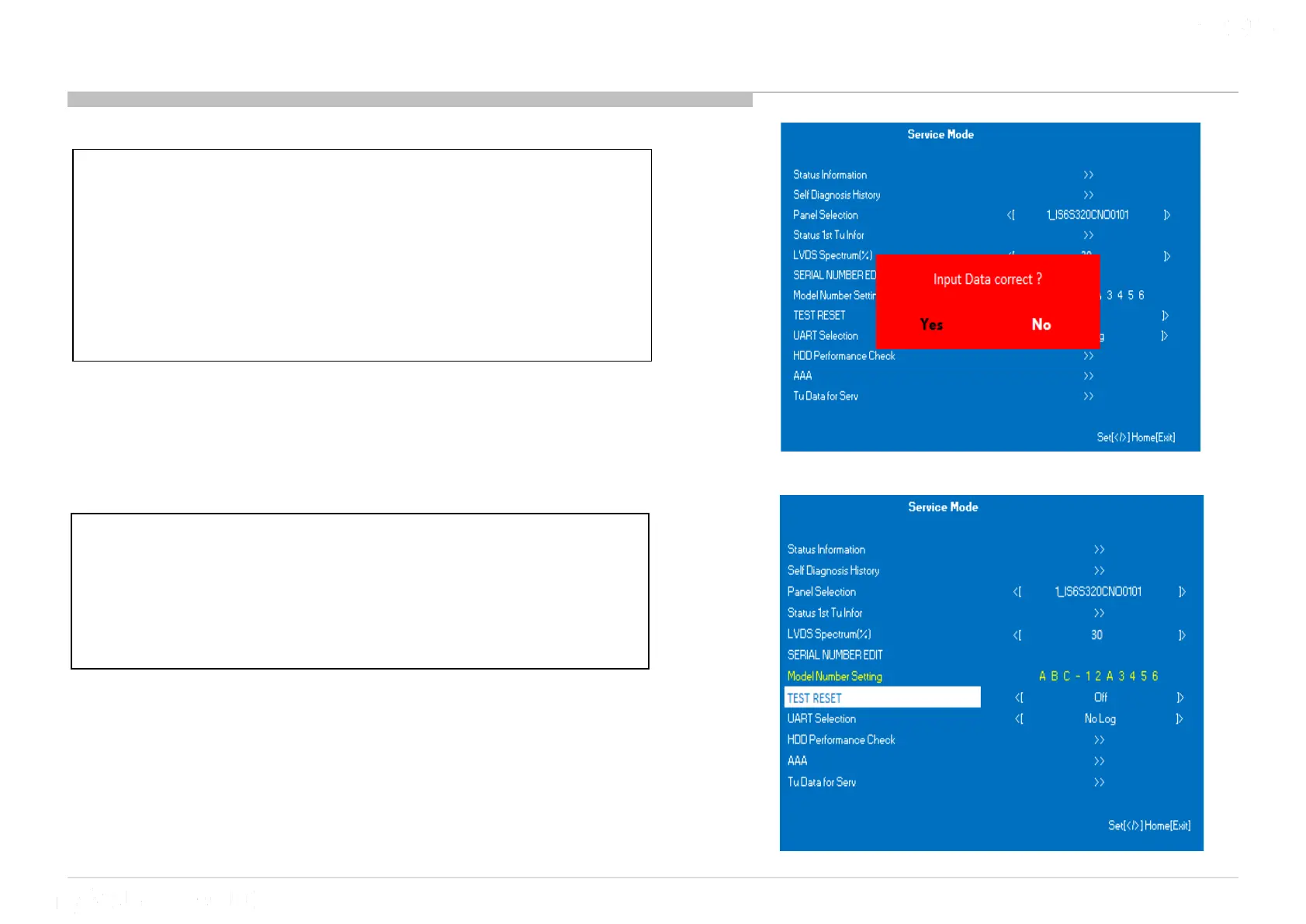
10 Model Number Setting
3) Model Name can be set ONLY ONCE. After
user input data , press <Enter>. Pop
dialog will appear to inform user to
confirm data. Press → or ← button to
select YES or NO. Select YES if input data
is correct. Select NO if input data is
incorrect. Press <Enter> to save answer.
4) If YES is selected, the input data is saved
into EEPROM. Model Name EDIT is greyed
out and the model name that has been
input is displayed. User will not able to
edit anymore.
* The font color of YES is change to black when it
is selected.












 To Next Page