147
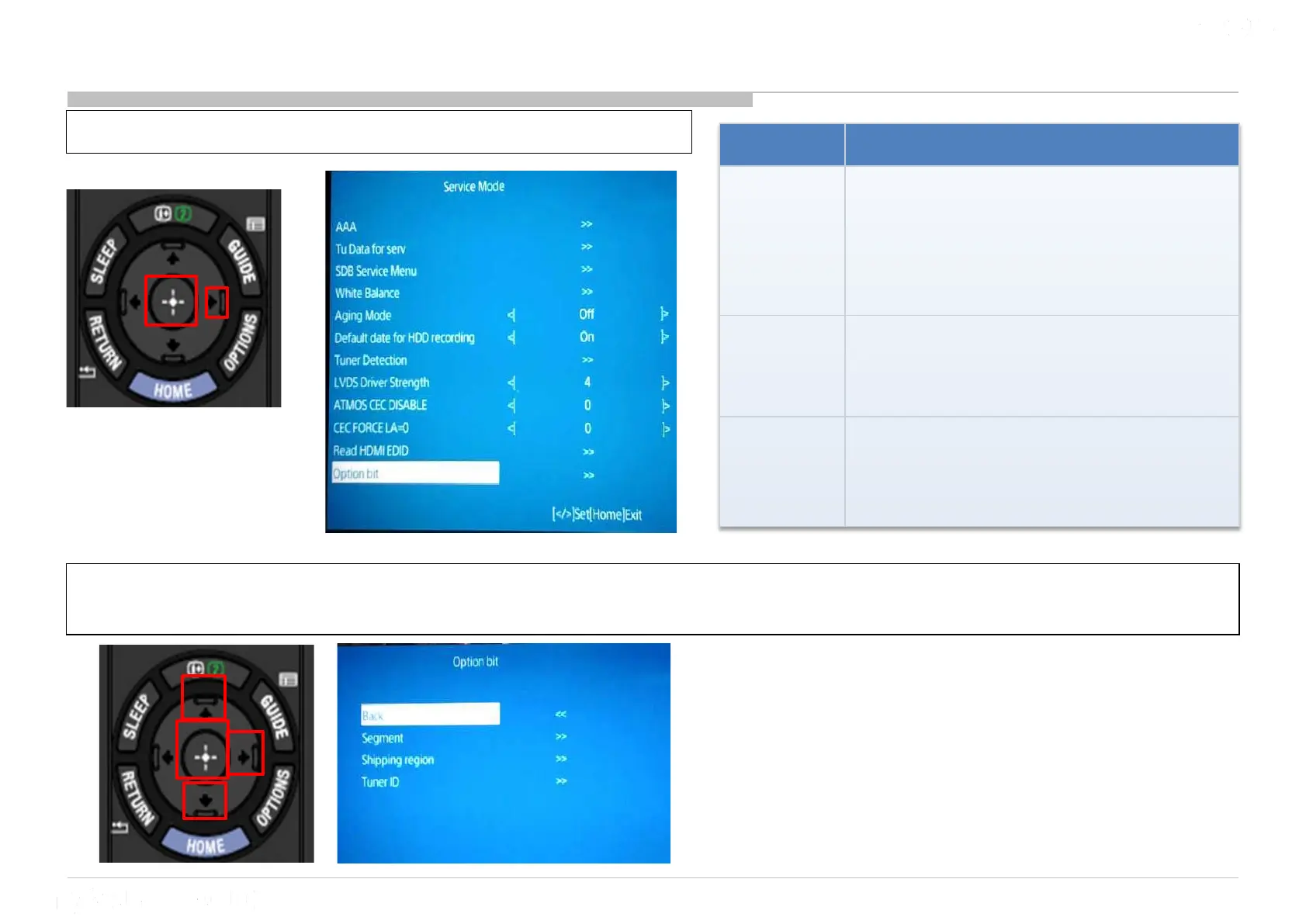
17 Option Bit
1) Go to “Option bit” and Press “Enter” or “” button
2) Select the option available “Segment”, “Shipping region” or “Tuner ID” by pressing “↑” or “↓”.
Then press “>” or “ Enter”.
Option Purpose
Segment
To select
the segment setting of the set.
Please don’t change this setting unless
for service board replacement (EU only).
Please make sure correct segment is
selected.
Shipping
region
To set the destination of the TV set.
Please don’t change this setting unless
for service board replacement (EU only)
Tuner ID
To select the Tuner type of the Set.
Please don’t change this setting unless
for service board replacement (EU only).











 To Next Page