145
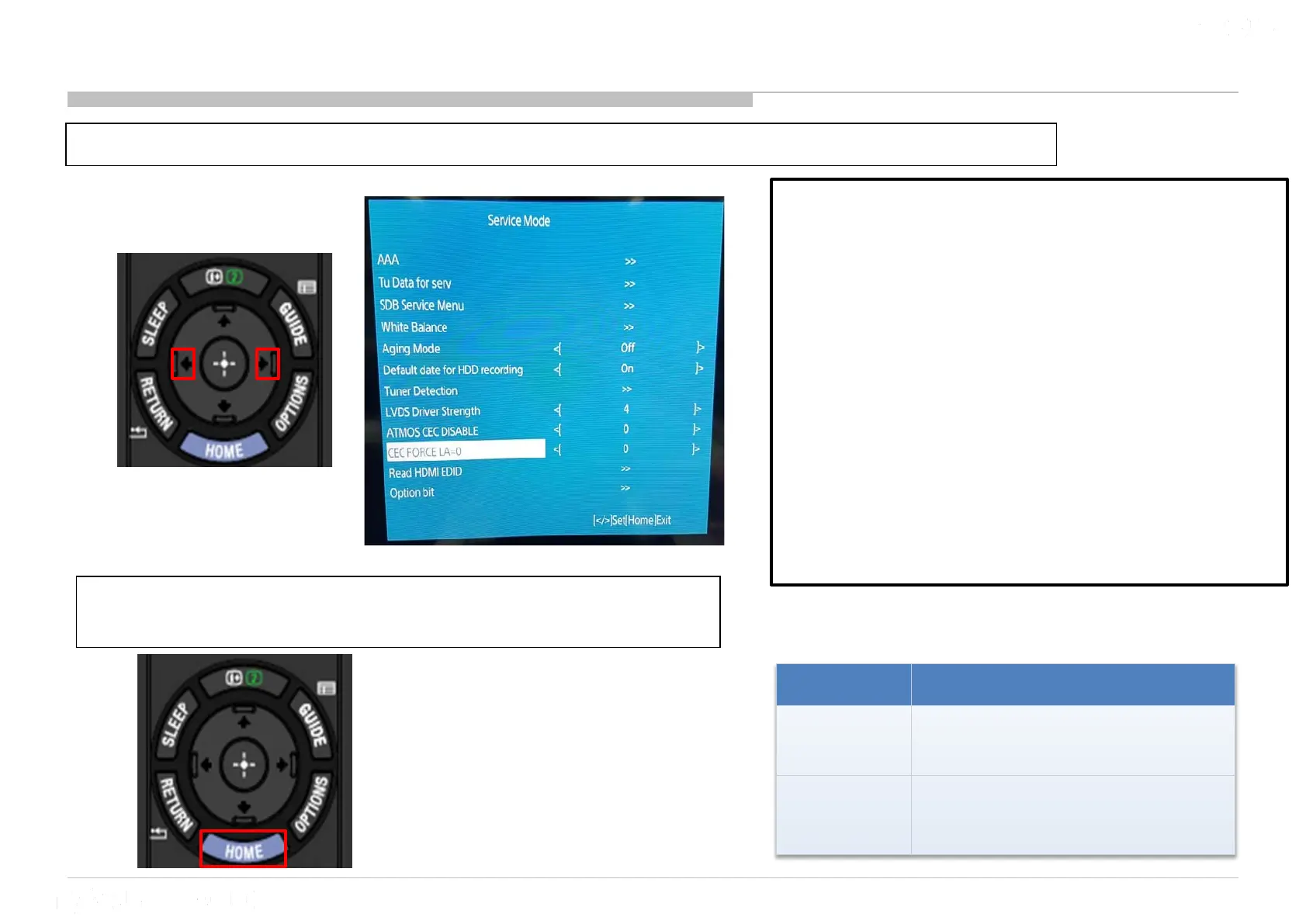
15 CEC Force LA = 0
1) Go to “CEC FORCE LA=0” and Press “<” or “>” button to select ‘0’ or ‘A’
2) After select the option that you wish, press
“Home” to confirm the selection.
Option Execution Effect
0 (default)
The TV perform CEC poling.
A
The TV skip CEC poling
(Force set TV LA = 0)
CEC_Force_LA=0
Data : [0/A] Default : 0
Purpose : To avoid CEC conflict for Non CEC
compliant device.
Usage: When market claim happen such as
Bravia Sync malfunction or no ARC sound happen
due to a device make CEC conflict, then Service
side change this service register from 0 to "A"
Remarks :
1) This data is not changed software update or
AC-Off-On, only change from service menu.
2) Need to turn AC off/on after change setting in
order algorithm to take effect











 To Next Page