146
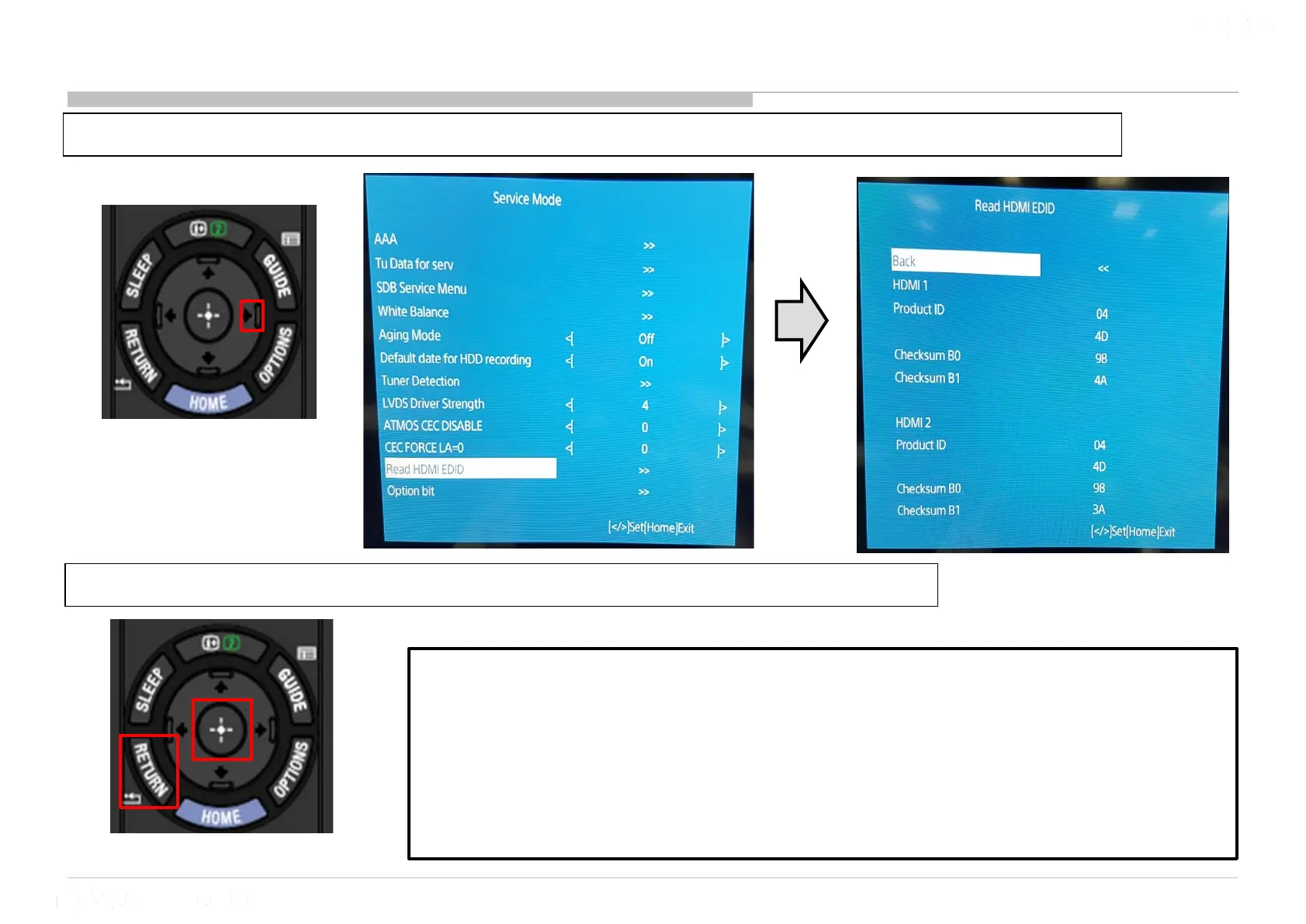
16 Read HDMI EDID
1) Go to “Read HDMI EDID” and Press “>” button to enter “Read HDMI EDID” display
2) Press “Enter” at back selection or “Return” button to return to Service Mode
Read_HDMI_EDID
Purpose : To read HDMI EDID data without using any external equipment.
Usage:
1) When market claim or product ship out happen, Service side and
Production side can easily read the EDID without disassembling rear cover.
2) To simplify EDID checking.











 To Next Page