148
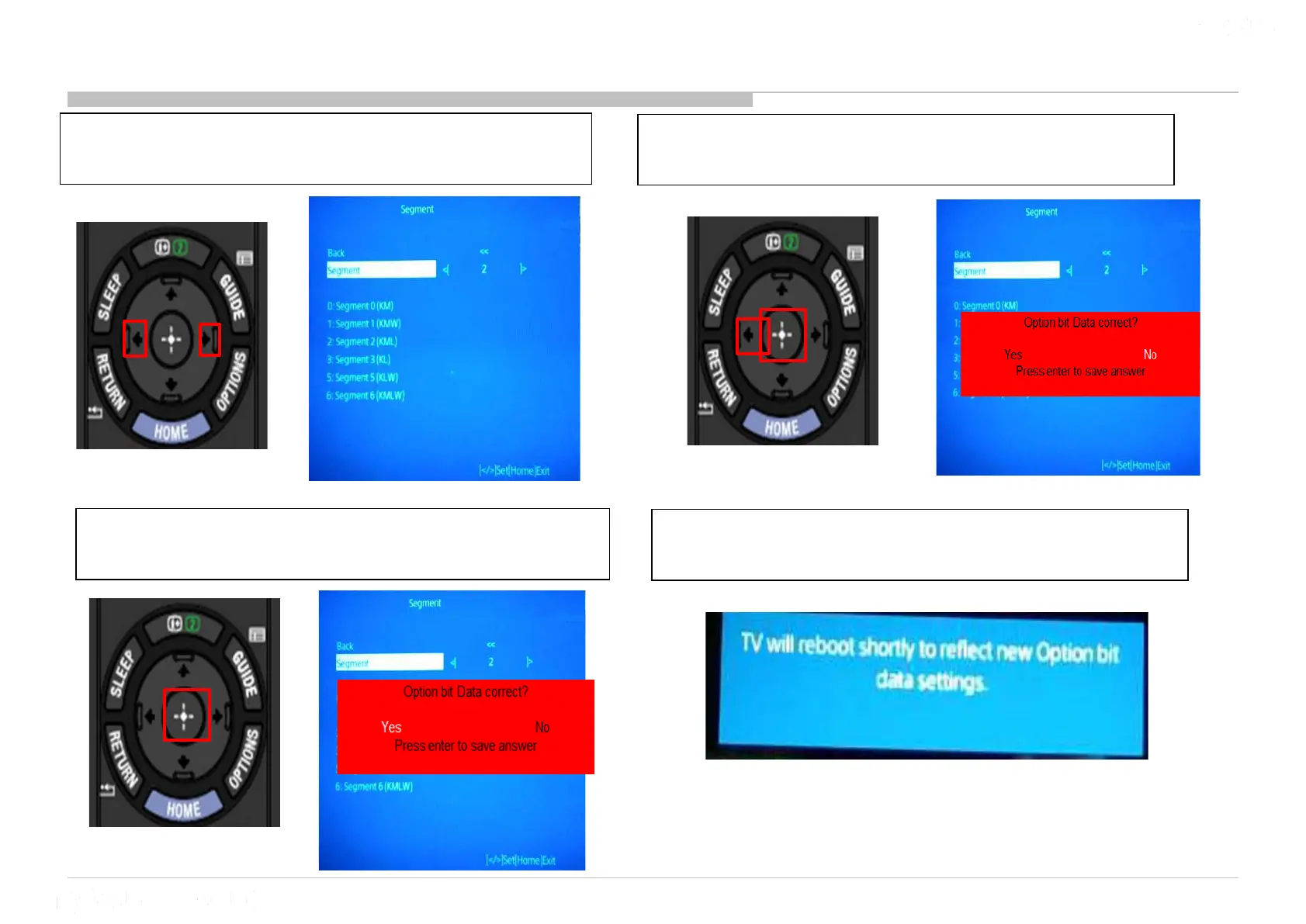
17 Option Bit (Segment)
1) Go to “Segment” and Press “” or “”
button to select segment. <0/1/2/3/4/5/6>
3) Press “<“ to select “Yes” & press “Enter”
to confirm.
2) Press enter to confirm Segment. Pop-up
will display
4) Pop-up will display & TV will reboot to
reflect the new option bit setting.












 To Next Page