144
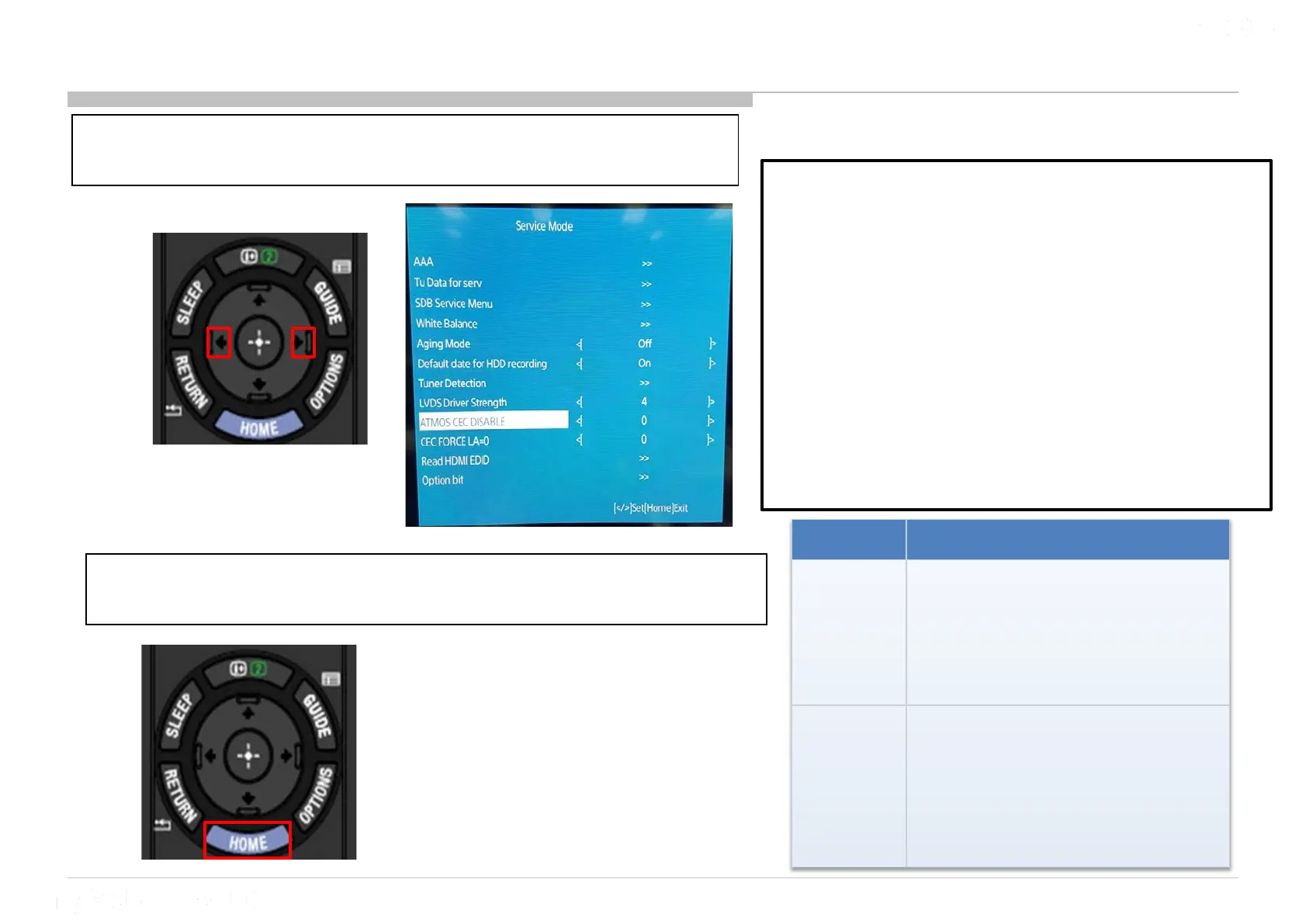
14 ATMOS CEC Disable
1) Go to “ATMOS CEC DISABLE” and Press “<” or “>”
button to select ‘0’ or ‘A’
2) After select the option that you wish, press “Home”
to confirm the selection.
Option Execution Effect
0 (default)
The TV checks whether
HDMI1(ARC) is connected to an
amplifier that support ARC &
Atmos or not, and sets either
Atmos EDID/ Non Atmos EDID.
A
The TV skip Atmos checking
when
to an amplifier that support ARC
and set Atmos EDID even when
amplifier doesn’t support Atmos.
ATMOS_CEC_DISABLE (EEPROM 0x30A0)
Data : [0/A] Default : 0
Purpose : Data [A] is able to skip Atmos
judgment by CEC <Report Short Audio
Descriptor> comes from the amplifier, and to set
Atmos EDID as the service c/m to an amplifier
supports Atmos but it reply NO Atmos.
Remarks :
1) This data is not changed software update or
AC-Off-On, only change from service menu.
2) Need to turn AC off/on after change setting in
order algorithm to take effect












 To Next Page