143
13 Tuner Detection
3) Go to “Tuner Check” and press “” or “” to enter selection “On” or “Off” *.
• “Tuner Check” = On , to execute “Tuner Check” and update “Tuner
Status” value.
• “Tuner Check” = Off (default value). Always set “Tuner Check” to
“Off” after confirm “Tuner Status” value
* Perform AC Off/On for changes to take effect.
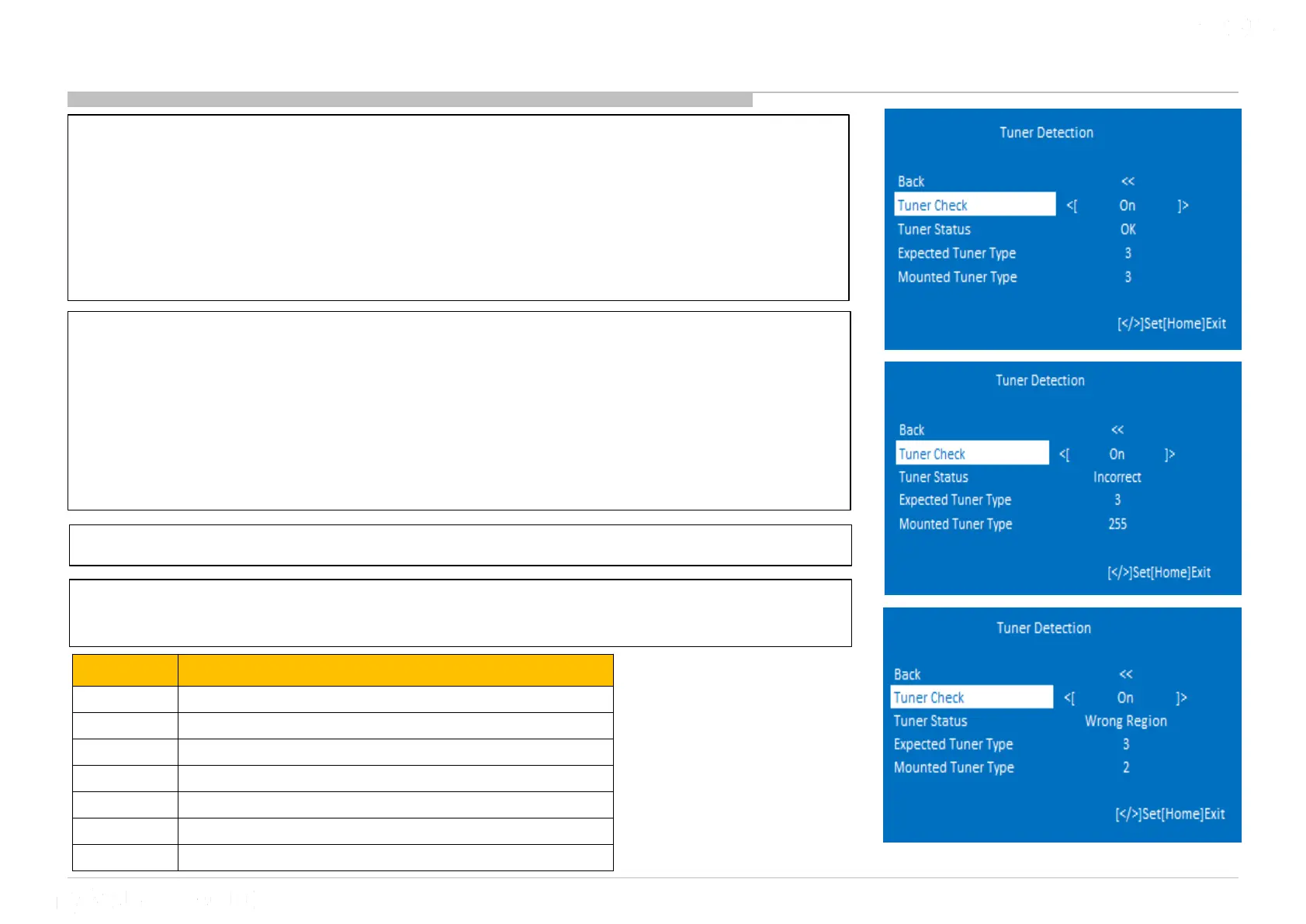
4) “Tuner Status” has 3 values. **
• “Tuner Status” = OK. Tuner module is OK.
• “Tuner Status” = Incorrect. Tuner module is not inserted correctly.
• “Tuner Status” = Wrong Region. Wrong tuner module is inserted.
**”Tuner Status” will only update if “Tuner Check”=‘On’ and AC Off/On is
already performed.
5) “Expected Tuner Type” is the expected tuner module to be inserted to TV.
6) “Mounted Tuner Type” is the type of tuner module that is currently inserted
to TV
Tuner Type Tuner Module region
0 AEP T2S2-1Tuner
2 PA T2/AEP-T2/ PH-ISDB - 1Tuner
3 TW-DVB-- 1 Tuner
4 CH/HK-1Tuner
5 UC/MX- 1 Tuner
6
LA-T2 (Col)/LA-ISDB (BR/AR/EC/Chile/Peru/Urg) - 1 Tuner
10 PAA/ AEP-STD-1Tuner











 To Next Page