HCD-SHAKE10/SHAKE30/HCDSHAKEX10/HCDSHAKEX30/HCDSHAKEX70
22
HISTORY MODE
This mode is used to check important data stored in the system when PROTECTOR happened.
Procedure:
1. During demo mode, press [] button and [ +] button for 5 seconds to mode into history mode.
2. Press the [ TUNING +
>
] button or [ TUNING – .] button to check history data stored.
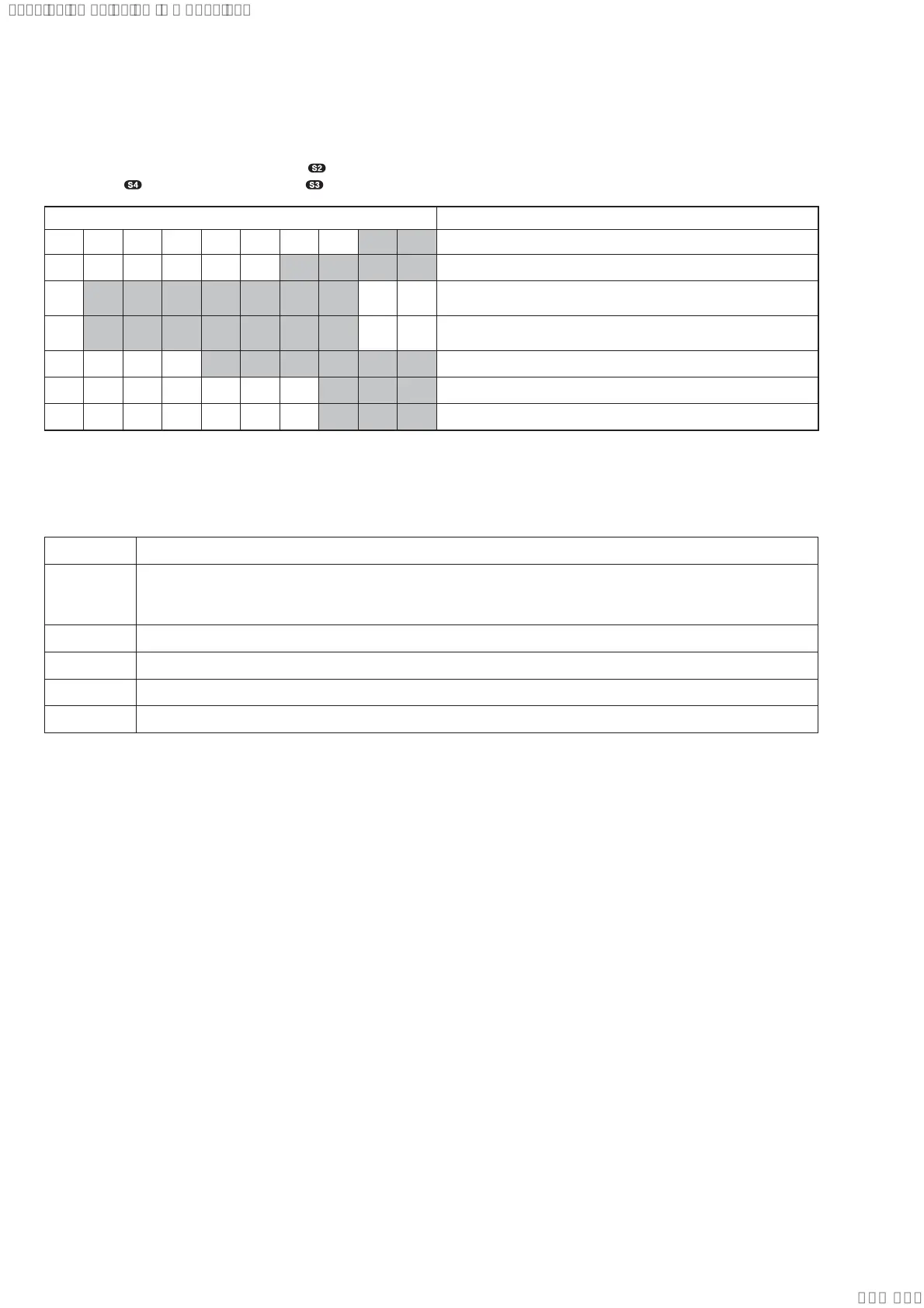
Display on screen display panel Description
PCOUNT
※※
No. of time protector happened (0 ~ 99)
PT
※※※※
Refer to protect type description
1 *h*h*h*h*h*m*m
Single Power On Time until protector happened (0~99999 hours,
0~99 minutes)
2 *h*h*h*h*h*m*m
Total Power On Time [ no consider protector happened ]
(0~99999 hours, 0~99 minutes)
F
※※※※※※
Input Function during protector happened
VOL
※※※
Volume setting (MIN / 1 - 50 / MAX)
BASS
※※※
MEGA BASS setting (OFF / ON)
To release from History Mode.
To release from this mode, press [
1] button.
Protect Type Description:
Error Code Description
1 There is possibility of over current happen at speaker output.
or
Unusual heat up of AMP IC by improper assembly of heat sink.
2 Defect of thermistor IC or charging circuit used by SPM (Sound Pressure Management) system.
3 Power supply over current.
4 DC appears in SP terminal by defect of AMP IC.
6 Defect of DC FAN and DC FAN driver circuit.
SYSSET
2019/10/2523:34:43(GMT+09:00)


 To Next Page