— 13 —
KV-13FM13 / 13FM14
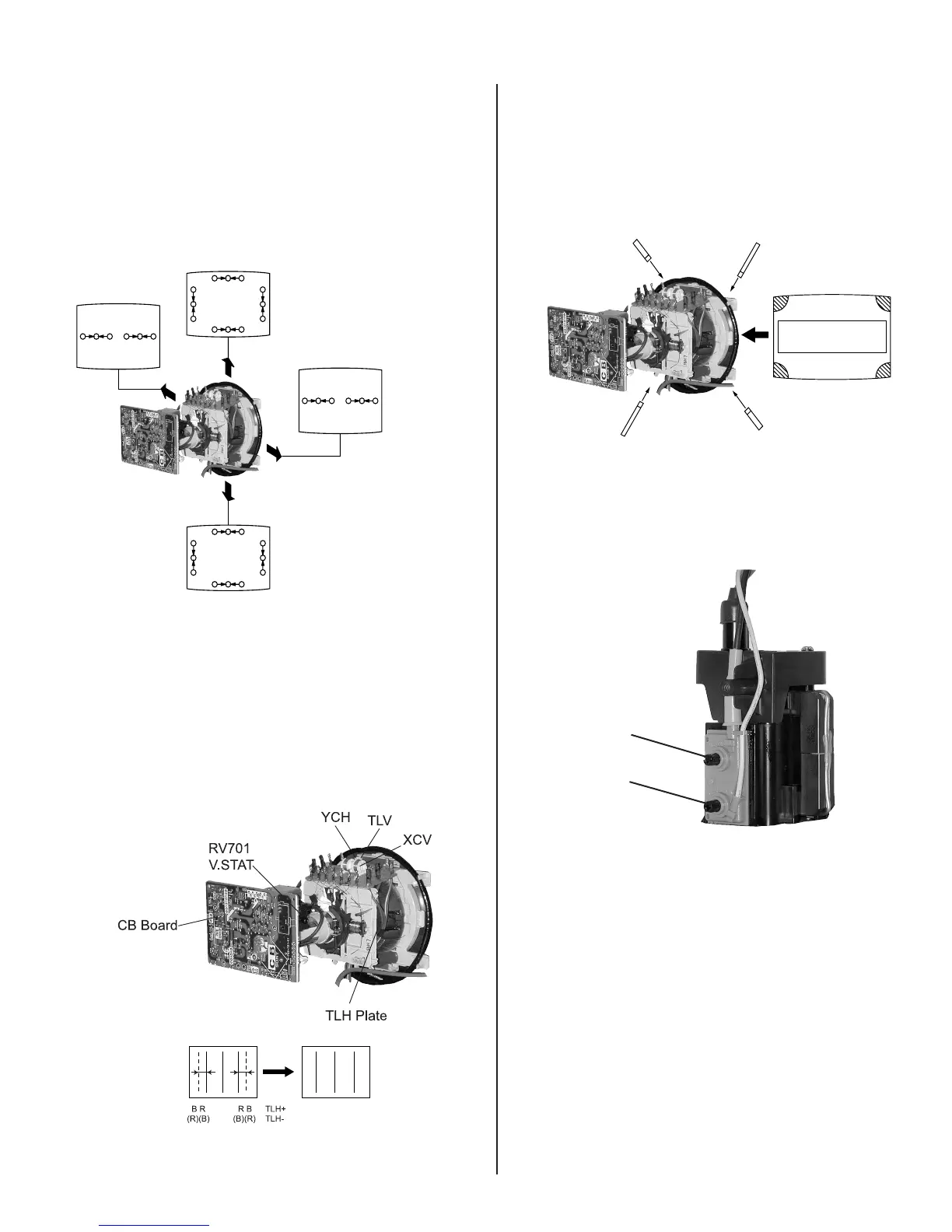
DYNAMIC CONVERGENCE ADJUSTMENT
Before starting, perform Vertical and Horizontal Static Convergence
Adjustment.
1. Slightly loosen deß ection yoke screw.
2. Remove deß ection yoke spacers.
3. Move the deß ection yoke for best convergence as
shown below:
RGB
BGR
RGB
R
R
R
G
B
G
B
G
B
RGB
BGR
R
G
B
R
G
B
BGR RGB
4. Tighten the deß ection yoke screw.
5. Install the deß ection yoke spacers.
TLH PLATE ADJUSTMENT
1. Input crosshatch pattern.
2. Adjust PICTURE QUALITY to standard, PICTURE and BRIGHTNESS
to 50%, and OTHER to standard.
3. Adjust the Horizontal Convergence of red and blue dots by tilting the
TLH plate on the deß ection yoke.
4. Adjust XCV core to balance X axis.
5. Adjust YCH VR to balance Y axis.
6. Adjust vertical red and blue convergence with V.TILT (TLV VR).
Perform adjustments while tracking items 1 and 2.
SCREEN-CORNER CONVERGENCE
1. AfÞ x a permalloy assembly corresponding to the misconverged areas.
ba
cd
a
b
d
a-d: screen-corner
misconvergence
c
2-3. FOCUS
1. Adjust FOCUS control for best picture.
Focus (FV)
Screen (G2)








 To Next Page