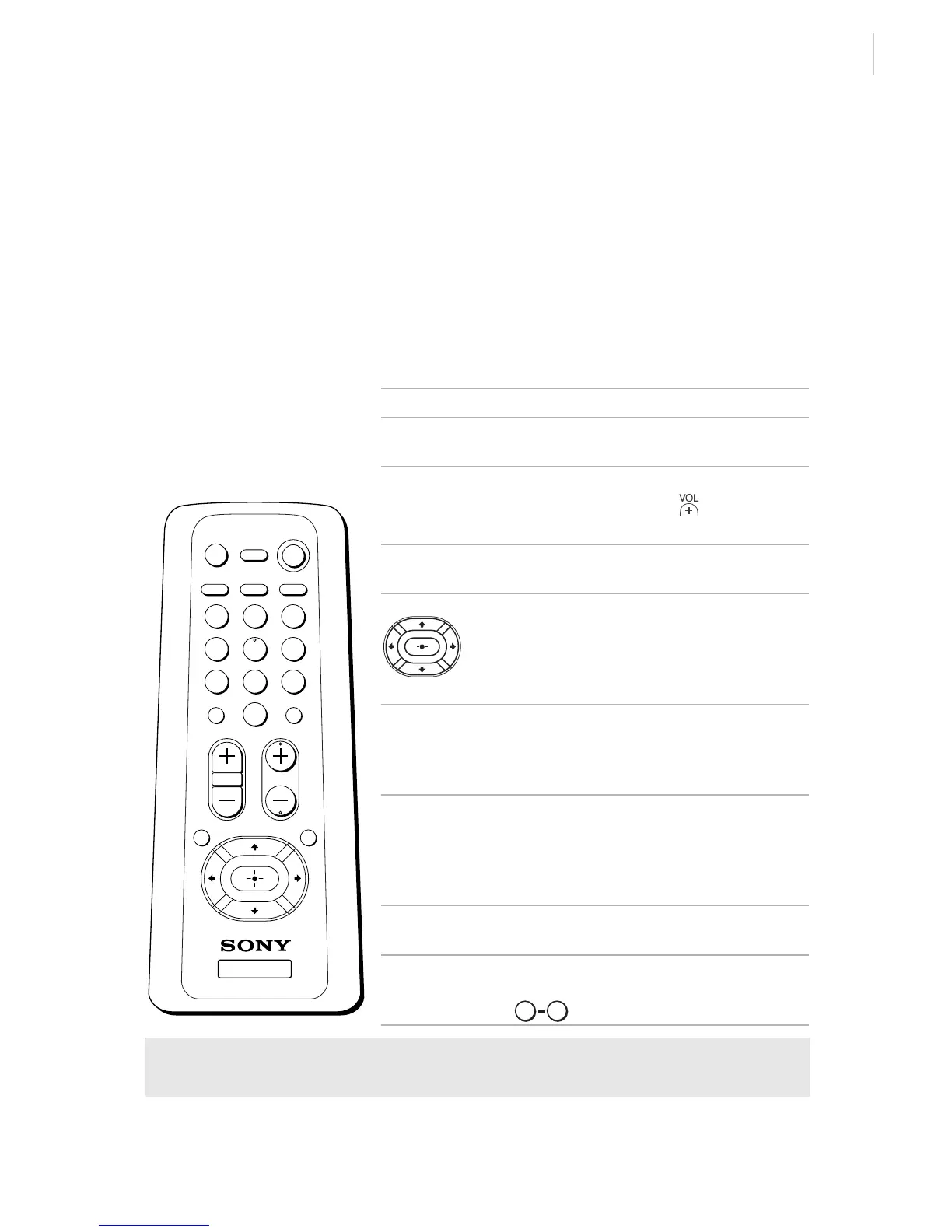
Using the Remote Control and Basic Functions
11
Using the Remote Control and
Basic Functions
This section shows you how to use the more advanced buttons on the
remote control and how to use the on-screen menus.
Using the Remote Control
Button Description
POWER Press when you want to turn the
TV on and off.
MUTING Instantly turns off the sound.
Press again or press to restore
sound.
TV/VIDEO Cycles through available video
inputs.
Moves the cursor in the on-
screen menus. Press the arrow
buttons to move the cursor. Press
the center button to select or
access an option.
SLEEP Turns the TV off automatically in
approximately 15, 30, 45, 60, or
90 minutes. Cancel by pressing
until SLEEP OFF appears.
MTS/SAP Cycles through the Multi-
channel TV Sound (MTS)
options: Stereo, Mono, and
Auto-SAP (Second Audio
Programming) (KV-20FS12 only).
DISPLAY Press to display the current time,
(if set) and channel number.
JUMP Alternates between the last two
channels selected with the
buttons.
✍ The remote control shown (RM-Y173) is for KV-20FS12. For KV-13FM12
models, your remote control does not have the MTS/SAP button.
MUTING POWER
SLEEP
DISPLAYMTS/SAP
VOL CH
JUMP
TV/VIDEO
1 2 3
4 5 6
7 8 9
ENTER
RESET MENU
0
TV
RM-Y173
0 9
(continued)








 To Next Page