— 15 —
KV-13FM13 / 13FM14
SECTION 3: SAFETY RELATED ADJUSTMENTS
The following adjustments should always be performed when
replacing the following components which are marked with
Y
on
the schematic diagram:
Preparation Before ConÞ rmation
1. Using a Variac, apply AC input voltage: 120 ± 2 VAC.
2. Turn the POWER switch ON.
3. Input a white signal and set the PICTURE and BRIGHTNESS
controls to maximum.
4. ConÞ rm that the voltage between C546 (+) or TP503
and ground is more than 100 VDC.
Hold-Down Operation ConÞ rmation
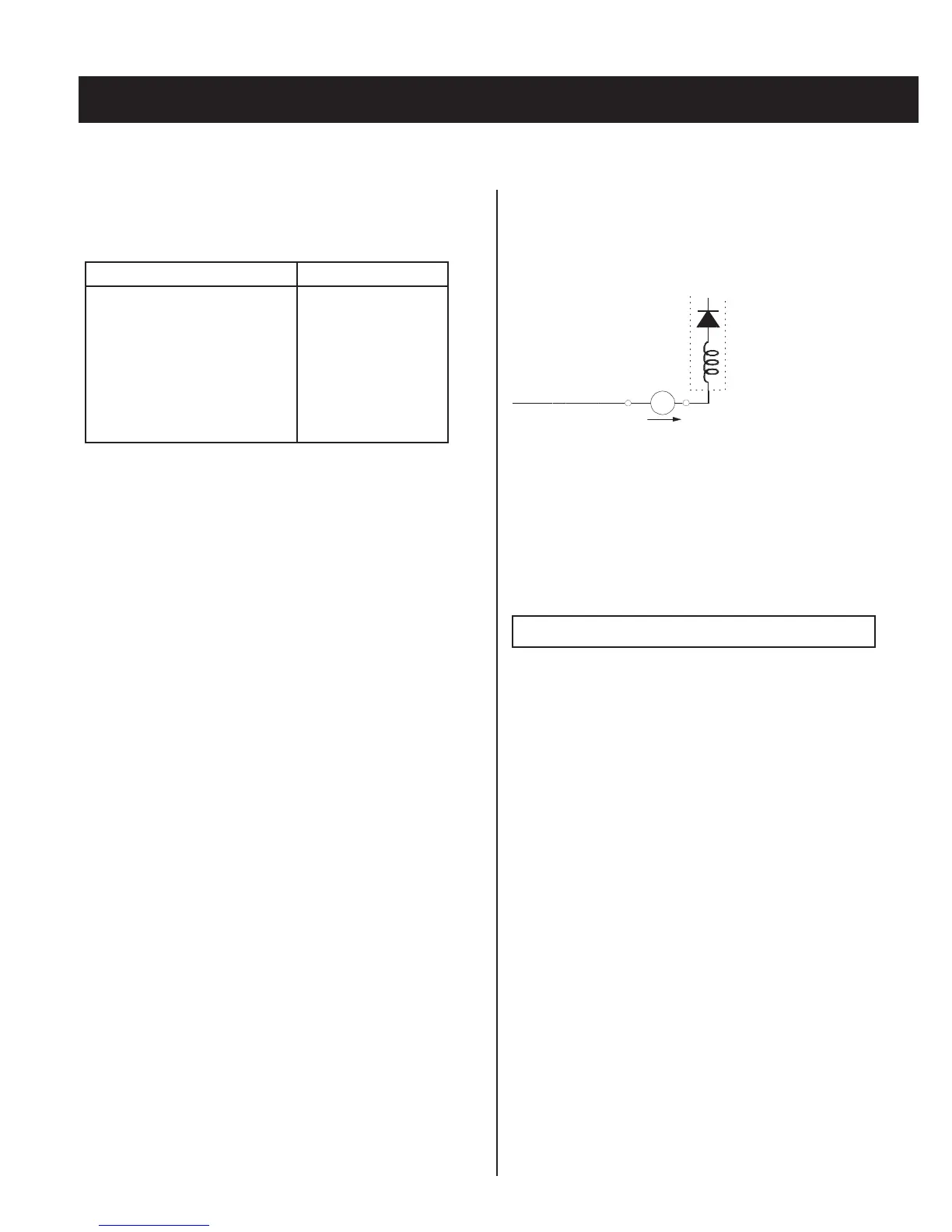
1. Connect the current meter between Pin 11 of the FBT
(T505) and the PWB land where Pin 11 would normally attach.
(See Figure 1 on the next page.)
2. Input a dot signal and set PICTURE and BRIGHTNESS
to minimum: IABL = 100 ± 100 µA.
3. ConÞ rm the voltage of A Board TP600 is 135 ± 1 VDC.
4. Connect the digital voltmeter and the DC power supply
via diode 1SS119 to C546 (+) and ground. (See Figure 1
on the next page.)
5. Increase the DC power voltage gradually until the picture
blanks out.
6. Turn DC power source off immediately.
7. Read the digital voltmeter indication
(standard < 120 ± 0.3 VDC).
8. Input a white signal and set PICTURE and BRIGHTNESS to
maximum: IABL = 820 ± 100 µA.
9. Repeat steps 4 to 7.
Hold-Down Readjustment
If the setting indicated in step 2 of Hold-Down Operation ConÞ rmation
cannot be met, readjustment should be performed by altering the
resistance value of R564 component marked with
X
.
+
IABL
ABL
T505
FBT
range
-
ammeter
3.0 mA DC
A
3-2. B+ VOLTAGE CONFIRMATION AND
ADJUSTMENT
Note: The following adjustments should always be performed when
replacing the following components, which are marked with
Y
on the
schematic diagram on the A Board.
A BOARD: IC601, PH601
1. Using a Variac, apply AC input voltage: 130 + 2.0/-0.0 VAC.
2. Input a dot signal.
3. Set the PICTURE and BRIGHTNESS controls to minimum.
4. ConÞ rm that the voltage of A Board TP600 is <136 VDC.
5. If step 4 is not satisÞ ed, replace the components listed above, then
repeat steps 1–3.
Part Replaced (
Y
)
Adjustment (
X
)
DY, T505, CRT, IC501, C507,
C520, C505, C509, C515, L509,
L508, C551, L510, C546, C537,
C547, D517, D518, D519, R560,
R561, R562, R563, R565, R566,
R567, R525..................A Board
IC1301......................MB Board
HV HOLD-DOWN
R564
3-1. X
R564 CONFIRMATION METHOD (HV HOLD-DOWN CONFIRMATION AND READJUSTMENTS)








 To Next Page