26
Operating Instructions
Using the Timer Menu
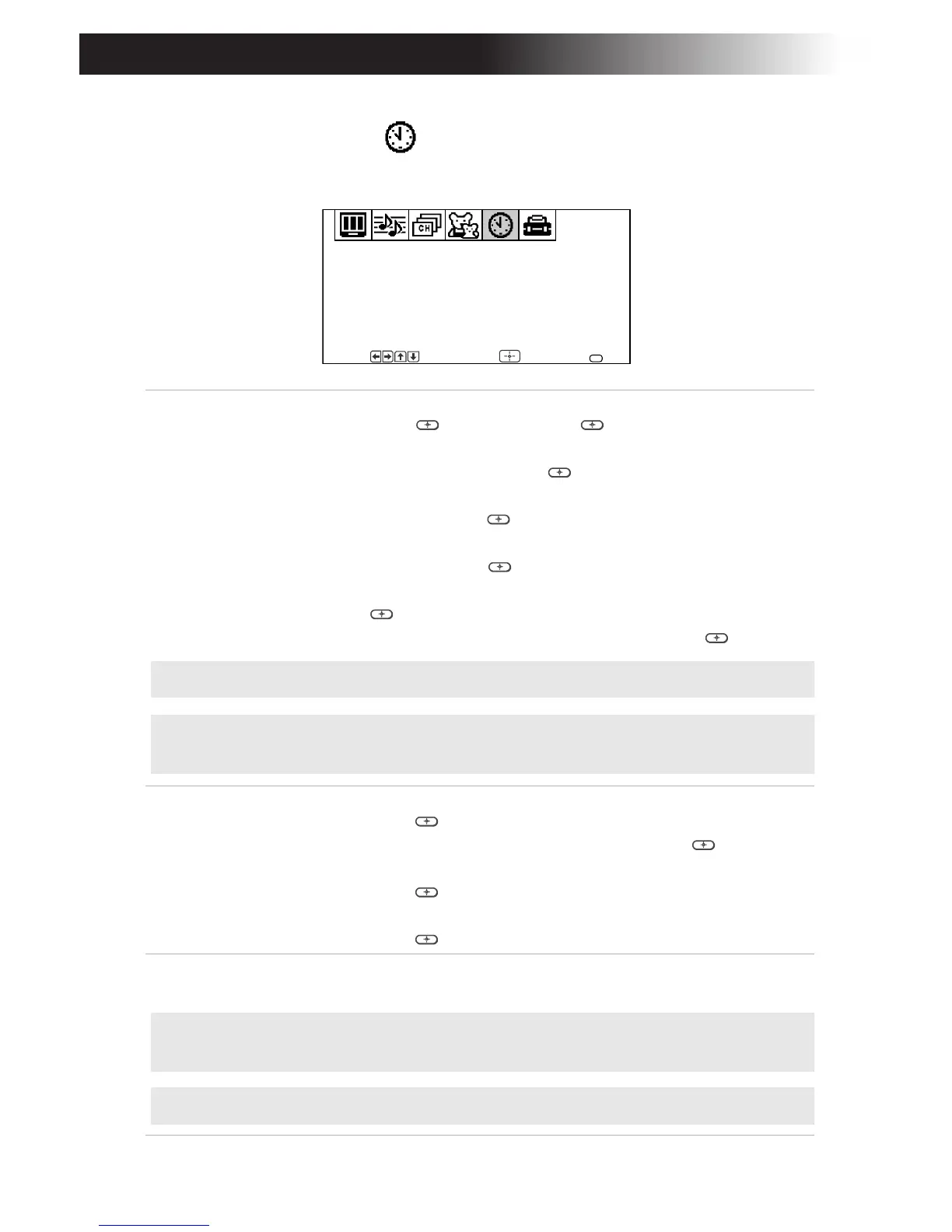
To access the Timer menu, see “To access a menu” on page 17.
Timer 1 and
Timer 2
Scheduled
viewing
With the menu open, highlight Timer 1 or Timer 2:
1 Press g or , then press g or again.
2 Press F or until the desired day or range of days is
displayed, then press g or .
3 Press F or to select the hour you want the TV to turn
on, then press g or .
4 Press F or to select the minute you want the TV to turn
on, then press g or .
5 Press F or to set the duration, up to 6 hours, then press
g or .
6 Press F or to set the channel and press g or .
Current
Time
With the menu open:
1 Press g or .
2 Press F or to select the day and press g or .
3 Press F or until the current hour is displayed, then
press g or .
4 Press F or until the current minute is displayed, then
press g or .
Daylight
Saving
YES: Select in spring to compensate for Daylight Saving.
NO: Select in fall at the end of Daylight Saving.
Timer 1: Set
Timer 2: Set
Current Time
Daylight Saving:
Timer
Move Select End
NO
MENU
--
:
--
AM
---
F
F
F
F
F
✍ You must set the Current Time before you can use Timer 1 and Timer 2.
✍ You can set the Timer to ON, Set, or OFF. Once the timer is set, you can turn it
on or off without having to go through the settings.
F
F
F
✍ When you perform Auto Program, all Timer 1 and Timer 2 settings will be
cleared.
✍ Any loss of power will cause Timer 1 and Timer 2 settings to be cleared.









 To Next Page