54
GB
Table of
contents
Sample photo
search
Menu search
Index
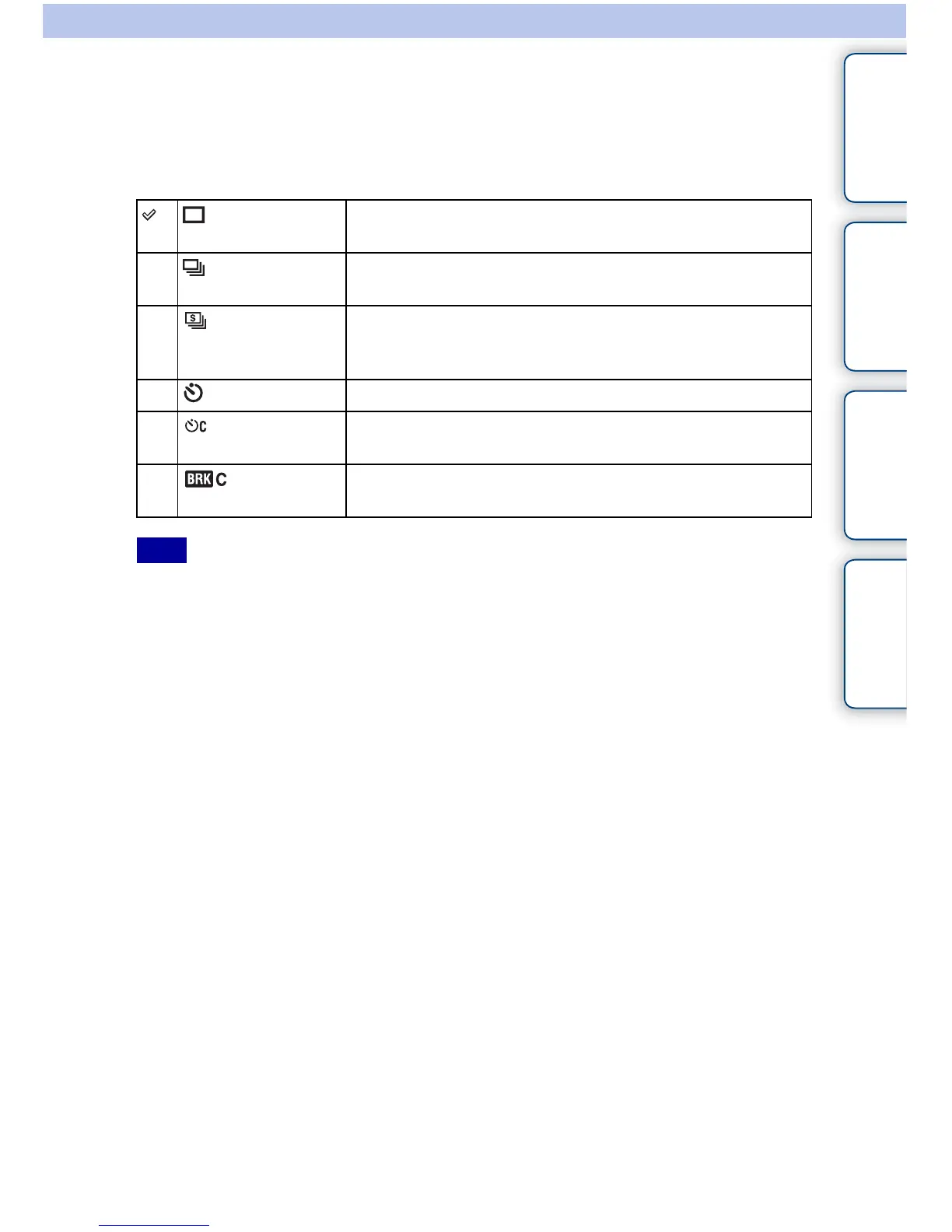
Drive Mode
You can set the drive mode, such as continuous, self-timer, or bracket shooting.
1 [Menu] t [Camera] t [Drive Mode] t desired mode.
• You cannot change the setting when using the following functions:
– [Hand-held Twilight] in [Scene Selection]
– [Anti Motion Blur]
– [Sweep Panorama]
– [3D Sweep Panorama]
– [Auto HDR]
(Single-shot
Adv.)
Shoots one still image. Normal shooting mode.
(Continuous
Adv.)
Shoots images continuously while you press and hold down the
shutter button (page 55).
(Speed Priority
Cont.)
Shoots images continuously at high speed while you press and
hold down the shutter button (page 56). Focus and brightness
settings of the first shot are used for the following shots.
(Self-timer) Shoots an image after ten or two seconds (page 57).
(Self-
timer(Cont.))
Shoots images continuously after ten seconds (page 58).
(Bracket:
Cont.)
Shoots three images, each with different degrees of exposure
(page 59).
Note



 To Next Page