GB
19
Preparing the camera
Inserting a memory card (sold separately)
x
Memory cards that you can use
You can use following memory cards with this camera: “Memory Stick PRO
Duo” media, “Memory Stick PRO-HG Duo” media, SD memory card, SDHC
memory card, and SDXC memory card. You cannot use MultiMediaCard.
For recording movies, it is recommended that you use following memory
cards. “Memory Stick PRO Duo” media and “Memory Stick PRO-HG Duo”
media are both called as “Memory Stick PRO Duo” media, and SD memory
card, SDHC memory card and SDXC memory card are all called as “SD card”
in this manual.
• (Mark2) (“Memory Stick PRO Duo” media
(Mark2))
• (“Memory Stick PRO-HG Duo” media)
• SD memory card, SDHC memory card, SDXC memory card (Class 4 or
more)
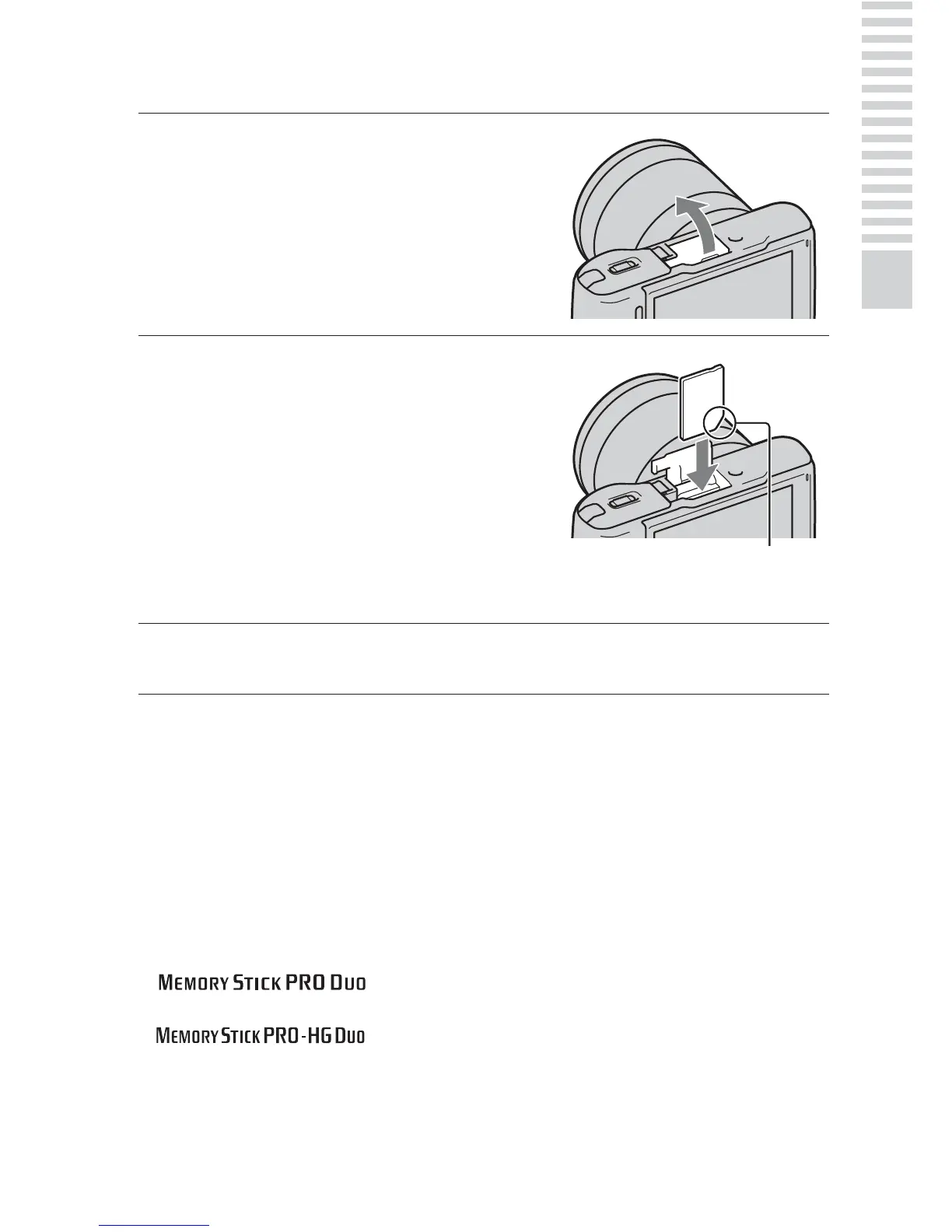
1
Open the cover.
2
Insert a memory card.
• Insert the memory card until it
clicks as illustrated.
3
Close the cover.
Check on the direction of the
notched corner.



 To Next Page