GB
30
Mastering the basic operation
x
Soft keys
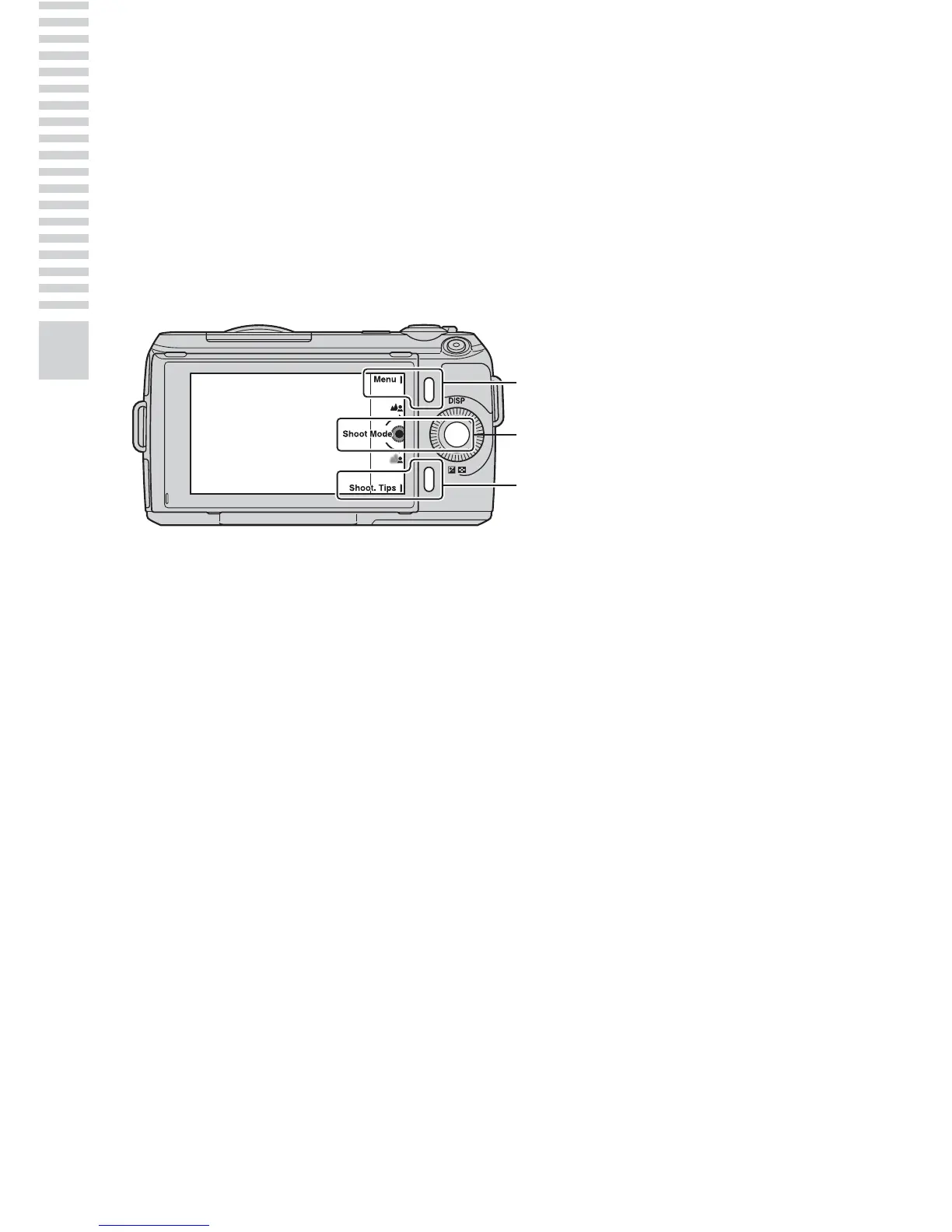
The soft keys have different roles, depending on the context.
The assigned role (function) of each soft key is shown on the screen.
To use the function shown at the upper right corner of the screen, press soft
key A. To use the function shown at the lower right corner of the screen, press
soft key B. To use the function shown at the center, press the center of the
control wheel (soft key C).
In this handbook, the soft keys are indicated by the icon or the function shown
on the screen.
In this case, soft key A
works as the [Menu] button,
and soft key B as the
[Shoot. Tips] button. Soft
key C works as the [Shoot
Mode] button.
A
B
C



 To Next Page