139
GB
Table of
contents
Sample photo
search
Menu search
Index
Connecting with other equipment
Viewing images on a TV
To view images recorded on the camera on a TV, an HDMI cable (sold separately) and
an HD TV equipped with an HDMI connector are required. Refer also to the operating
instructions supplied with the TV.
• Some devices may not work properly.
• Use an HDMI cable with the HDMI logo.
• Use an HDMI mini connector on one end (for the camera), and a plug suitable for connecting your TV on
the other end.
• If you record movies when the camera is connected to a TV with an HDMI cable, recording will be
stopped after a while automatically to protect the devices.
• Do not connect the output connector of the device with the HDMI terminal on the camera. This may
cause a malfunction.
• Even if the Peaking function is activated, the outline of in-focus ranges is not enhanced when the camera
is connected using an HDMI cable.
1 Turn off both your camera and the TV.
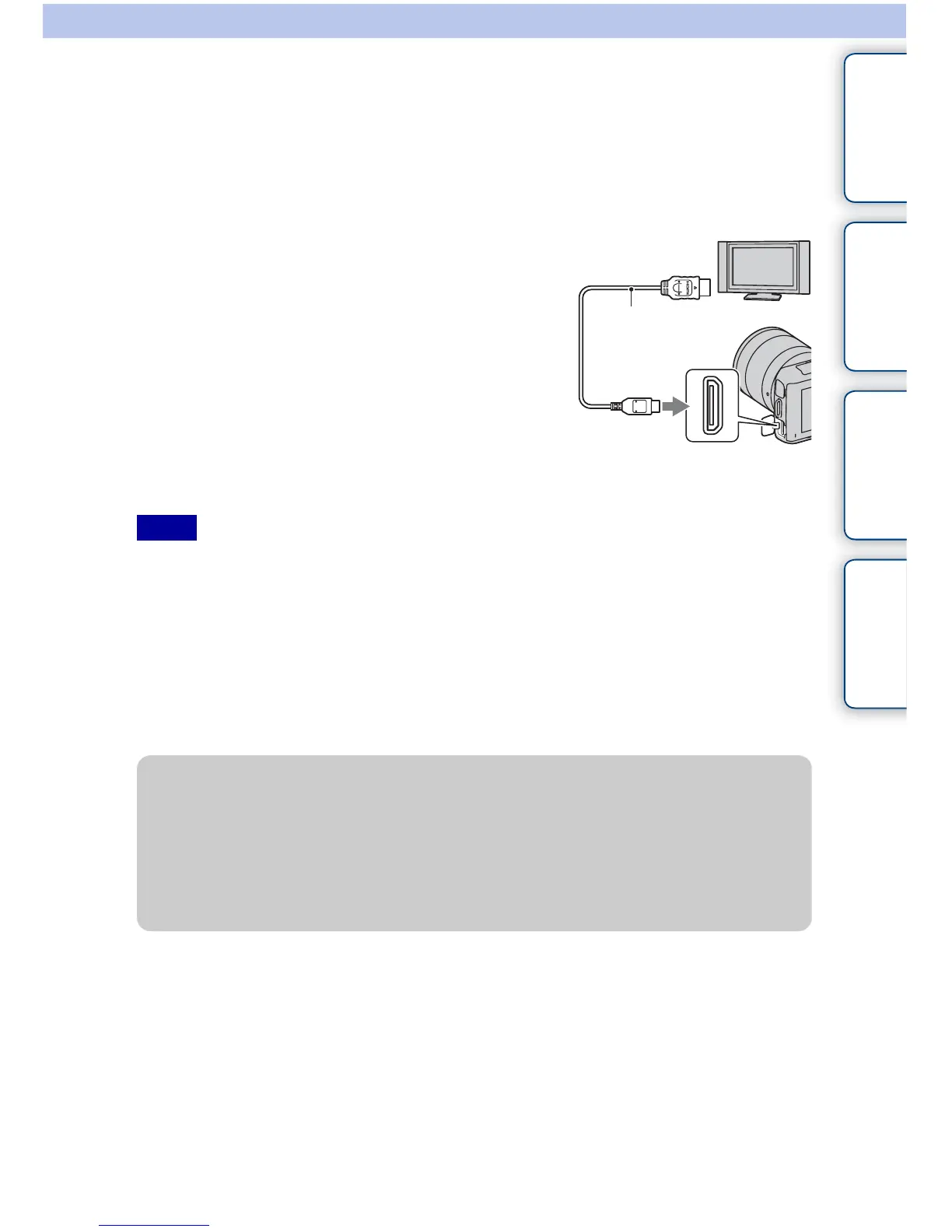
2 Connect the camera to the TV with an HDMI
cable (sold separately).
3 Turn on the TV and switch the input.
4 Turn on the camera.
Images shot with the camera appear on the TV screen.
Select the desired image with the control wheel.
Notes
1 To the HDMI
connector
2 To the HDMI
terminal
HDMI cable
z On “PhotoTV HD”
This camera is compatible with the “PhotoTV HD” standard.
By connecting Sony’s PhotoTV HD-compatible devices using an HDMI cable (sold
separately), a whole new world of photos can be enjoyed in breathtaking Full HD quality.
“PhotoTV HD” allows for a highly-detailed, photo-like expression of subtle textures and
colors. For details, refer to the operating instructions supplied with the TV.
Continued r



 To Next Page