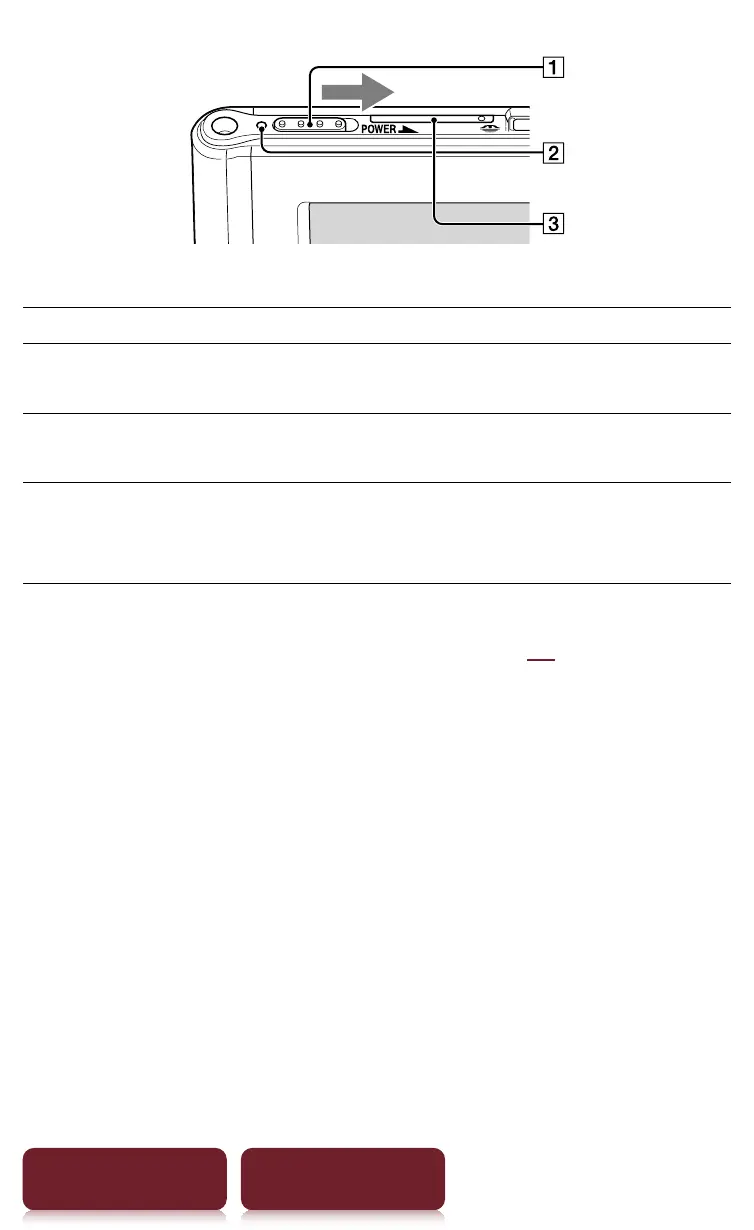
Parts and Controls
16
Table of Contents Index
ȩ
Power Switch
To Action
Power on or wake up
from sleep mode
1
Slide to the right and release quickly.
Enter sleep mode Slide and release quickly. The standby
screen
2
appears.
Power off
completely
When not in sleep mode slide and
hold for more than 3 seconds. Follow
the instructions on the screen.
1
Battery consumption is minimized in sleep mode.
2
For details about [Standby Screen], see
r
94.
Ȫ
Charge/Busy indicator
Red: Charging in progress
Orange: When booting/shutting down/internal
memory access
Off: Off/Sleep mode/Reader in operation
ȫ
SIM Card Slot
A SIM card is installed to provide wireless
communication. Please do not remove it.














 To Next Page