Getting Content
36
Table of Contents Index
Accessing the Reader Store
Wirelessly
With mobile network or Wi-Fi connection, you can
purchase and download eBooks and periodicals
directly from the Reader Store.
Tap
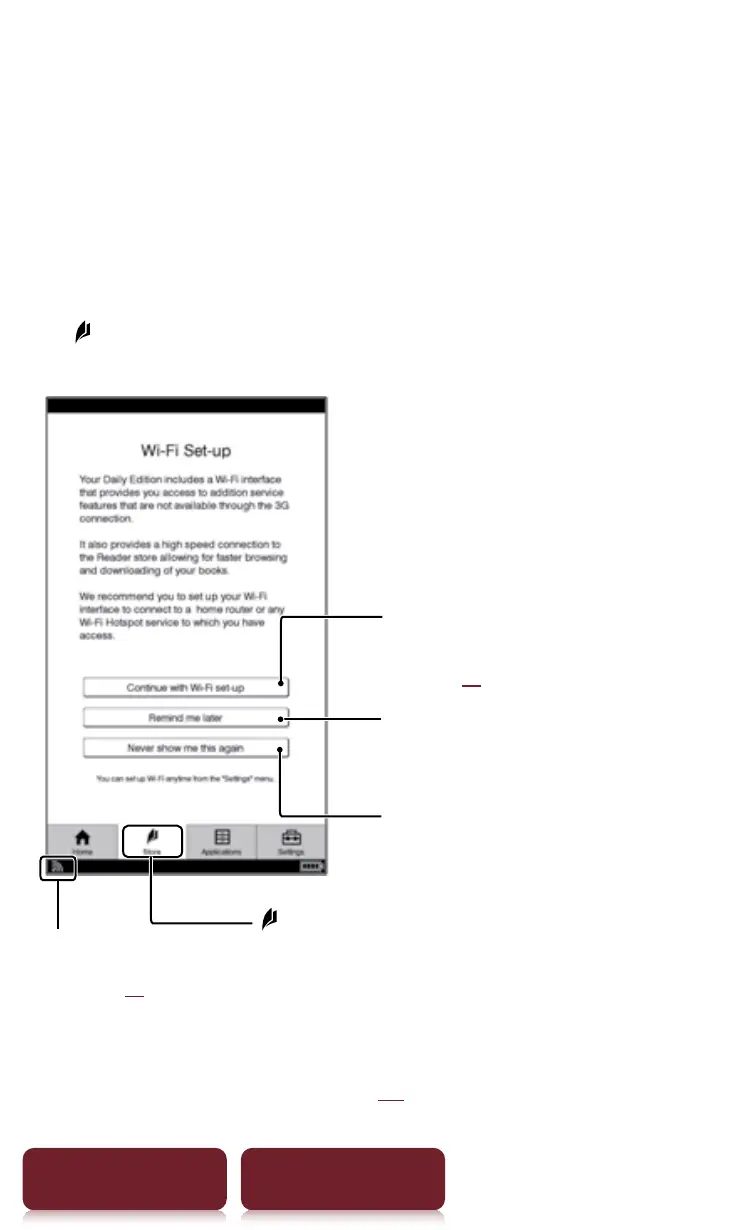
[Store] at [Home] menu. [Wi-Fi Set-up] screen
appears.
Connect to a mobile network,
and set the Wi-Fi network later
Connect to a Wi-Fi as preference
network. Follow the on-screen
instruction to set the Wi-Fi network.
For details about the Wi-Fi settings,
see
r
xx.
Connect to a mobile network without
connecting to Wi-Fi*
Check the network
status (
r
xx)
[Store]
* To switch the connection between mobile network and Wi-
Fi, see [Wireless Controls] (
r
xx).














 To Next Page