Changing Settings
126
Table of Contents Index
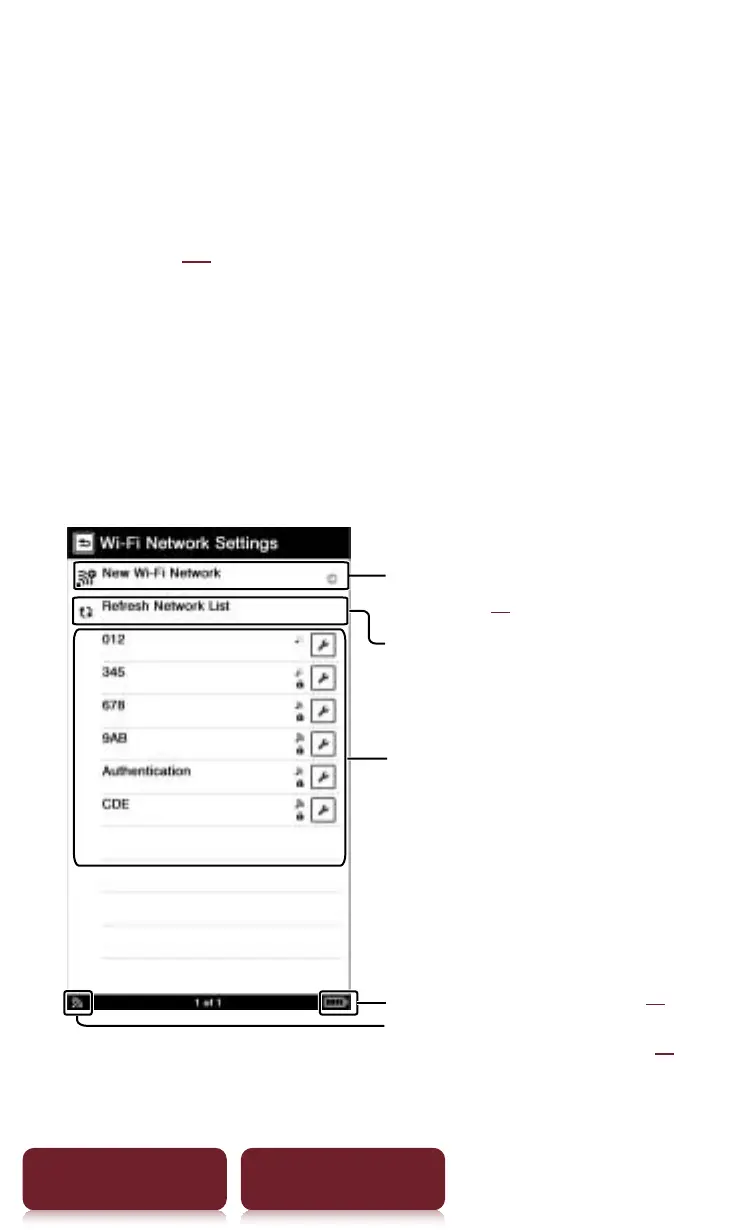
[Wi-Fi Network Settings]
The [Wi-Fi Network Settings] screen can be displayed
from the following two screens.
ˎ
Tap [Continue with Wi-Fi Setup] at [Wi-Fi-Set-up]
screen (
r
xx).
ˎ
Tap [Wi-Fi Network Settings] at [Settings] menu.
On the [Wi-Fi Network Settings] screen, registered
access points and access points that are installed
within the communication range of the Reader are
displayed in a list.
Tap to register a new access
point (
r
xx)
Tap to search the surrounding
access point again
Access points list:
Tap to connect an access point
Check the battery status (
r
xx)
Check the network status (
r
xx)














 To Next Page