Annotation
62
Table of Contents Index
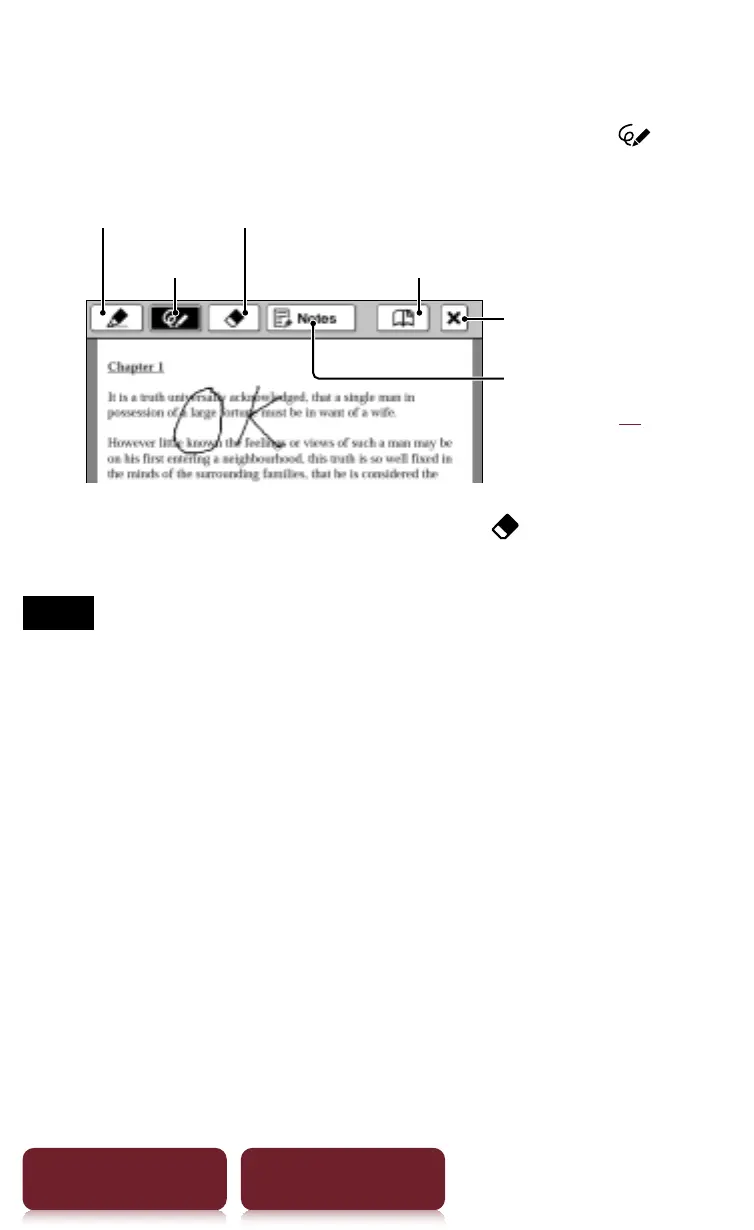
Handwriting a note
Press OPTIONS
p
tap [Notes]
p
[Create/Edit]
p
p
use
a stylus or finger to draw a line.
Pen
Lists notes in the
content (
r
44)
Marker
Eraser
Bookmark
Auto save and quit
Deleting a drawn line/highlight: Tap and stroke
across the drawn line or highlight.
Notes
ˎ
While writing, make sure that you are not touching another
area on the screen – this could affect the notes that you
write with the stylus or your finger.
ˎ
To ensure your notes are correctly saved, do not handwrite
notes too close to the edge of the screen.
ˎ
If you experience difficulties when handwriting or drawing
on your Reader:
– avoid applying excessive pressure to the screen.
– try not to handwrite or draw too quickly.
– the notes functionality is not designed for very detailed
drawings or for writing small characters.














 To Next Page