Reading Content
54
Table of Contents Index
Reading Books
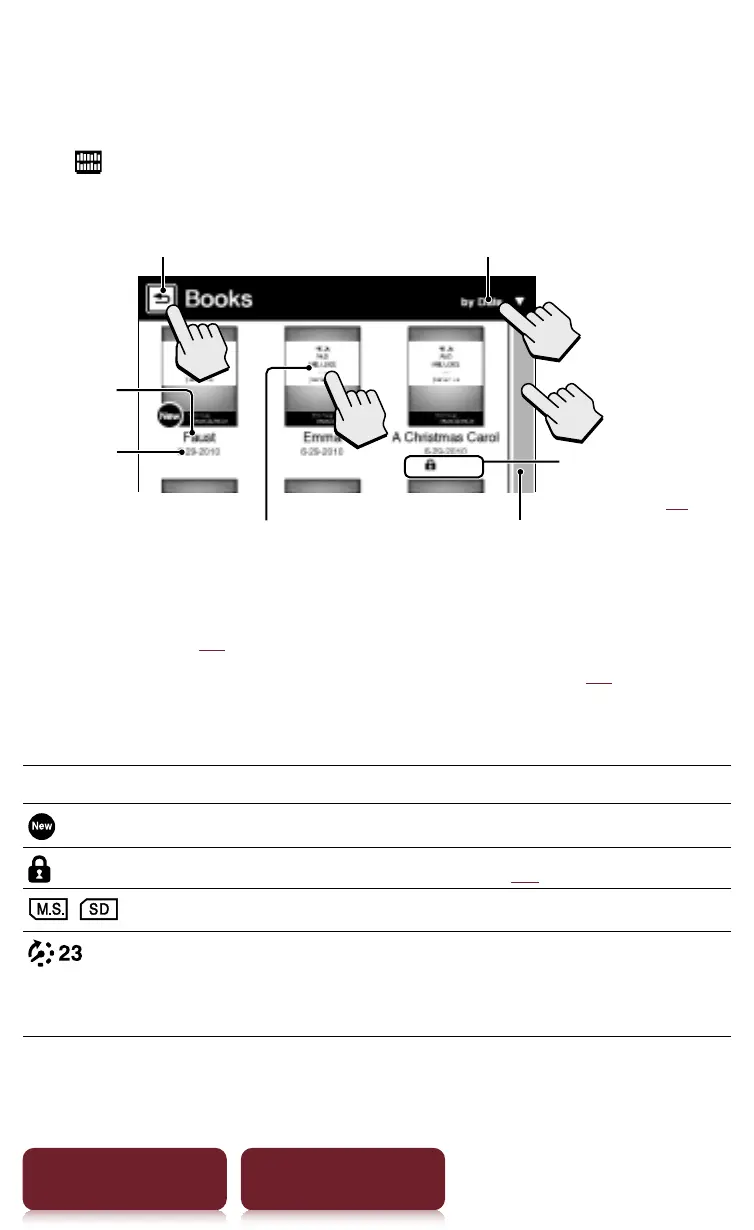
Tap [Books] at [Home] menu to view a book list. Tap
a desired book to open.
Tap to open a book
Tap to previous page Tap to change sorting order
Scroll bar
Title
Date of
transfer
to Reader
Conditional icon
display (
r
37)
Tips
ˎ
Please see
r
xx regarding OPTIONS menu.
ˎ
To transfer eBooks to the Reader, please see
r
xx.
Conditional icon
Icon Condition
Newly transferred or unread content.
Protected content (
r
75).
/
Content on a memory card.
Days to the expiration date.
[Expired] is displayed when a book has
expired.














 To Next Page