Touch Screen
32
Table of Contents Index
To Perform at input area
Switch the character
type
Tap
to switch to the upper-case
keyboard. Tap
to switch to
additional characters.
Input previously
entered words
Tap one of previously entered words
shown below the input area.
Note
Keyboard history only records
(hyphened) words of 4 to 15 letters.
Numbers or other symbols are
excluded.
Move the cursor
Tap î/Ô to move the cursor in input
area.
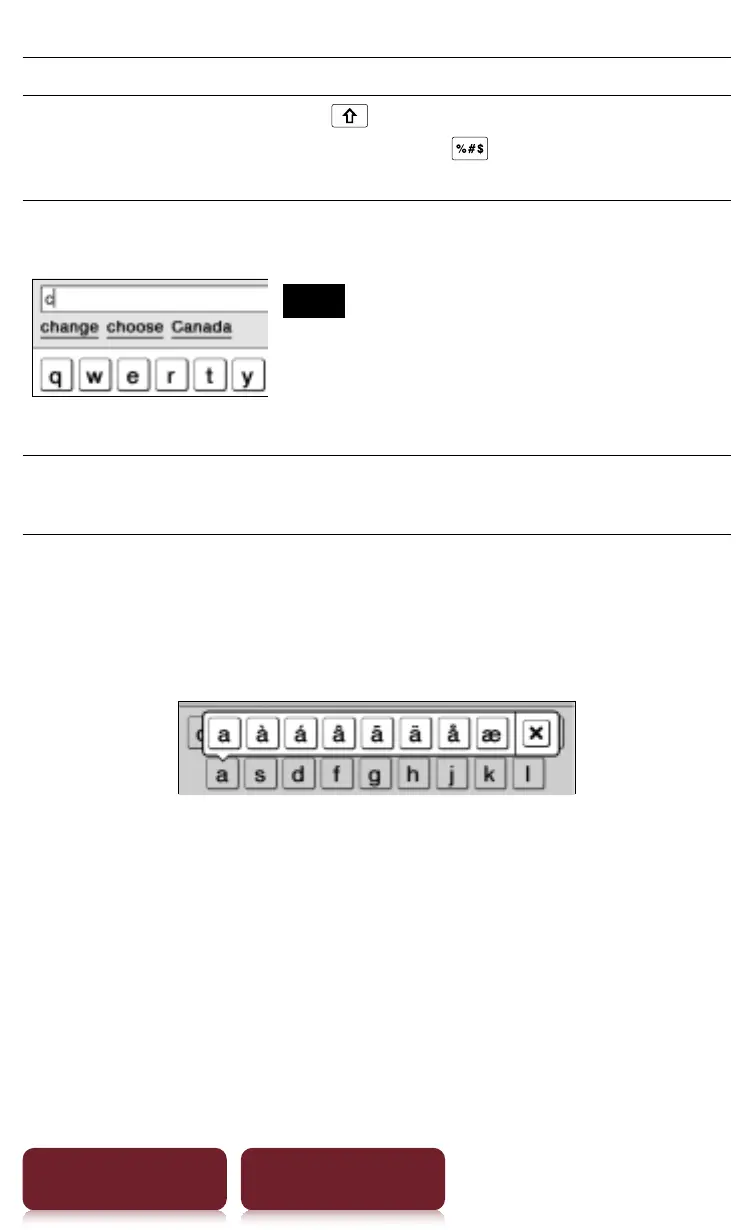
To input optional characters
Tap and hold an applicable character key will pop up
optional characters.














 To Next Page