EasyManua.ls Logo

Sony SLV-340 - Page 9

Sony SLV-340
41 pages
Print Icon
To Next Page IconTo Next Page
To Previous Page IconTo Previous Page
Loading...
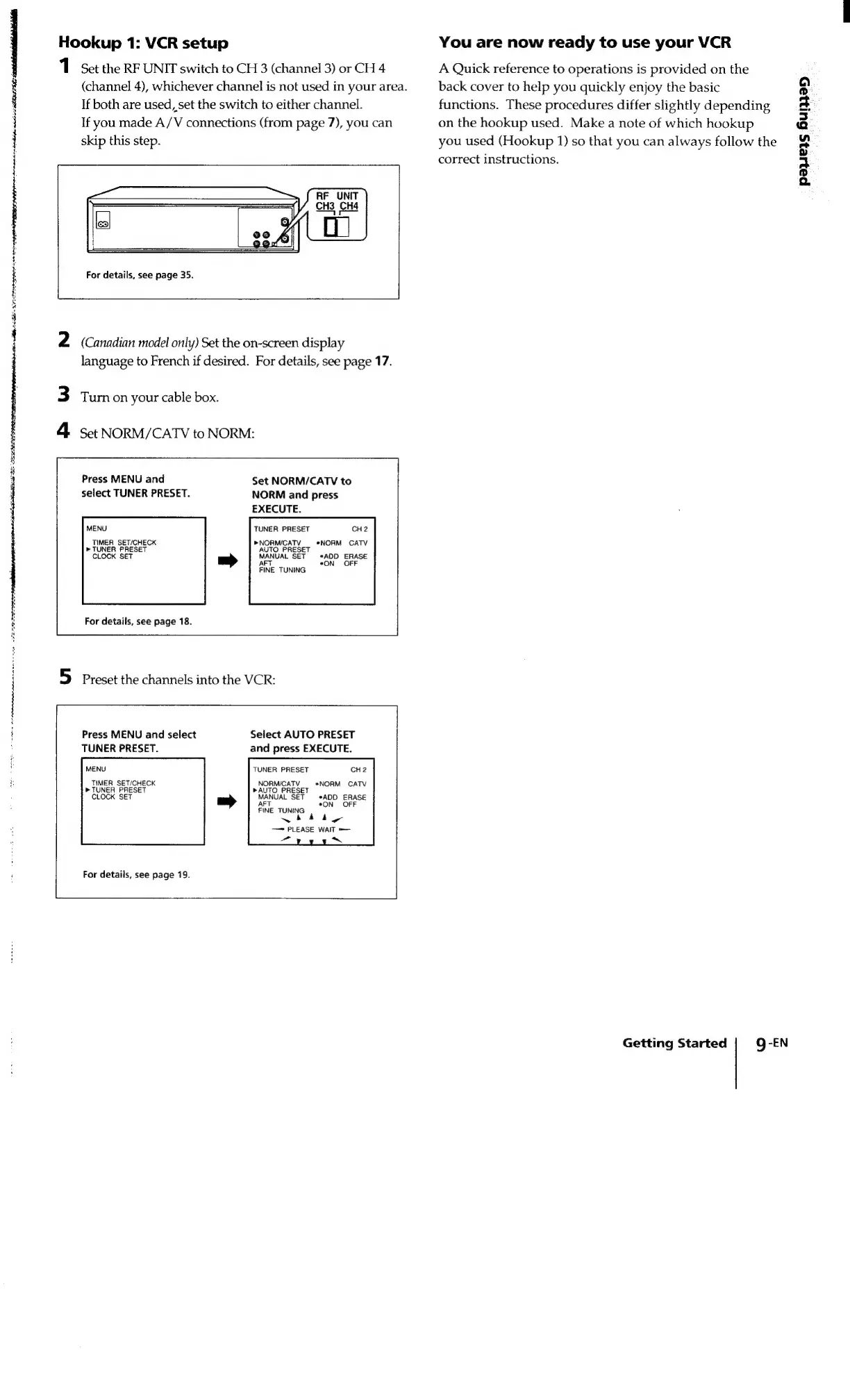
Hookup
1:
VCR
setup
1
Set
the
RF
UNIT
switch
to
CH
3
(channel
3)
or
CH
4
(channel
4),
whichever
channel
is
not
used
in
your
area.
If
both
are
used,
set
the
switch
to
either
channel.
If
you
made
A/V
connections
(from
page
7),
you
can
skip
this
step.
For
details,
see
page
35.
ae
Se
SFE
SSO
SRP
pl
AIS
lll
AEE
EPL
TS
cheat
(Canadian
model
only)
Set
the
on-screen
display
language
to
French
if
desired.
For
details,
see
page
17.
Turn
on
your
cable
box.
Set
NORM/CATV
to
NORM:
Press
MENU
and
select
TUNER
PRESET.
Set
NORM/CATV
to
NORM
and
press
EXECUTE.
MENU
TUNER
PRESET
CH2
»NORM/CATV
*NORM
CATV
AUTO
PRESET
MANUAL
SET
*ADD
ERASE
AFT
*ON
OFF
FINE
TUNING
TIMER
SET/CHECK
»
TUNER
PRESET
CLOCK
SET
For
details,
see
page
18.
Preset
the
channels
into
the
VCR:
Select
AUTO
PRESET
and
press
EXECUTE.
Press
MENU
and
select
TUNER
PRESET.
MENU
TUNER
PRESET
CH2
TIMER
SET/CHECK
NORMICATV__
*NORM
CATV
>
TUNER
PRESET
»AUTO
PRESET
CLOCK
SET
MANUAL
SET
ADD
ERASE
FT
*ON
OFF
FINE
TUNING
wh
day
PLEASE
WAIT
we
~
For
details,
see
page
19.
You
are
now
ready
to
use
your
VCR
A
Quick
reference
to
operations
is
provided
on
the
back
cover
to
help
you
quickly
enjoy
the
basic
functions.
These
procedures
differ
slightly
depending
on
the
hookup
used.
Make
a
note
of
which
hookup
you
used
(Hookup
1)
so
that
you
can
always
foliow
the
correct
instructions.
Getting
Started
Q-EN
pawezs
6uly}25

Related product manuals