Step 3: Hookups (continued)
4
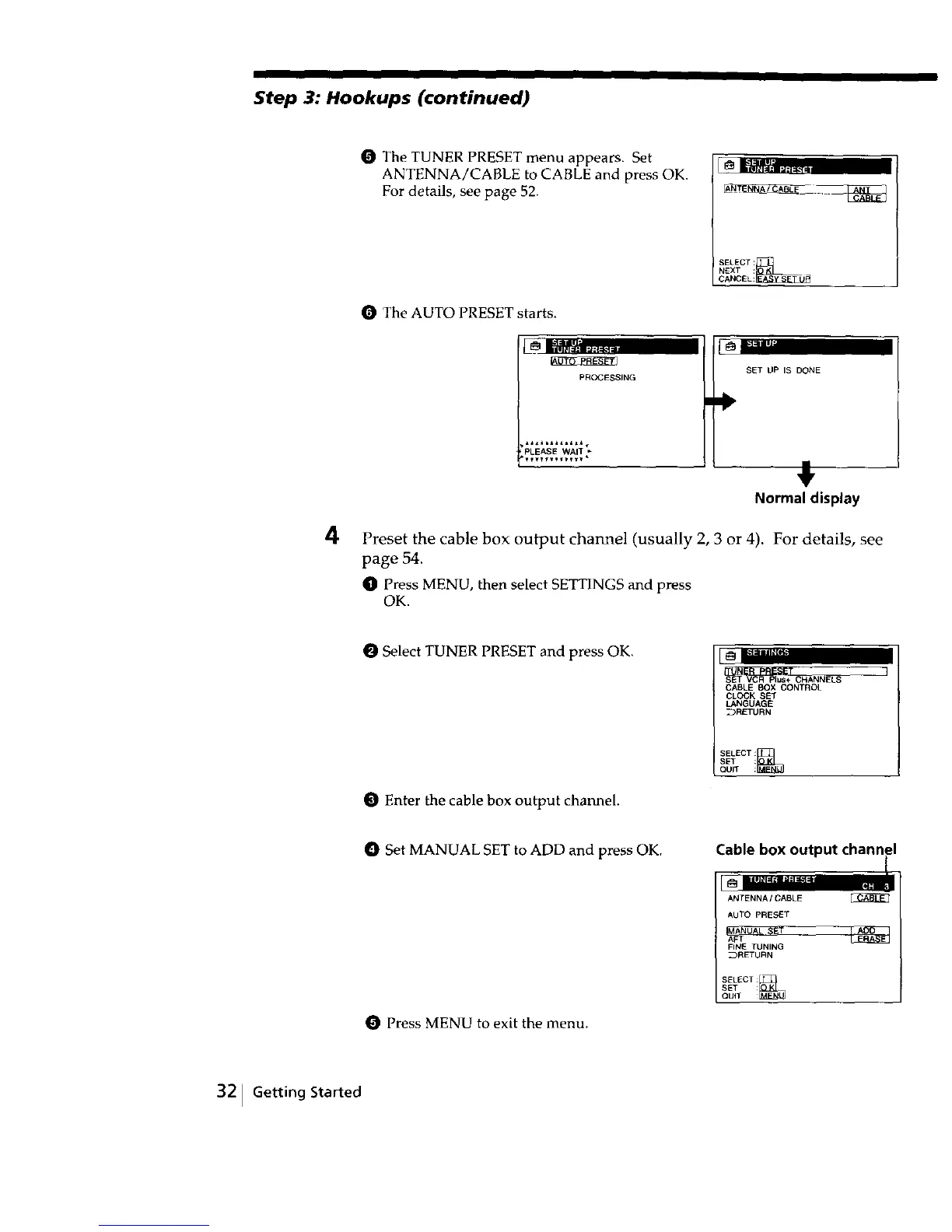
O The TUNER PRESET menu appears. Set
ANTENNA/CABLE to CABLE and press OK.
For details, see page 52.
SELECT:_L)_
NEXT :
CANCEL:
The AUTO PRESET starts.
PROCESSING
PLEASE WAT
SET UP IS DONE
,i,
Normal display
Preset the cable box output channel (usually 2, 3 or 4). For details, see
page 54.
O Press MENU, then select SETTINGS and press
OK.
O Select TUNER PRESET and press OK.
O Enter the cable box output channel.
CABLE BOX CONTROL
CLOCK SET
LANGUAGE
_RETURN
SELECT:_;i_ }
SET :
QUIT :
O Set MANUAL SET to ADD and press OK. Cable box output channel
Press MENU to exit the menu,
ANTENNA/CABLE
AUTO PRESET
FINE TUNING
_RETURN
SELECT:
QUIT _
SET :
32 JGetting Started



 To Next Page