91
4-4 CUE Menu
Chapter 4 Menu Settings
Press the [F7] (PROTECT) button while holding down the
SFT button.
Inserting a new line
1
Use the cursor buttons to move the cursor to the line
that will be under the new line to be inserted.
To move the cursor using the numeric buttons
Enter the line number using the numeric buttons. Then
press the [F9] (CUENUM POINT) button. The cursor
will move to the line specified by the numeric buttons.
If the movement of the cursor (B) is not linked with
the cursor buttons, the cursor (B) will not move when
the cursor buttons are pressed.
To link the cursor (B) with the cursor buttons
Press the cursor center button. Each press of the button
alternately links and unlinks the cursor (B).
2
Press the ENTRY button while holding down the SFT
button.
A new line is inserted above the line where the
cursor (B) is located, and the current time data is
entered on the new line.
Moving a line
Press the cursor buttons to move the cursor to the Time
data of the line to be moved. Then press the + or – button.
Each press of the + button moves the line up, while each
press of the – button moves the line down.
If you perform the procedure above while the cursor is on
any other data other than the Time data, only the contents
selected by the cursor will be moved. To move the entire
line, be sure that the cursor is placed on the Time data.
Deleting a line
Press the cursor button to move the cursor to the line to be
deleted, and then press the [F5] (DEL POINT) button
while pressing down the SFT button. The line is deleted
and all the line numbers below are decreased by one.
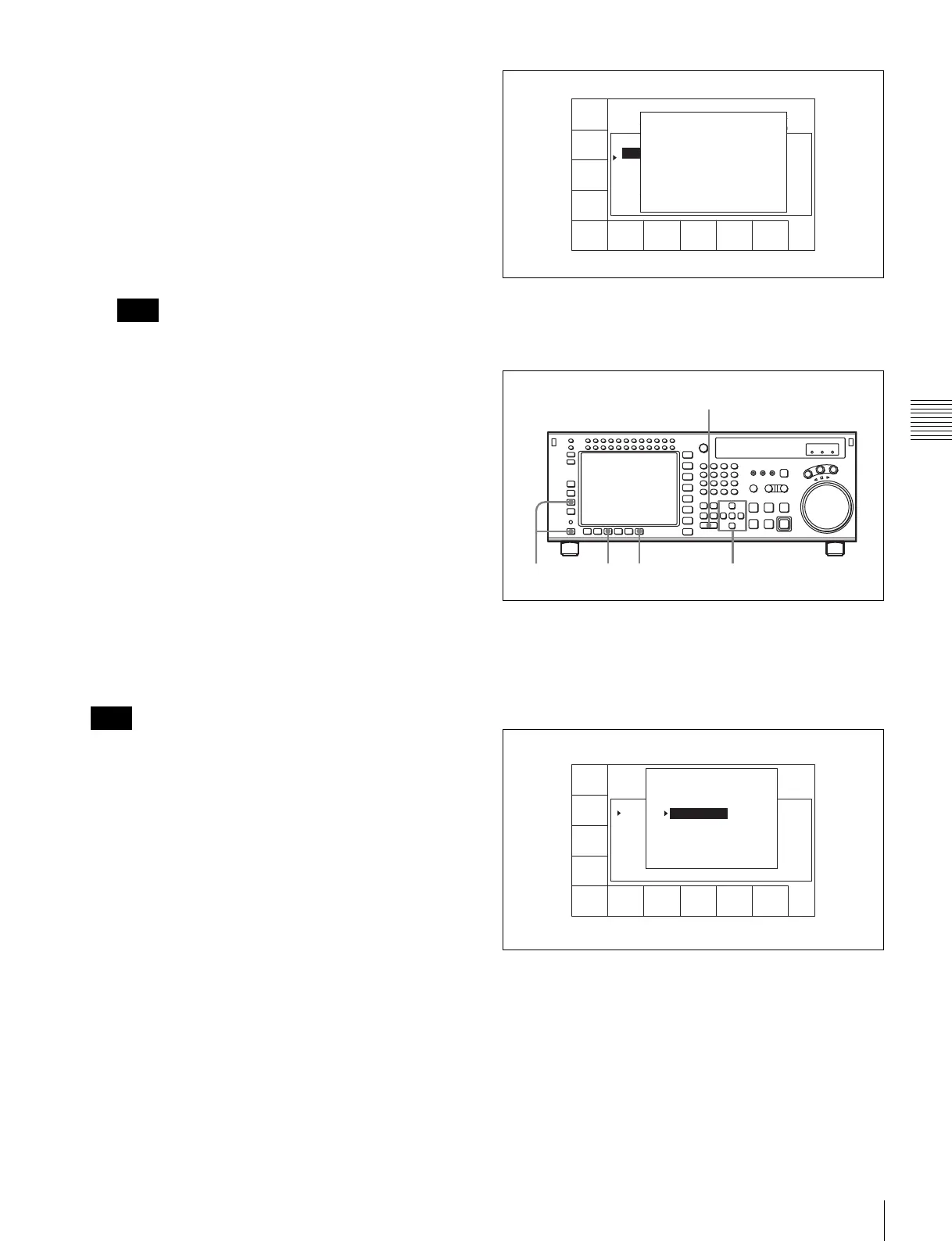
Displaying other information saved to the
MLB-1M-100 memory label
Press the [F8] (TAPE INFO) button. The TAPE
INFORMATION window appears, showing other
information.
To close the window
Press the [F8] (TAPE INFO) button again.
To change ID or ADMIN data
1
Press the ALT/[F3] (ATTRIB EDIT) buttons.
2
Press the R or r button to select “ID” (tape ID) or
“ADMIN” (administrator), then press the ENTRY
button.
3
Press the T or t button to select a character.
Note
Note
CUE
SCAN
ENTRY
POINT
COMMNT
EDIT
CHANGE
DATA
DEL
POINT
PRO-
TECT
TAPE
INFO
CUENUM
POINT
WRITE/
EXIT
MARK
REC DATE[2003/02/25] EOS[01:01:24:15]
TITLE[ ] Rest100%
No. Time Mrk Tk Cut Scn
0 00:01:02:03 NG 00:01:01:03
1 --:--:--:-- KP --:--:--:--
2 00:03:04:03 OK @ 00:03:03:03
3 00:04:04:03 OK 00:04:03:03
4 00:05:05:03 NG 00:05:04:03
5 00:06:06:03 OK 00:06:05:03
6 --:--:--:--
TAPE INFORMATION
ID: 001234567 TITLE
ADMIN: Kanrisha
MODEL: HDW-700
SERIAL NUMBER:000123
TAPE THREAD COUNT: 123
LABEL ID: 0000000000
SIZE: 1024 USED: 234
2,3,446
2
1
FORMAT
T-File
UNDO
ALL
ATTAI
EDIT
COPY
toCUE
T-File
MODE
WRITE
PRTEC
REC DATE[2003/02/25]
TITLE[NAplay Sample
No. Time Mrk Tk Cut Scn
0 00:01:02:03 NG 01 0015 A01
1 00:02:03:03 KP 02 0015 A01
2 00:03:04:03 OK @ 03 0015 A01
3 00:04:05:03 OK 01 017~ A01
4 00:05:06:03 NG 01 B20
5 00:06:07:03 OK 02 B20
6 --:--:--:--
EOS[01:01:--:--]
] Rest 50%
ATTRIB EDIT SELECT
TITLE
ID
ADMIN
Press [ENTRY] to edit
Press [CLR] to CANCEL



 To Next Page