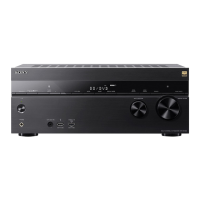
MULTI CHANNEL AV RECEIVER
STR-DN1050/STR-DN850
Using the sleep timer
You can set the receiver to turn off automatically at a specified time using the menu on the display panel.
1. Press AMP MENU.
The menu is displayed on the display panel of the receiver.
2. Select [SYSTEM] on the display panel.
3. Select [SLEEP] on the display panel.
4. Press / to set specified time.
Each time you press / , the display on the display panel changes cyclically as follows:
OFF - 0:30:00 - 1:00:00 - 1:30:00 - 2:00:00
[SLEEP] lights up on the display panel of the receiver when sleep timer is being used.
Hint
To check the remaining time before the receiver turns off, repeat steps 1 to 4. The remaining time appears on the
display panel.
The sleep timer will be canceled if you perform the following:
Update the software of the receiver.
Press
(on/standby).
Notes on use
4-488-938-11(1)
Copyright 2014 Sony Corporation
Help Guide



 To Next Page