EasyManua.ls Logo

Sony Trimaster EL BVM-E250 - User Manual

Sony Trimaster EL BVM-E250
140 pages
Print Icon
To Next Page IconTo Next Page
Loading...
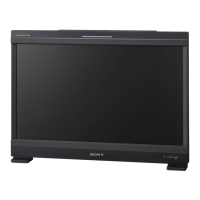
PROFESSIONAL VIDEO MONITOR
BVM-E250
OPERATION MANUAL [English]
1st Edition (Revised 3)

Table of Contents

Questions and Answers

  • K
    Kyle TorresSep 10, 2025
    Why is the setting different from the setting in the menu on my Sony Trimaster EL BVM-E250 Baby Monitor?
    • M
      Max SmithSep 10, 2025
      The setting on your Sony Baby Monitor may differ from what's in the menu if you've used the controller's function button after making changes in the menu. The most recent setting will take effect.
  • M
    Michelle DickersonSep 12, 2025
    Why doesn't the pixel zoom function on my Sony Baby Monitor?
    • D
      davidgriffithSep 12, 2025
      The pixel zoom feature on your Sony Baby Monitor won't work if the native scan mode isn't selected. Set the monitor to native scan mode.
  • C
    Christopher SanchezSep 14, 2025
    Why does the phase of signal B in the multi display slip on my Sony Trimaster EL BVM-E250?
    • J
      johnandersonSep 14, 2025
      The phase of signal B in the multi display slips on your Sony Baby Monitor because the signal is not genlocked. Genlock signal A and signal B to use the wipe mode and blending mode.
  • S
    Stephanie HunterSep 16, 2025
    Why is the marker not displayed on my Sony Baby Monitor?
    • K
      Kristin CaseSep 16, 2025
      The marker may not be displayed on your Sony Baby Monitor if the display is set in multi display or pixel zoom display. Set Side by Side, Wipe, Butterfly, or Blending to Off in the Function Switch menu of the Function Setting menu, and ensure the Pixel Zoom button is off. Also, the marker is not displayed when a computer signal of HDMI/DisplayPort is input, when the internal signal is displayed, or when the signal is displayed in H delay mode or V delay mode.

Summary

Chapter 1 Overview

Precautions

Important safety and handling guidelines for operating the monitor.

Location and Function of Parts

Identification and description of front and rear panel components and connectors.

Chapter 2 Preparations

Turning on the Power

Steps for connecting the AC power cord and turning on the monitor.

Chapter 3 Menu

Basic Menu Operations

Explanation of controller buttons and basic menu navigation.

Adjustment Menu

Overview and function of the Adjustment menu for picture and color settings.

Channel Configuration Menu

Menu for setting data related to input signals and channel configurations.

Function Setting Menu

Menu for setting picture-related functions, including markers and display modes.

System Configuration Menu

Menu for system settings, network, and parallel remote control functions.

File Management Menu

Functions for saving, copying, and deleting system data to and from a Memory Stick.

Controller Menu

Network settings and function assignment for the controller.

Chapter 4 Operations

Setting the Display of Native Scan Mode

Configuring the native scan mode to display signals accurately based on pixel mapping.

Assigning a Function to a Function Button

Customizing controller function buttons by assigning specific menu operations.

Upgrading the Monitor and Controller

Procedure for updating monitor and controller software and kernel via Memory Stick.

Appendixes

Specifications

Technical specifications of the monitor, including panel, resolution, and power.

Input Signals and Adjustable;Setting Items

Table detailing supported input signals and their adjustable/settable parameters.

Troubleshooting

Guide to identifying and resolving common operational problems and symptoms.

Sony Trimaster EL BVM-E250 Specifications

General IconGeneral
BrandSony
ModelTrimaster EL BVM-E250
CategoryBaby Monitor
LanguageEnglish

Related product manuals