UsingConvenientFeatures
MUTING SLEEP
I'VHIDEO r v CABLEPOWER
Z)®®
®@®
VOL CH
CODESET CABLEBOX TY
_ 1-_-1 RETURN
SWAP PIP
C:_:) C.:..) <::_
CH AUDIO W/VIDEO
(:ZZ) ____..)<:::::::)
<::>
CH • II
(::_ c_._ <:22)
REC • TV/V3"R
RM-Y118
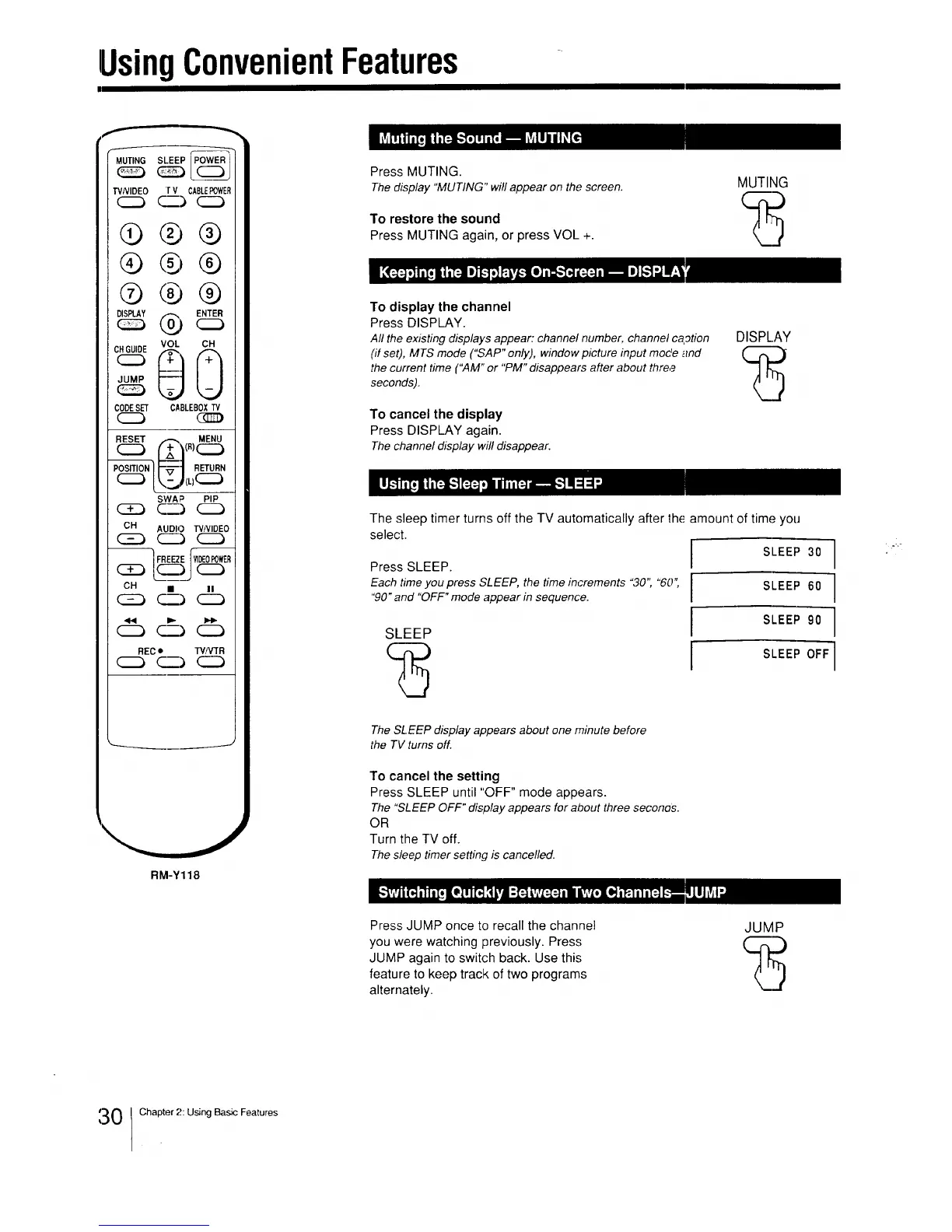
Press MUTING.
Thedisplay "MUTING"will appear on the screen.
To restore the sound
Press MUTING again, or press VOL +.
MUTING
To display the channel
Press DISPLAY.
All the existing displays appear: channel number, channel caption
(if set), MTS mode ("SAP" only), window picture input mode and
the current time ("AM" or "PM" disappears after about thre,9
seconds).
To cancel the display
Press DISPLAY again.
Thechannel display will disappear.
DISPLAY
The sleep timer turns off the TV automatically after the amount of time you
select.
Press SLEEP.
Each time you press SLEEP, the time increments "30" "60;
"90" and "OFF" mode appear in sequence.
SLEEP
SLEEP 30
SLEEP 60
SLEEP 90
SLEEP OFF
The SLEEP display appears about one minute before
the TV turns off.
To cancel the setting
Press SLEEP until "OFF" mode appears.
The"SLEEPOFF" display appears for about three seconos.
OR
Turn the TV off.
Thesleep timer setting is cancelled.
Press JUMP once to recall the channel
you were watching previously. Press
JUMP again to switch back. Use this
feature to keep track of two programs
alternately.
JUMP
1_30 Chapter 2: Using Basic Features






 To Next Page