CustomizingtheScreenDisplay
IVNIDEO T V CABLEPOWER
C:::) <::::)
®00
00®
0®®
_VOL_oc_
CODESET CABLEBOX"W
OH AUDIO IV/VIDEO
F.E__IT_-__-
CH • II
C2) CZ_ C_)
REC • TV/V'FEI
_...J
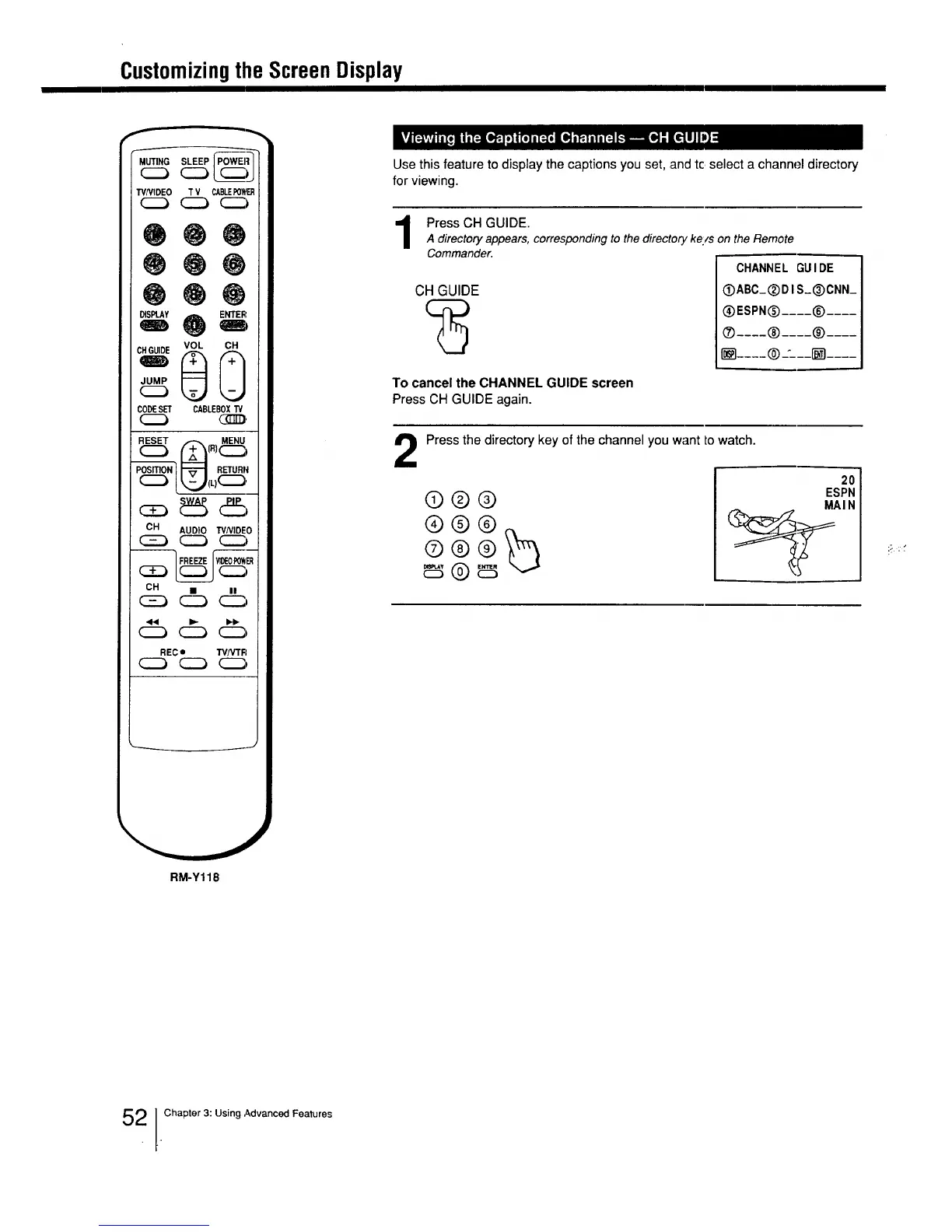
Use this feature to display the captions you set, and tc select a channel directory
for viewing.
Press CH GUIDE.
A directory appears, corresponding to the director), ke/s on the Remote
Commander.
CH GUIDE
CHANNEL GUIDE
OABC_(_DI S_®CNN_
®ESPN(_ .... ® ....
® .... ® .... ® ....
JILL.--- @.-'---_ ....
To cancel the CHANNEL GUIDE screen
Press CH GUIDE again.
2
Press the directory key of the channel you want to watch.
®®®
®®@
®®®_
20
ESPN
MAIN
RM-Y118
2 lChapter 3: Using Advanced Features






 To Next Page