Chapter 3: Using Advanced Features
WatchingTwoPicturesatOnce(Picture-in-Picture)
MUTING__SLEEP
_/VIDEO T V CABLEPOWER
®®®
®®®
®®®
VOL CH
CODESET CABLEBOX13/
SWAP PIP
CH AUDIO W/VIDEO
CH II II
REC • TV/VTR
(Z2) C..._ CZD
RM-Y118
ID
T,a operate your VCR with the supplied
Remote Commander, See "Using the
Pre-Programmed Remote Commander",
pp. 55-57.
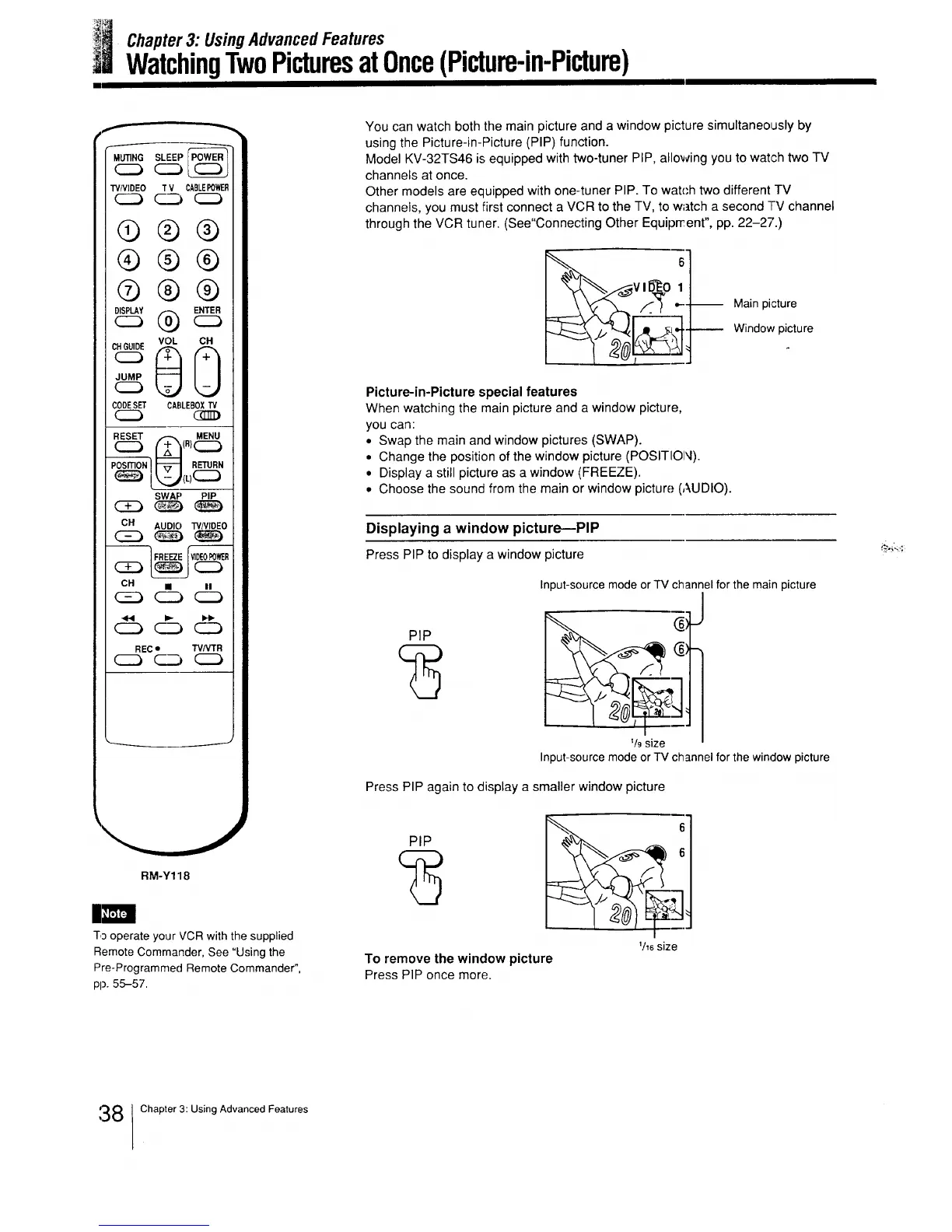
You can watch both the main picture and a window picture simultaneously by
using the Picture-in-Picture (PIP) function.
Model KV-32TS46 is equipped with two-tuner PIP, allowing you to waP.h two TV
channels at once.
Other models are equipped with one-tuner PIP. To watch two different TV
channels, you must first connect a VCR to the TV, to watch a second TV channel
through the VCR tuner. (See"Connecting Other Equiprrent", pp. 22-27.)
_Vl/___O 1
Main picture
Window picture
Picture-in-Picture special features
When watching the main picture and a window picture,
you can:
• Swap the main and window pictures (SWAP).
• Change the position of the window picture (POSITION).
• Display a still picture as a window (FREEZE).
• Choose the sound from the main or window picture (AUDIO).
Displaying a window picture---PIP
Press PIP to display a window picture
PIP
Input-source mode or TV channel for the main picture
_/9size
J
1
Input-source mode or TV channel for the window picture
Press PIP again to display a smaller window picture
PIP 6
_/_6size
To remove the window picture
Press PIP once more.
:38 Chapter 3: Using Advanced Features






 To Next Page