CustomizingtheScreenDisplay
iml
MUTING(_ (_SLEEP _"
W/VIDEO T V CABLEPOWEr(
®®®
Q®®
®®®
VOL CH
CODESET CABLESOXTV
RESET _ MENU
_ RETURN
OH AUDIO TVNIDEO
CH • II
C2) _ C22_
REC • TV/VI"R
(Z23 _ _
RM-Y118
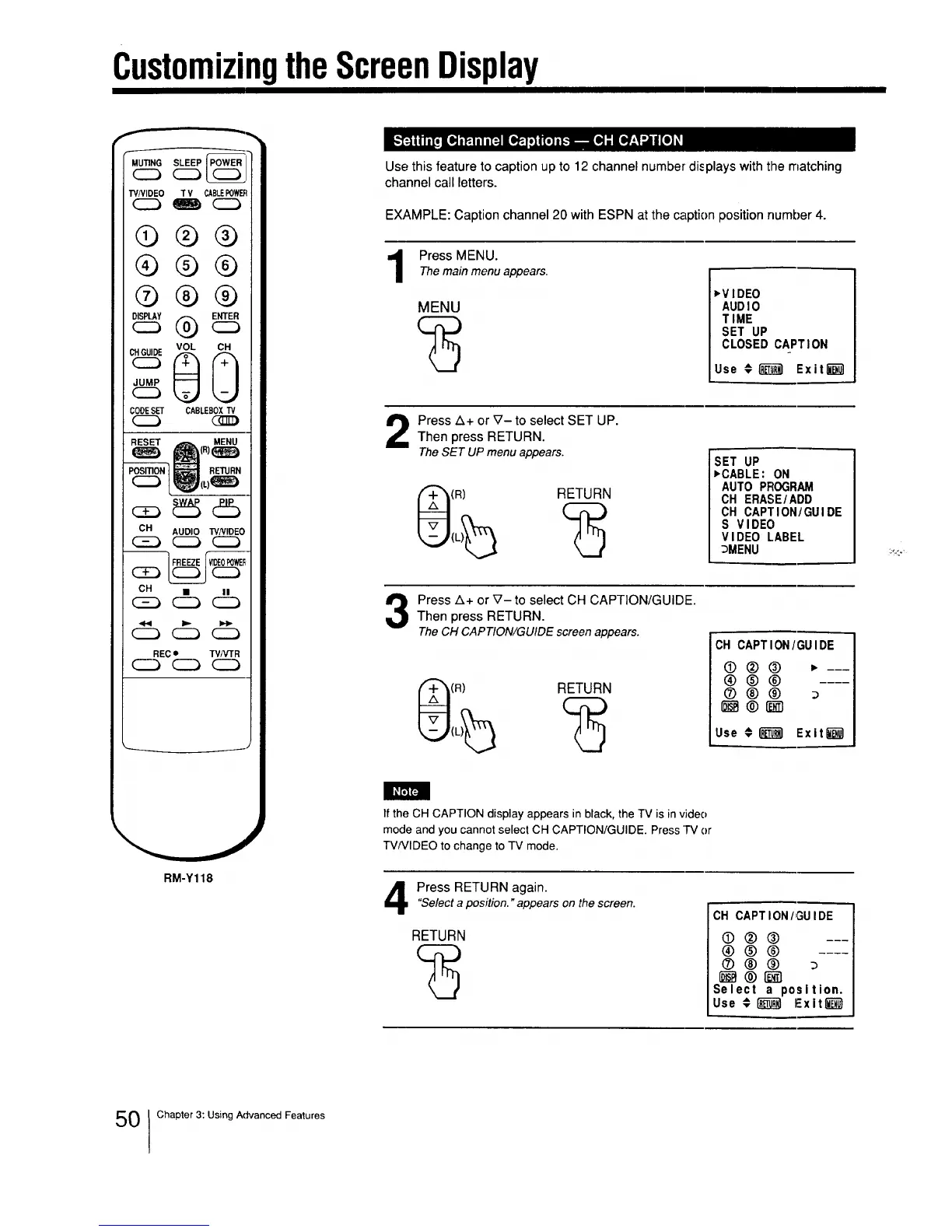
Use this feature to caption up to 12 channel number displays with the matching
channel call letters.
EXAMPLE: Caption channel 20 with ESPN at the caption position number 4.
Press MENU.
Themain menu appears.
MENU
_VIDEO
AUDIO
TIME
SET UP
CLOSED CAPTION
Use #[]_ ExitEd]
Press Z_+or V- to select SET UP.
Then press RETURN.
The SET UP menu appears.
(R) RETURN
SET UP
,CABLE: ON
AUTO PFIOGRAM
OH ERASE/ADD
OH CAPTION/GUIDE
S VIDEO
VIDEO LABEL
_MENU
Press A+ or V- to select CH CAPTION/GUIDE.Then press RETURN.
The CH CAPTION/GUIDE screen appears.
(R) RETURN
CH CAPTION/GUIDE
0®@ ,---
®@@
Use #_ Exit_)
If the CH CAPTION display appears in black, the TV is in video
mode and you cannot select CH CAPTION/GUIDE. Press "]'V or
TV/VIDEO to change to TV mode.
Press RETURN again."Selecta position. "appears on the screen.
RETURN
OH CAPTION/GUIDE
0®()
®®@
Sele¢l a position.
Use # RIR_R_ExiI_
0 Chapter 3: Using Advanced Fealures






 To Next Page