UsingthePre-Programmed
RemoteCommander(oxce,tfor KV-27TS29/2970M)
MUTING(_) (_SLEEP _-
W/VIDEO TV CABLEPOWER
®@@
®@
DISPLAY
VOL CH
;HGUICE
CODEB::"T CABLEBOX"P,/
SWAP PIP
CH AUDIO TVNIDEO
CH ---i---- in
R EC • TV,%"TR
RM-Y118
You can operate your video equipment and cable converter box that has an
infrared remote detector with this supplied pre-programmed Remote
Commander.
With the supplied Remote Commander, you can operate a Sony video cassette
recorder (Beta, 8 mm, VHS) or a multi disc player as well as r_ost non-Sony
video equipment connected to your TV by following the steps below.
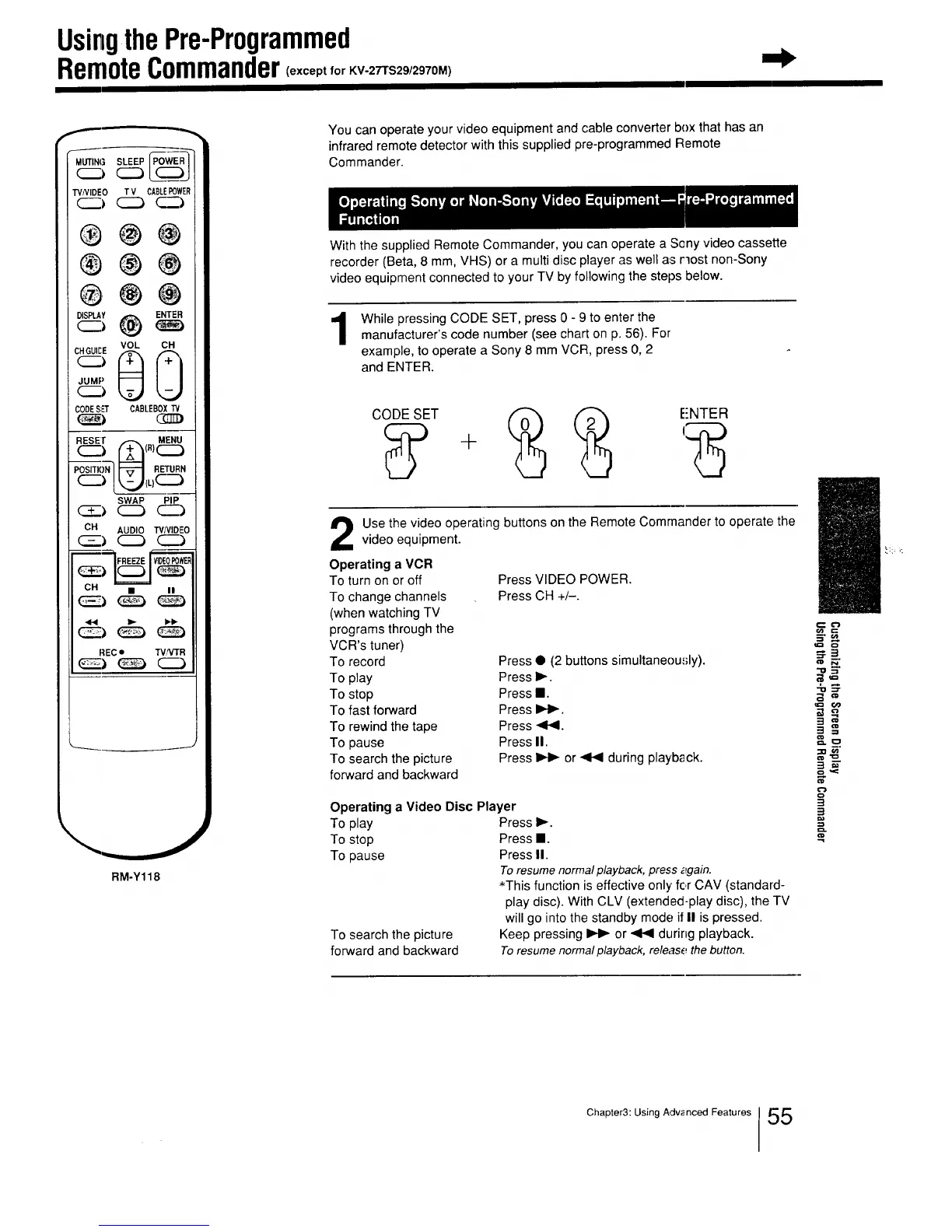
While pressing CODE SET, press 0 - 9 to enter the
manufacturer's code number (see chart on p. 56). For
example, to operate a Sony 8 mm VCR, press 0, 2
and ENTER.
E'NTER
Use the video operating buttons on the Remote Commander to operate, the
video equipment.
Operating a VCR
To turn on or off
To change channels
(when watching TV
programs through the
VCR's tuner)
To record
To play
To stop
To fast forward
To rewind the tape
To pause
To search the picture
forward and backward
Press VIDEO POWER.
Press CH +/-.
Press • (2 buttons simultaneou.,;ly).
Press I_.
Press I.
Press I_1_.
Press _141.
Press II.
Press _ or _ during playback.
Operating a Video Disc Player
To play Press I_.
To stop Press I.
To pause Press II.
To resume normalplayback, press _gain.
*This function is effective only' for CAV (standard-
play disc). With CLV (extended-play disc), the TV
will go into the standby mode if II is pressed.
To search the picture Keep pressing _ or _ during playback.
forward and backward To resume normalplayback, release thebutton.
-0 =r
o
tr=
3 ==
3 E
3
Chapter3: Using Advanced Features !,_5






 To Next Page