_H Basic Set Up
Inserting batteries
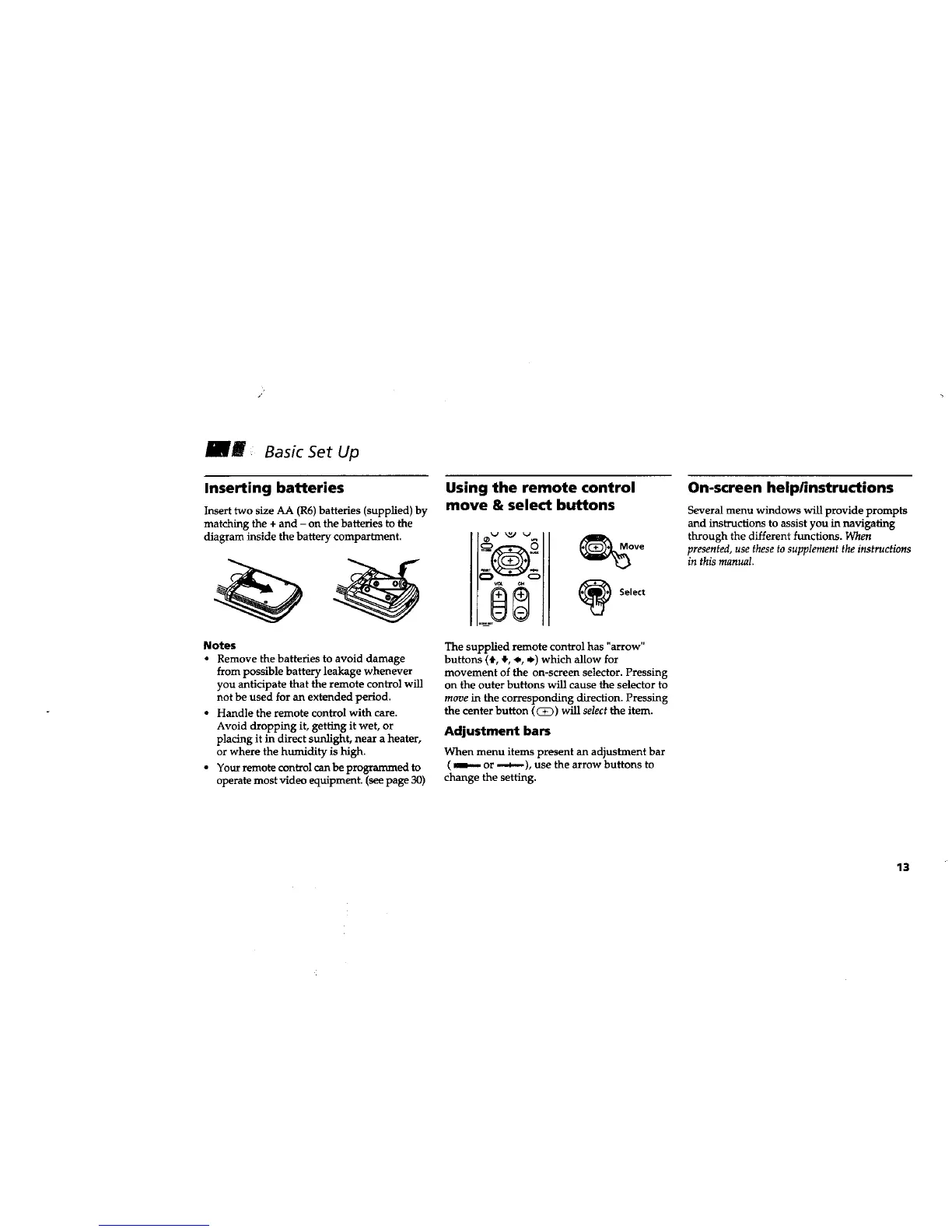
Insert two size AA (R6) batteries (supplied) by
matching the + and - on the batteries to the
diagram inside the battery compartment.
Notes
• Remove the batteries to avoid damage
from possible battery leakage whenever
you anticipate that the remote control will
not be used for an extended period.
• Handle the remote control with care.
Avoid dropping it, getting it wet, or
placing it in direct sunlight, near a heater,
or where the humidity is high.
• Your remote control can be programmed to
operate most video equipment. (see page 30)
Using the remote control
move & select buttons
The supplied remote control has "arrow"
buttons (4,, _, _., ._) which allow for
movement of the on-screen selector. Pressing
on the outer buttons will cause the selector to
move in the corresponding directon. Pressing
the center button ((_)) will select the item.
Adjustment bars
When menu items present an adjustment bar
( _ or _), use the arrow buttons to
change the setting.
On-screen help/instructions
Several menu windows will provide prompts
and instructions to assist you in navigating
through the different functions. When
presented, use these to supplement the instructions
in this manual.
13






 To Next Page