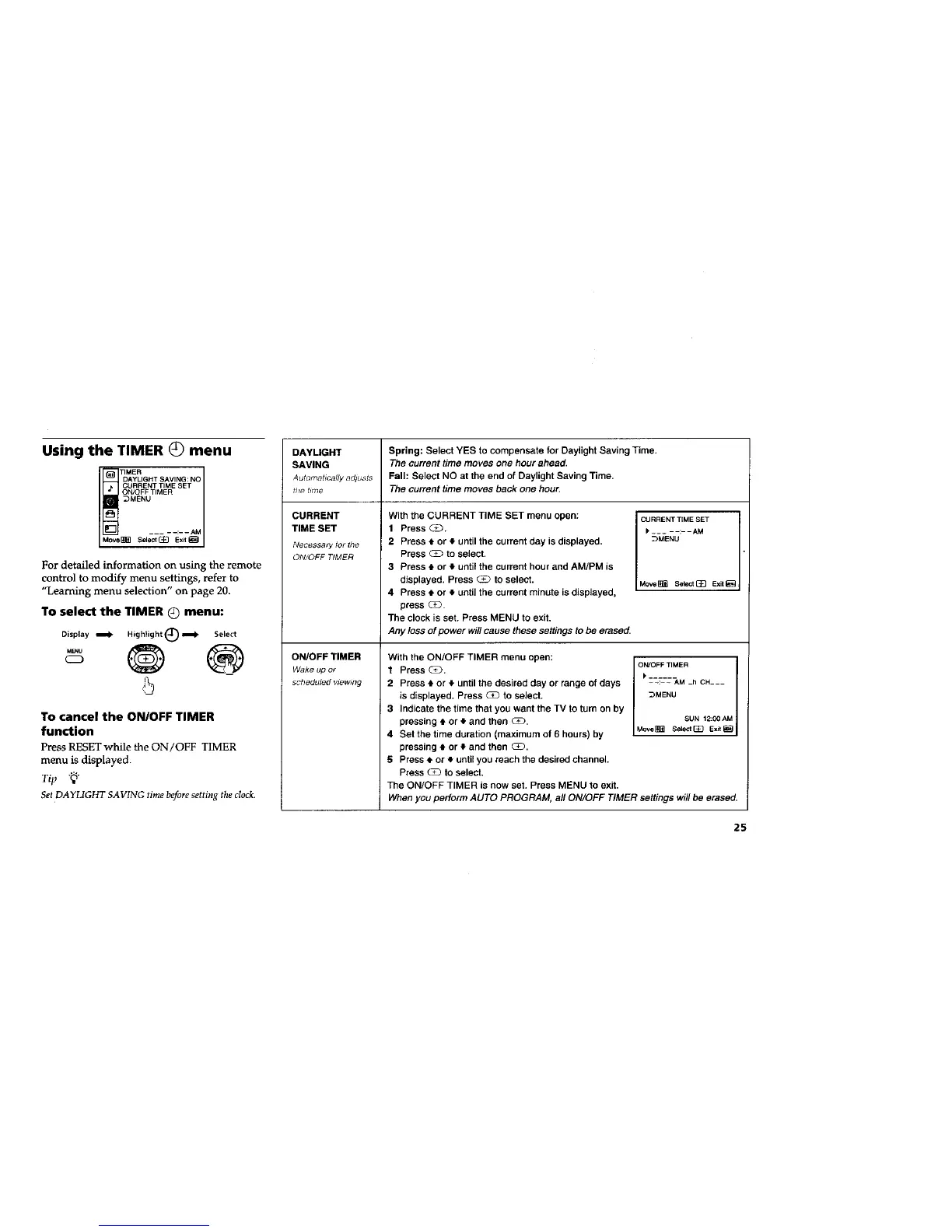
Using the TIMER (_) menu
1
DAYLIGHT SAVING: NO I
CURRENT TIME SET
1
ON/OFF TIMER
_MENU
___ - --:- -- AM
Move_ Eelect(_}_ Exit_
For detailed information on using the remote
control to modify menu settings, refer to
"Learning menu selection" on page 20.
To select the TIMER Q menu:
Display _ Highiight(_=_ Select
.... ®
'5
To cancel the ON/OFF TIMER
function
Press RESET while the ON/OFF TIMER
menu is displayed.
Tip "_"
Set DAYLIGHT SAVING time before setting the clock.
DAYLIGHT Spring: Select YES to compensate for Daylight Saving Time.
SAVING The current time moves one hour ahead.
Automatically adju._ts Fall: Select NO at the end of Daylight Saving Time.
the time The current time moves back one hour.
CURRENT TIME SET
- - - - -:- - AM
_MENU
CURRENT
TIME SET
Necessary 1of the
ON!OFF TIMER
ON/OFF TIMER
Wake up or
scheduled vtewmg
With the CURRENT TIME SET menu open:
1 Press _.
2 Press t or • until the current day is displayed.
Press CD to select.
3 Press • or • until the current hour and AM/PM is
displayed. Press _ to select.
4 Press • or • until the current minute is displayed.
press _.
The clock is set. Press MENU to exit.
Any loss of power wi// cause these settings to be erased.
Move_ Salect_ Exit_
With the ON/OFF TIMER menu open:
1 Press _.
2 Press • or • until the desired day or range of days
is displayed. Press _ to select.
3 Indicate the time that you want the TV to turn on by
pressing • or • and then (E_.
4 Set the time duration (maximum of 6 hours) by
pressing • or • and then CD.
5 Press • or • until you reach the desired channel.
Press _ to select.
The ON/OFF TIMER is now set. Press MENU to exit.
When you perform AUTO PROGRAM, all ON/OFF TIMER settings
ON/OFF TIMER
-: - AM -h CH---
_MENU
SUN 12:00 AM
Move_ Select[_ ExJt_
will be erased.
25






 To Next Page