Using Your Menus (continued)
Using the AUDIO menu
(continued)
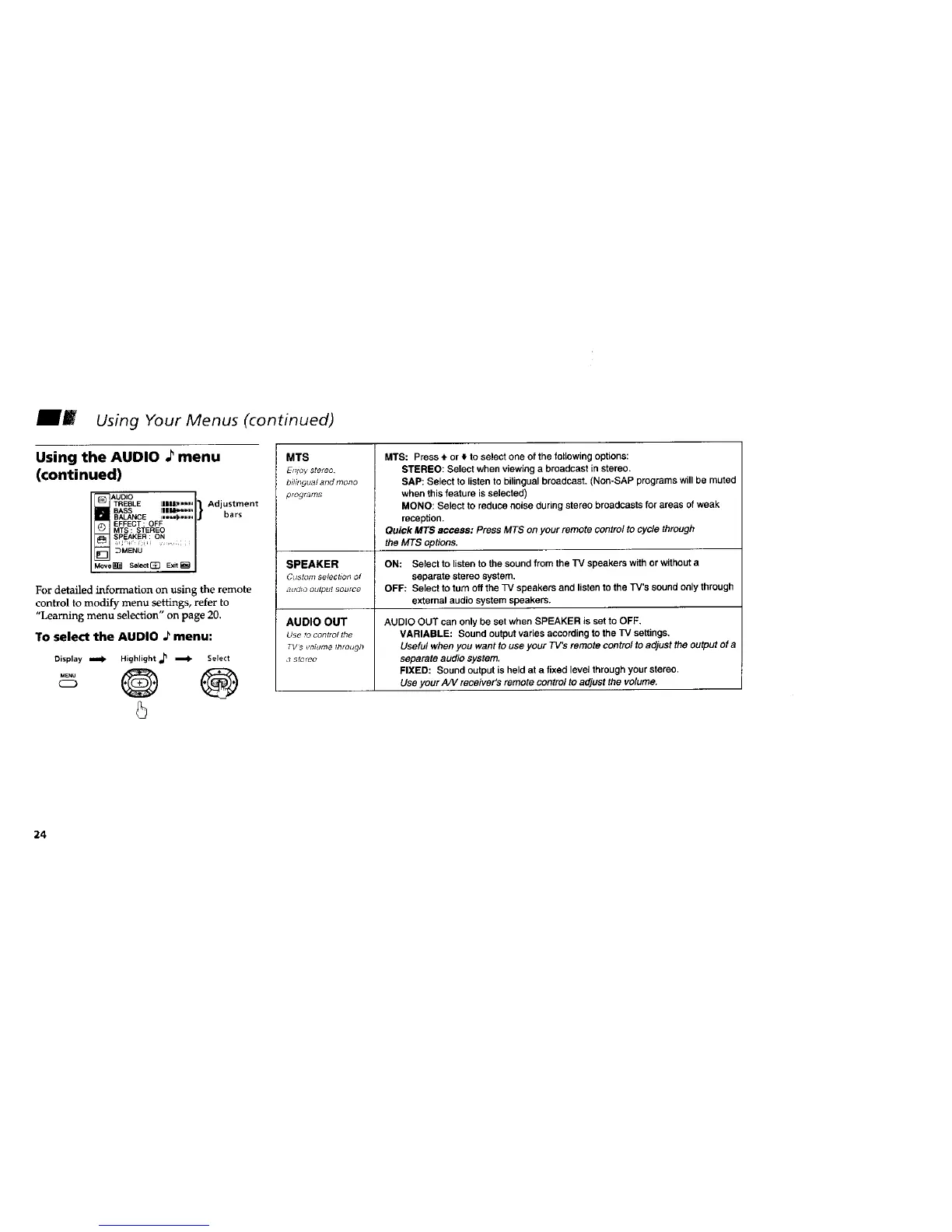
For detailed information on using the remote
control to modify menu settings, refer to
"Learning menu selection" on page 20.
To select the AUDIO ._menu:
Display tomb Highlight _ _ Select
.... @ @
C_D
5
MTS
Et_oy stereo
bilhlgua/ and mono
pro_fat;3s
SPEAKER
Custom selection of
aLIdlo output source
AUDIO OUT
Use to control the
TVs _otume through
,7 StC¢_O
MTS: Press 4. or _, to select one of the following options:
STEREO: Select when viewing a broadcast in stereo.
SAP: Select to listen to bilingual broadcast. (Non-SAP programs will be muted
when this feature is selected)
MONO: Select to reduce noise during stereo broadcasts for areas of weak
reception.
Quick MT$ access: Press MTS on your remote contre/ to cycle through
the MTS options.
ON: Select to listen to the sound from the TV speakers with or without a
separate stereo system.
OFF: Select to turn off the TV speakers and listen to the TV's sound only through
external audio system speakers.
AUDIO OUT can only be set when SPEAKER is set to OFF,
VARIABLE: Sound output varies according to the TV settings,
Useful when you want to use your TV's remote control to adjust the output of a
separate audio system.
FIXED: Sound output is held at a fixed level through your stereo.
Use your A/V receiver's remote control to adjust the volume.
24






 To Next Page