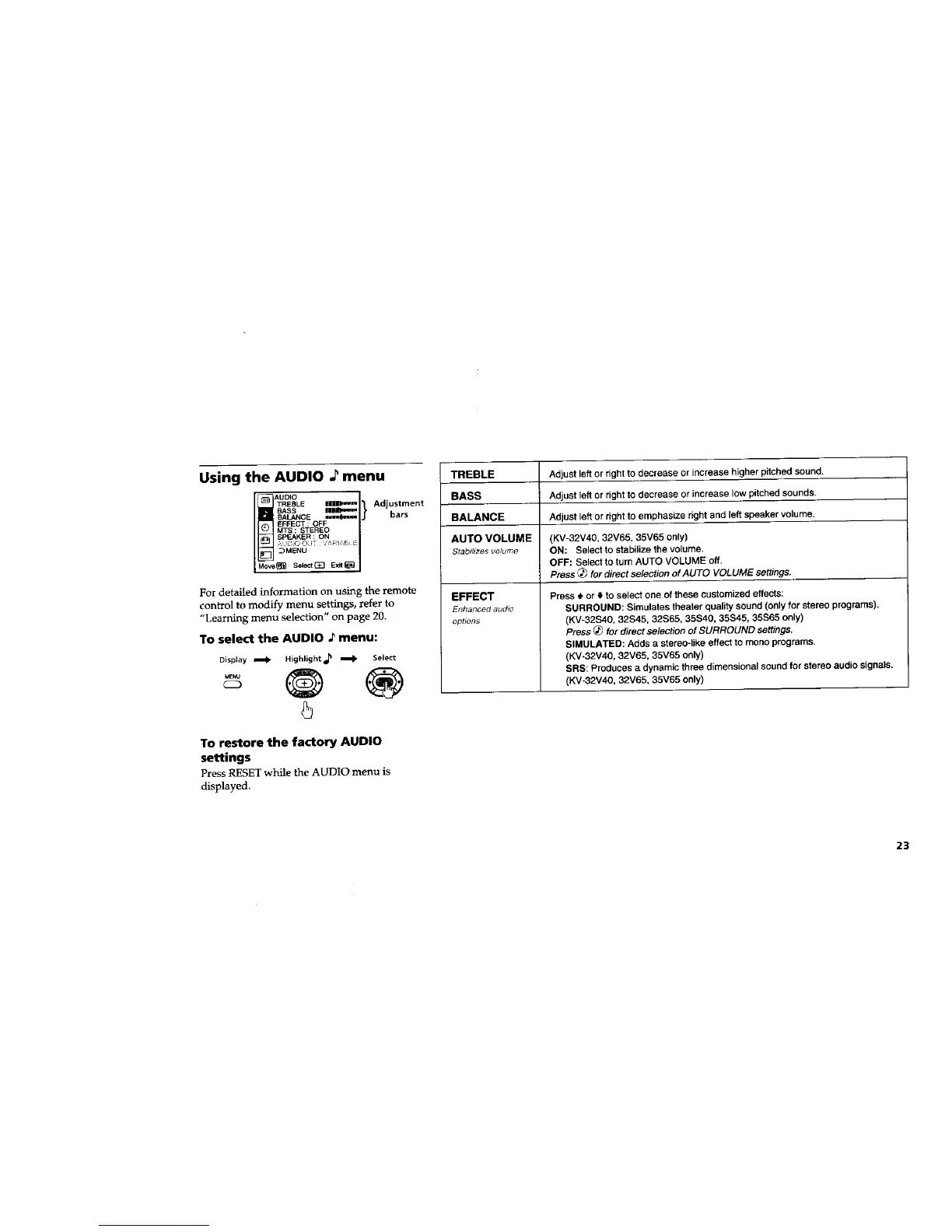
Using the AUDIO ._ menu
TRESLE,=--1}
BASS I1_
BALANCE ,===4_.=m
EFFECT : OFF
MTS : STEREO
SPEAKER : ON
_MENU
Move_ SelectGZ] Exit_
Adjustment
bars
For detailed information on using the remote
control to modify menu settings, refer to
"Learning menu selection" on page 20.
To select the AUDIO ._ menu:
Display _ Highlight_ m Select
.... @ ®
To restore the factory AUDIO
settings
Press RESET while the AUDIO menu is
displayed.
TREBLE Adjust left or right to decrease or increase higher pitched sound.
BASS Adjust left or right to decrease or increase low pitched sounds.
BALANCE Adjust left or right to emphasize right and left speaker volume.
AUTO VOLUME (KV-32V40, 32V65, 35V65 only)
Stab_/_zesvolume ON: Select to stabilize the volume.
OFF: Select to turn AUTO VOLUME off.
Press (_) for direct se/ectlon of AUTO VOLUME settings.
EFFECT
Enhanced audio
optsons
Press • or • to select one of these customized effects:
SURROUND: Simulates theater quality sound (only for stereo programs).
(KV-32S40, 32S45, 32S65, 35S40, 35S45, 35S65 only)
Press _ for direct se/ection of SURROUND settings.
SIMULATED: Adds a stereo-like effect to mono programs.
(KV-32V40, 32V65, 35V65 only)
SRS: Produces a dynamic three dimensional sound for stereo audio signals.
(KV-32V40, 32V65, 35V65 only)
23






 To Next Page