CHANNEL
BLOCK
Prevent child access
to certaill channels
FAVORITE
CHANNEL
Quick accessto
favorstechannels
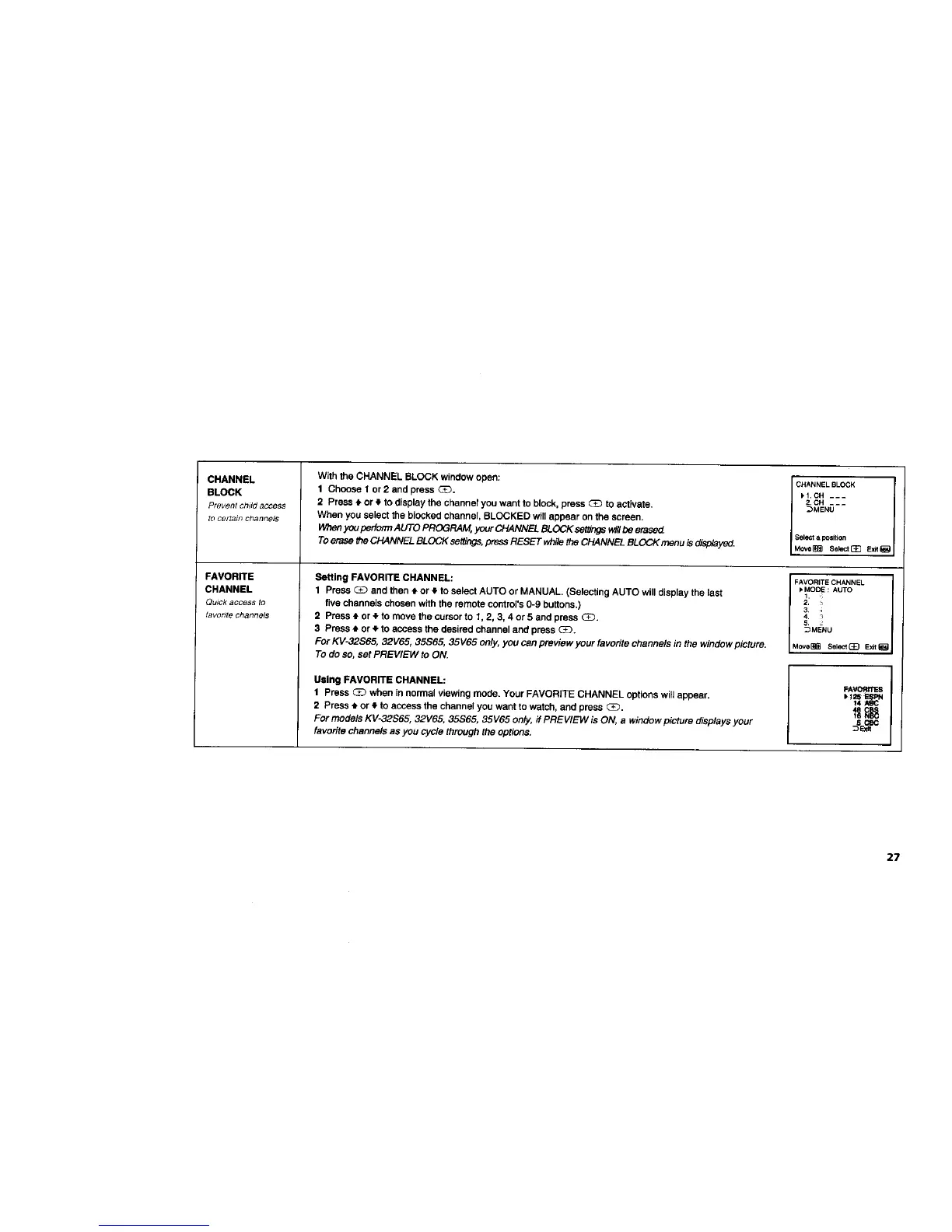
With the CHANNEL BLOCK window open:
1 Chcose 1 or2 and press G_.
2 Press _ or $ to display the channel you want to block, press (3_ to activate.
When you select the blocked channel, BLOCKED will appear on the screen.
Whenyou perfo/TnAUTO PROGRAM, your CHANNEL BLOCK settingsw#lbe erasecL
To erase the CHANNEL BLOCK settthgs,press RESET while the CHANNEL BLOCK menu is displayed.
CHANNELBLOCK
)I.CH ---
2. CH ---
_MENU
Select a position
Move_ Select[_ E_
Setting FAVORITE CHANNEL: FAVORITECHANNEL
1 Press _ and then tl. or _. to select AUTO or MANUAL. (Selecting AUTO will display the last _MODE: AUTO
1.
five channels chosen with the remote COntrol's0-9 buttons.) 2,
2 Press $ or _ to move tha cursor to l. 2, 3. 4 or 5 and press (3_. 541 :
3 Press # or • to access the desired channel and press (E_. _MENU
For KV-32S65, 32V65, 35S65, 35V65 only, you can preview your favorite channels in the window picture. Move_ Sel_ _ Ex__a
To do SO,set PREVIEW to ON.
Using FAVORITE CHANNEL:
1 Press C_ when in normal viewing mode. Your FAVORITE CHANNEL options will appear. _1
2 Press t or q. to access the channel you want to watch, and press (_. _ _
For models KV-32S65, 32V65, 35S65, 35V65 only, if PREVIEW is ON, a window picture displays your _
favorite channels as you cycle through the options.
27






 To Next Page