EasyManua.ls Logo

Sony Trinitron KV-32TW77 - M Board Frequency Adjustments (HFRE;VFRE)

Sony Trinitron KV-32TW77
79 pages
Print Icon
To Next Page IconTo Next Page
To Previous Page IconTo Previous Page
Loading...
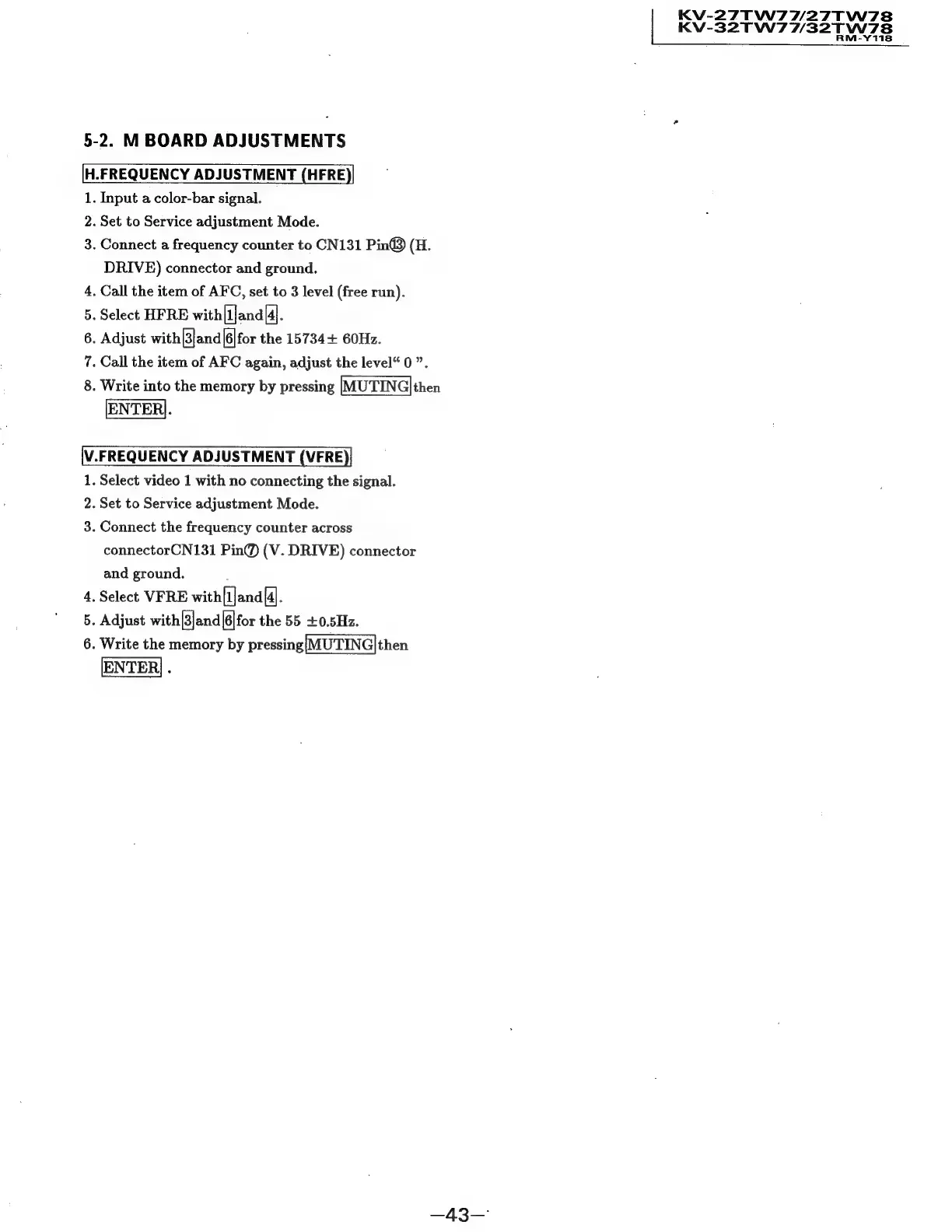
5-2.
M
BOARD
ADJUSTMENTS
[H.FREQUENCY
ADJUSTMENT
(HFRE)
1.
Input
a
color-bar
signal.
2.
Set
to
Service
adjustment
Mode.
3.
Connect
a
frequency
counter
to
CN131
Pin®)
(H.
DRIVE)
connector
and
ground.
4.
Call
the
item
of
AFC,
set
to
3
level
(free
run).
5.
Select
HFRE
with[1}and
[4].
6.
Adjust
with
3|and|[6|for
the
15734+
60Hz.
7.
Call
the
item
of
AFC
again,
adjust
the
level“
0
”.
8.
Write
into
the
memory
by
pressing
|MUTING|then
ENTER].
V.FREQUENCY
ADJUSTMENT
(VFRE
1.
Select
video
1
with
no
connecting
the
signal.
2.
Set
to
Service
adjustment
Mode.
3.
Connect
the
frequency
counter
across
connectorCN131
Pin@
(V.
DRIVE)
connector
and
ground.
2
.
Select
VFRE
with[1]and{4J.
.
Adjust
with[]and|6|for
the
55
+0.5Hz.
.
Write
the
memory
by
pressing{MUTING]|then
ao
oo
—43—
KV-27TW7W/27T
KV-32TW77/32T
w7s
W778
M-Y118