EasyManua.ls Logo

Sony Trinitron KV-32TW77 - General

Sony Trinitron KV-32TW77
79 pages
Print Icon
To Next Page IconTo Next Page
To Previous Page IconTo Previous Page
Loading...
SECTION
1
GENERAL
The
operating
instructions
mentioned
here
are
partial
abstracts
from
the
Operating
Instruction
Manual.
The
page
numbers
of
the
Operating
Instruction
Manual
remein
as
in
the
manual.
1-1.
LOCATING
THE
CONTROLS
SL
a
rE
TEN
Pa
TI
aD,
Screen
Displays
For
details,
see
the
pages
indicated
by
the
numbered
black
circles
@.
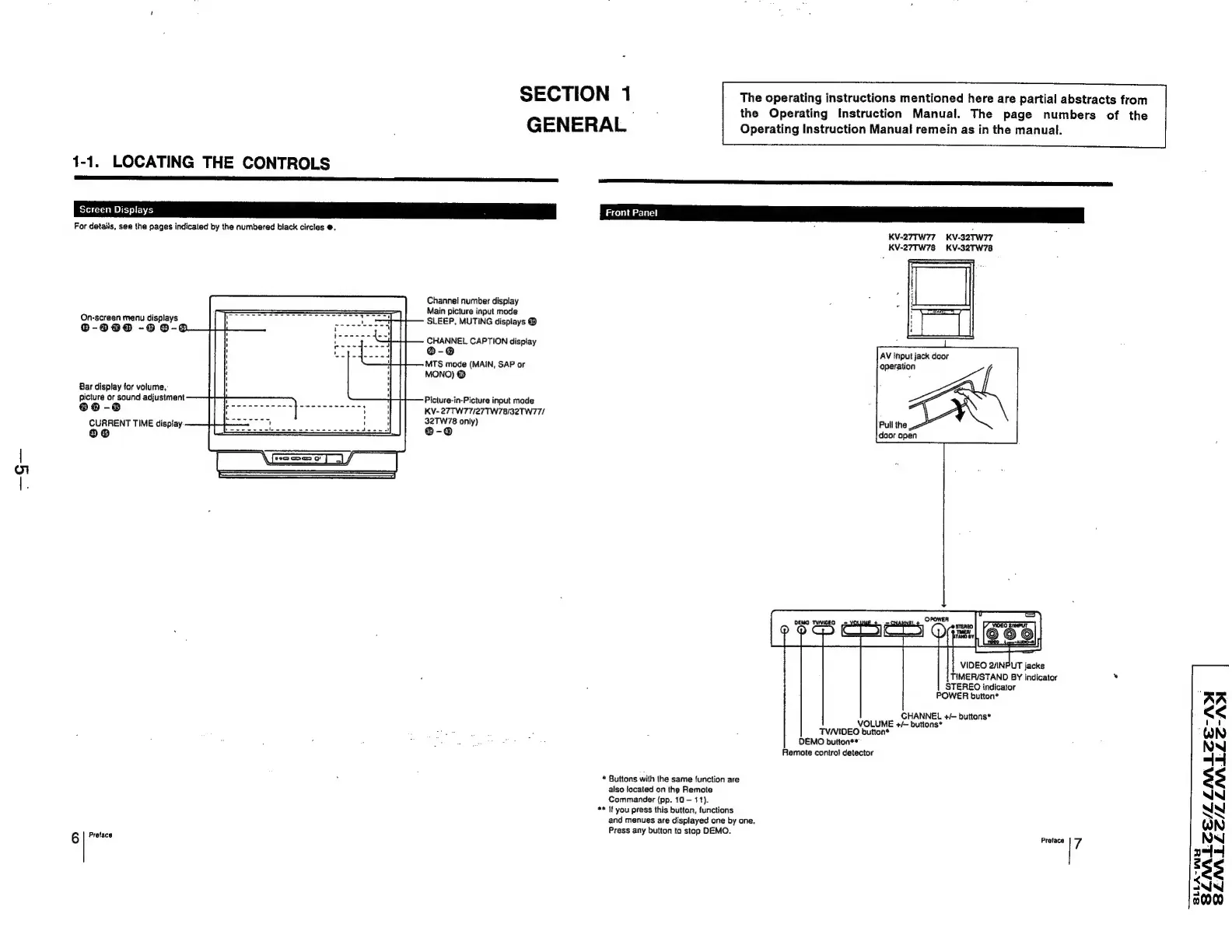
Channe!
number
display
Main
picture
input
mode
On-screen
menu
displays
SLEEP,
MUTING
displays
©
®-9090
-9
0-4
CHANNEL
CAPTION
display
®@-@
MTS
mode
(MAIN,
SAP
or
MONO)
@
Bar
display
for
volume,
picture
or
sound
adjustment
®@
-@
CURRENT
TIME
dispiay:
Picture-in-Picture
input
mode
KV-27TW77/27TW78/32TW77/
32TW78
only)
6
Pretace
Front
Panel
*
Buttons
with
ihe
same
function
are
also
located
on
the
Remote
Commander
(pp.
10
11).
**
If
you
press
this
button,
functions
and
menues
are
displayed
one
by
one.
Press
any
button
to
stop
DEMO.
KV-27TW77_
KV-32TW77
KV-27TW78 KV-32TW78
AV
input
jack
door
a
OA
Pull
the
door
open
VIDEO
2/INPUT
jacks
TIMER/STAND
BY
indicator
STEREO
indicator
POWER
button*
CHANNEL
+/-
buttons*
VOLUME
+/—
buttons*
TV/VIDEO
button*
DEMO
button**
Remote
control
detector
Preface
7
AA
<<
QN
NN
44
$3
NIN
NN
14
38
WN
000
SLLA-WHY

Related product manuals