36
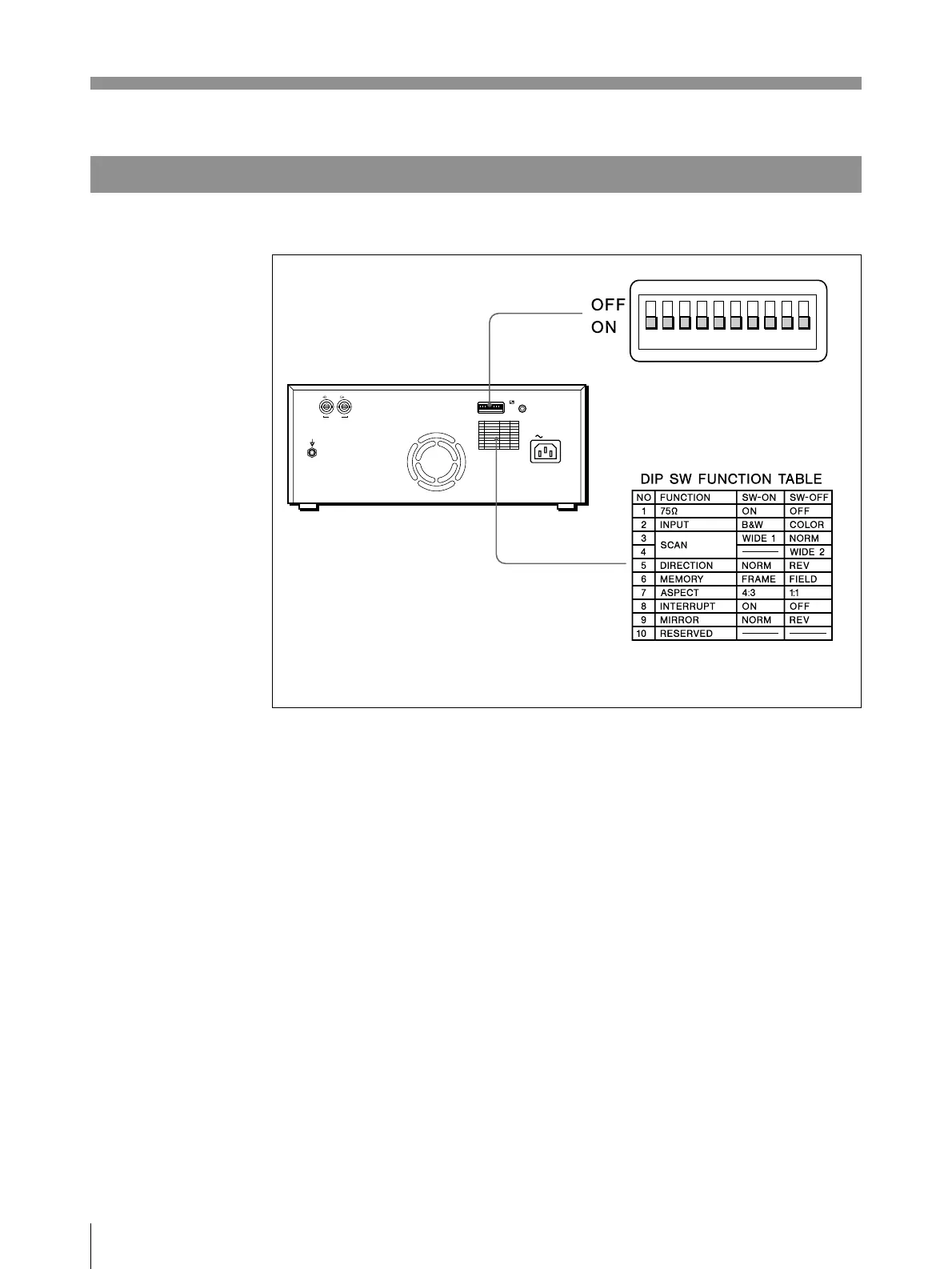
Setting the DIP Switches on the Rear Panel
The factory settings are as follows.
1 75Ω switch
ON (ON): When nothing is connected to the VIDEO OUT connector, set the
switch to this position.
OFF (OFF): When a video monitor or other video equipment is connected to
the VIDEO OUT connector, set the switch to this position.
When you connect two printers to one video equipment, set the 75Ω switch of
one of the printer to ON, and the other to OFF.
2 INPUT switch
B & W (ON): When the signal to be printed is black and white, set the switch
to this position.
COLOR (OFF): When the signal is color, set the switch to this position.
Preparation
Setting the DIP Switches (Continued)
REMOTE
AC IN
VIDEO
IN OUT
ON
OFF



 To Next Page