47
Maintenance
Cleaning the cabinet
Do not use strong solvents to clean the printer. Thinner or abrasive cleansers will
damage the cabinet.
Cleaning the thermal head
If the printout is dirty or white stripes appear on the printouts, clean the thermal
head using the supplied cleaning sheet.
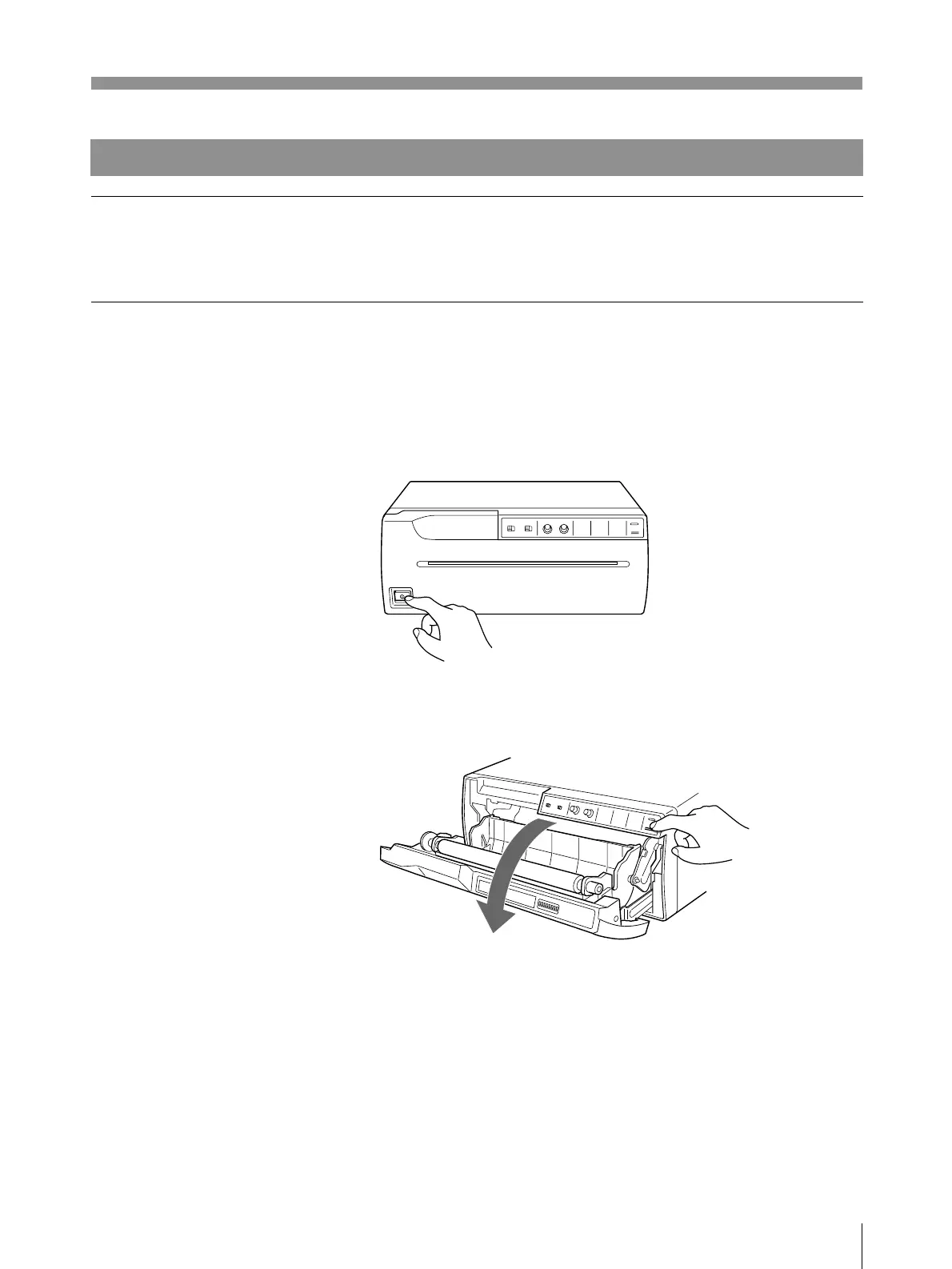
1 Press the power ON/OFF switch to turn on the printer.
2 Press the OPEN/CLOSE button to open the door panel.
Remove the paper roll if loaded in the printer.
Others
Continue to next page m



 To Next Page