2-19
VPL-PS10/PX10/PX15
Environment : Windows98,2000
How to use :
1. Insert the compact flash card into the PC. (If the input
slot is not provided, the PC card adapter such as the
conversion adapter or the compact flash writer is
needed.)
2. Format the compact flash card. (The system is not
required.)
3. Extract the network software on the PC.
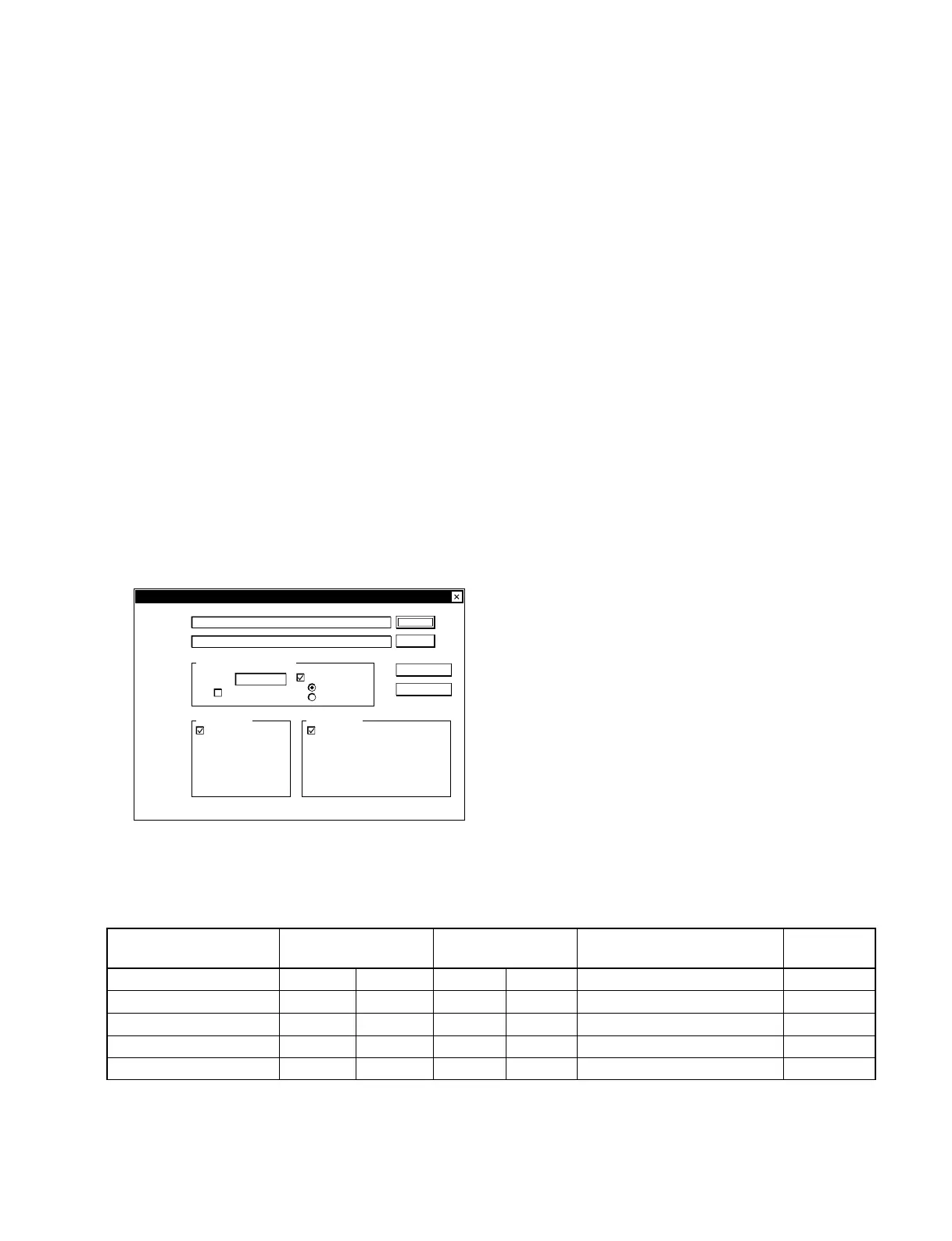
4. Install MakeCE.exe in the PC and boot it. The dia-
logue menu shown below appears.
Choose for the source the folder where the extacted
files (Programs folder and NK.bin are stored.) are
stored. Choose for the destination the drive in which
the compact flash card is inserted.
5. Uncheck the “CreateSerialBin” and check the “Over-
write”.
6. After entered, press the MakeCF button. Then, the
copy is started and the message “Again?” appears
when finished. To continue copying, press the OK. If
desired to finish, press the Cancel.
C:¥
C:¥
Make CF v1.1 for Windows CE based Network Projedtor
Source:
Destination:
Serial Number for VPL-FE110
Number:
Auto Increment
1
Create Seria Bin
Overwrite
Check Mode
Make CF
Exit
Browse...
Browse...
Copyright by Sony Corporation 2000-2001; all rightsreserved.
Create Directory
Eriable
Eriable
Document
Temp
Application Data
Favorites
History
Attribute Setting
[ ] READONLY
[ bin ] HIDDEN READONLY
[ dll ] HIDDEN READONLY
[ int ] HIDDEN READONLY
[ sub ] HIDDEN READONLY
2-2-19. Power Cord
Use a proper power cord for your local power supply.
The United States, Continental UK, Ireland, Japan
Canada Europe Australia, New Zealand
Plug type VM0233 290B YP-12A COX-07 —
1)
YP332
Female end VM0089 386A YC-13B COX-02 VM0310B YC-13
Cord type SJT SJT H05VV-F H05VV-F N13237/CO-228 VCTF
Rated Voltage & Current 10A/125V 10A/125V 10A/250V 10A/250V 10A/250V 7A/125V
Safety approval UL/CSA UL/CSA VDE VDE VDE DENAN



 To Next Page