Ui12, Ui16 User Manual
10.1: NETWORK CONFIG
SETTINGS > NETWORK CONFIG
10.1: NETWORK CONFIG
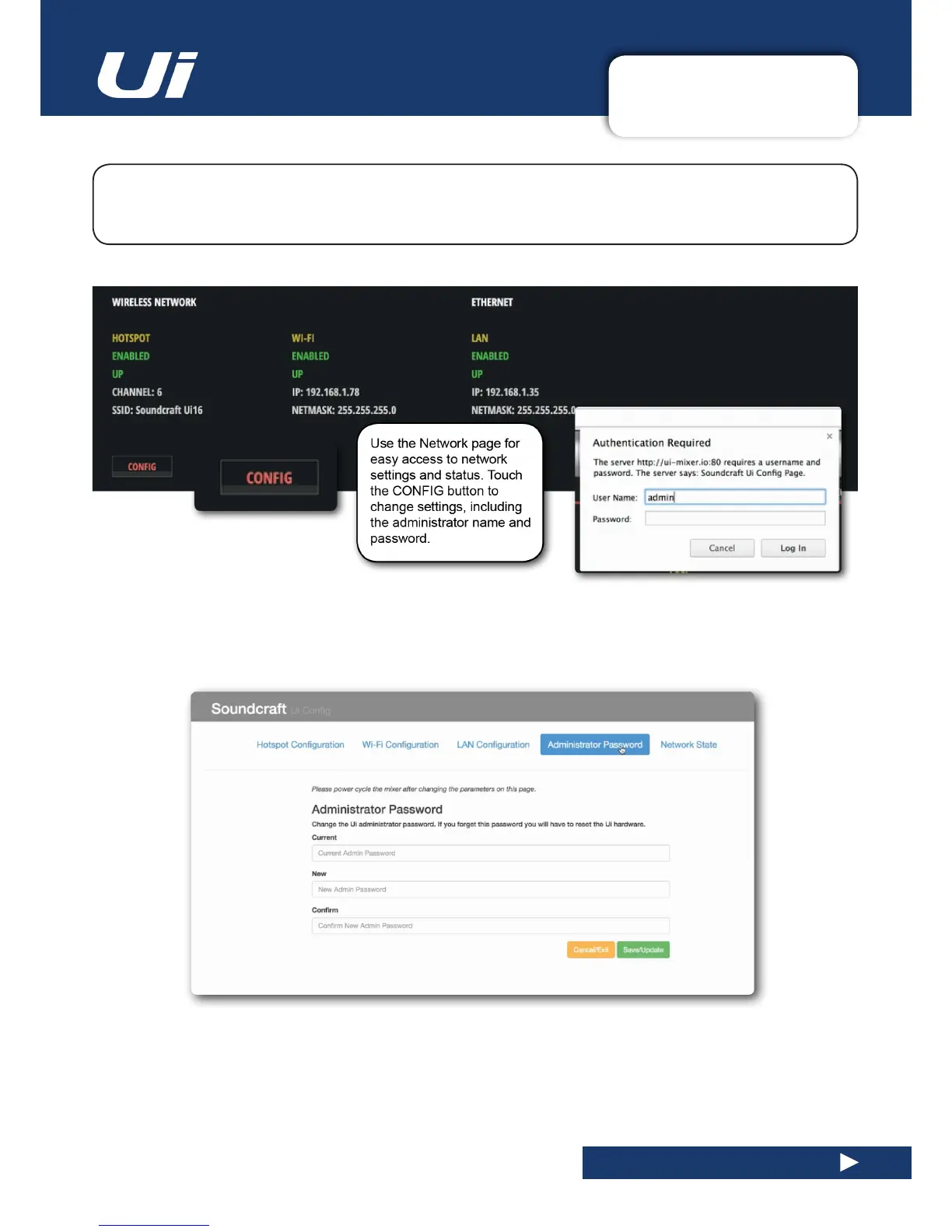
TheUiCongpageallowsyoutoenable/disableandeditsettingsforHotspotwirelessconnectionto
the Ui hotspot), WiFi (connection to an existing WiFi network), and LAN (wired connection via Ethernet).
There is also an Administration password change page, and a summary ‘Network State’ page.
IMPORTANT: The default administration user name is ‘admin’ and the default administration password is ‘admin’.
You will be asked for these when you touch the CONFIG button.
You can change the password using the Administrator Password page once you are in the CONFIG area.
In order to reset the unit’s network settings back to the factory default settings you can use the hardware reset
procedure, detailed in section 3.0.2.





 To Next Page